2026-06-12
AI Apparel Design Pattern Workflow: Combine Silhouette and Surface
Design apparel concepts with AI by separating garment silhouette, knit texture, pattern language, color palette, and final image generation.
Try this workflow in Naviya
Use the guide to shape a still image, then keep it as a first frame or campaign asset.
Open the studio
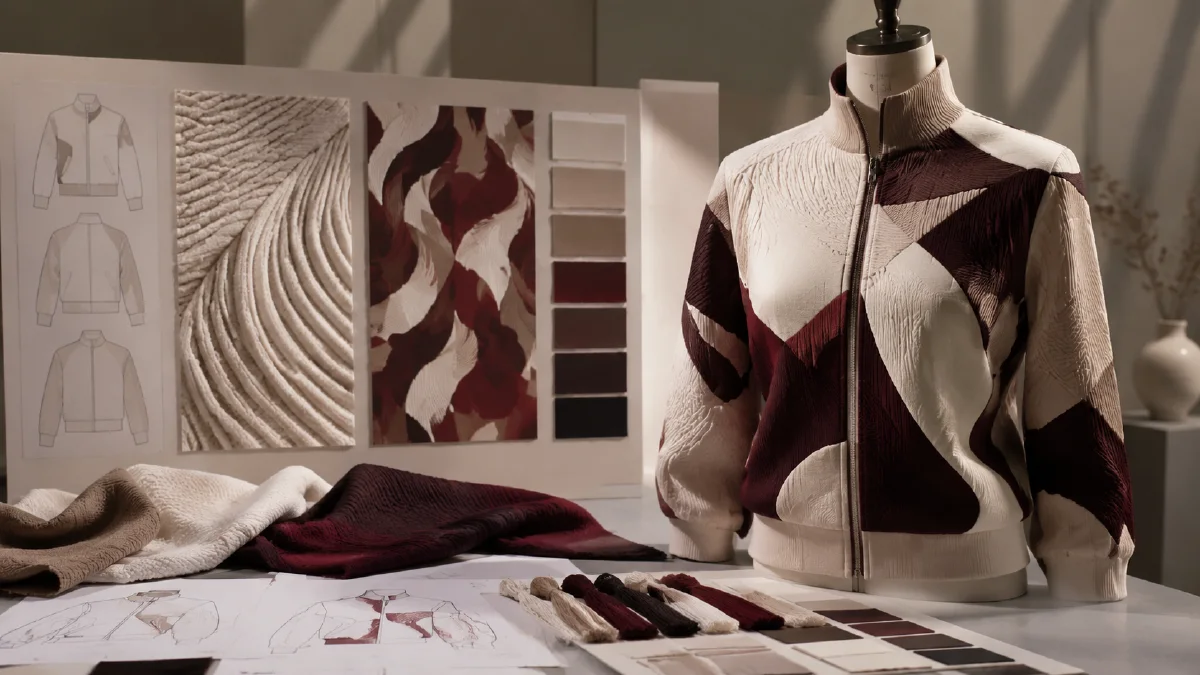
An AI apparel design pattern workflow helps you turn a garment idea into a visual concept by separating two decisions: the garment structure and the surface pattern. Instead of asking AI for "a stylish sweater" and hoping for the best, you define the silhouette first, define the pattern second, then fuse both into a final product image.
This is useful for sweaters, jackets, tees, dresses, scarves, activewear, and capsule collection exploration. It gives designers, founders, merch teams, and ecommerce operators a fast way to test shape, material, color, and print direction before sampling.
Use AI Image Generator for concept images. If you want to show the design on a model, pair it with AI apparel model workflow or AI model product scene automation. For visual exploration, see AI style prompt pack for brand visuals and AI composition prompts guide.
Definition
An apparel design pattern workflow is a structured prompt method for generating garment concepts. It treats garment form and surface design as separate branches:
- Silhouette branch: fit, collar, length, material, construction.
- Pattern branch: motif, layout, style, color palette.
- Fusion stage: combines the chosen silhouette and pattern into one garment image.
This mirrors how fashion teams think. A good print cannot save the wrong fit, and a great silhouette can feel unfinished without the right surface language.
Step 1: Define the garment structure
Start with the garment skeleton. For a sweater, answer:
| Decision | Options |
|---|---|
| Buyer | womenswear, menswear, unisex, kids |
| Fit | oversized, cropped, relaxed, slim, boxy |
| Neck | turtleneck, crew, V-neck, mock neck, cardigan |
| Material | cable knit, rib knit, brushed wool, mohair, cotton knit |
| Detail | dropped shoulder, deep cuff, chunky hem, cropped sleeve |
Silhouette prompt:
Design the base silhouette for a fashion sweater concept.
Buyer: [womenswear, menswear, unisex].
Fit: [oversized boxy, cropped slim, relaxed, structured].
Neck: [turtleneck, crew neck, V-neck, cardigan].
Material: [chunky cable knit, soft mohair, fine rib knit, brushed wool].
Construction details: [dropped shoulders, deep cuffs, heavy hem, visible knit texture].
Style: clean fashion design presentation, product-focused, neutral background.
Example:
Design an oversized boxy turtleneck sweater with deep chunky cable knit texture, dropped shoulders, heavy ribbed cuffs, and a relaxed premium winter silhouette.
Step 2: Define the pattern language
Now design the surface. Do not combine it with the sweater yet. Explore motifs first.
Pattern dimensions:
- Style: old-money, neo-folk, acid graphic, minimalist geometric, hand-drawn, retro sport.
- Elements: pixel flowers, waves, abstract blocks, totems, stripes, symbols.
- Layout: regular grid, scattered, border motif, large center motif, all-over repeat.
- Palette: navy and mustard, black and ivory, moss and cream, red and charcoal.
Pattern prompt:
Create a textile pattern concept for apparel.
Style: [neo-folk, minimalist geometric, vintage outdoor, acid graphic].
Motifs: [specific visual elements].
Layout: [regular repeat, scattered, border placement, large center motif].
Color palette: [2 to 4 colors].
Texture: suitable for knitwear, woven into fabric rather than printed flat.
Constraints: pattern should be readable on a garment and not too dense.
Example:
Create a neo-folk knitwear pattern with pixelated botanical motifs and small totem symbols, arranged in a regular geometric repeat, using deep navy, mustard yellow, cream, and muted red.
Step 3: Fuse silhouette and pattern
Once you have a strong silhouette and a strong pattern, combine them.
Fusion prompt:
Create a finished apparel concept image.
Garment silhouette: [paste or summarize chosen silhouette].
Surface pattern: [paste or summarize chosen pattern].
Material behavior: pattern is integrated into the knit structure, not printed on top.
Presentation: front-facing fashion product render, clean background, soft studio lighting.
Constraints: keep garment construction believable, pattern follows folds and seams, no extra logos, no unreadable text.
Generate several versions. Some will have better pattern scale. Some will have better garment structure. Choose the version where both work together.
Step 4: Review like a merchandiser
Ask practical questions:
- Would this garment make sense to manufacture?
- Is the motif scale wearable?
- Does the pattern fight the silhouette?
- Are collar, cuff, hem, and sleeve details clear?
- Does the color palette fit the season?
- Can the design be shown on a model or flat lay?
If the pattern is too busy, reduce motif count. If the garment is too generic, strengthen fit and construction details.
Concept testing matrix
Create a small matrix instead of one final image:
| Silhouette | Pattern | Why test it |
|---|---|---|
| Oversized turtleneck | Neo-folk repeat | Cozy statement piece |
| Cropped crew | Minimal geometric | Younger, cleaner styling |
| Relaxed cardigan | Botanical border | Layering and gifting |
| Boxy pullover | Retro sport stripe | Street and campus use |
This makes feedback easier. Reviewers can respond to shape, pattern, and market fit separately instead of debating one overloaded concept.
Step 5: Extend into campaign assets
After the design is chosen, create:
| Asset | Use |
|---|---|
| Product render | Design review and catalog |
| Flat lay | Ecommerce and social |
| Model shot | Lookbook and product page |
| Detail crop | Fabric and pattern proof |
| Video reveal | Campaign teaser |
Use Image to Video for simple motion such as fabric sway, light sweep, or model turn.
Batch workflow for apparel teams
For a real apparel team, the best use of this workflow is not a single hero image. It is a controlled mini-library that lets design, merchandising, and growth teams compare the same garment idea across clear commercial situations.
Start with three locked inputs: the garment construction, the pattern family, and the customer occasion. Then generate a small grid instead of one perfect render:
| Asset | Purpose | What to keep stable |
|---|---|---|
| Flat front view | Pattern review | silhouette, seams, repeat scale |
| Model view | Fit and styling review | fabric behavior, body proportion, garment length |
| Detail crop | Ecommerce proof | stitching, texture, motif edge |
| Lifestyle scene | Campaign testing | brand palette, shopper occasion, product visibility |
If the flat view works but the model view fails, the issue is usually construction language. Add collar, sleeve, hem, waist, and fabric weight details before asking for a new style. If the model view works but the pattern feels random, return to the motif prompt and remove decorative ideas that do not support the product story.
Once the still system is stable, expand the concept into motion with a related workflow such as AI fashion product video or a multi-view set using multi-angle model references. Keep the apparel prompt identical across AI Image Generator and Image to Video so the garment does not turn into a different SKU halfway through the campaign.
Try it in Naviya
Open AI Image Generator and create three silhouette options and three pattern options. Fuse the best pair into a finished concept, then test it on a model with AI apparel model workflow or animate the final image with Image to Video.
Reusable apparel prompt
Garment: [type]
Buyer: [audience]
Silhouette: [fit, length, neckline, sleeve, construction]
Material: [knit, wool, denim, nylon, silk, cotton]
Pattern style: [visual direction]
Motifs: [elements]
Layout: [repeat, border, placement]
Palette: [colors]
Presentation: [flat product render, model image, lookbook scene]
Constraints: believable construction, accurate material behavior, no fake logos.
The workflow works because it slows down the right decisions. Define the garment body, define the surface idea, then combine them with clear material rules. The result is more useful than a vague fashion prompt and much easier to turn into product, campaign, or ecommerce visuals.