2026-06-12
AI Composition Prompts: Control Subject Placement, Leading Lines, and Balance
Learn how to write AI composition prompts that control subject placement, leading lines, asymmetrical balance, negative space, and visual hierarchy.
Try this workflow in Naviya
Use the guide to shape a still image, then keep it as a first frame or campaign asset.
Open the studio
AI composition prompts are how you tell an image model where the viewer should look first, how the eye should move through the frame, and why the picture feels stable or unstable. If you only describe the subject, most models will produce a safe centered image. It may look clean, but it often lacks tension, depth, and story.
Composition is not decoration. It is the logic of the image.
Use this guide when creating first frames for image to video, social ad visuals, character portraits, product hero shots, and cinematic concept images.
Why composition needs explicit prompting
Most image models prefer safe defaults:
- The subject is centered.
- The lighting is balanced.
- The background is evenly filled.
- The frame feels complete but predictable.
That default is useful for thumbnails and simple product images, but it can make creative work feel flat. A stronger prompt tells the model how the frame should behave.
Use this structure:
Subject + subject position + visual path + balancing element + lighting + format.
Example:
A creator in a black jacket, positioned on the left third of the frame, wet street reflections leading toward the subject, balanced by a bright violet sign on the opposite side, cinematic night lighting, 9:16.
Control subject placement
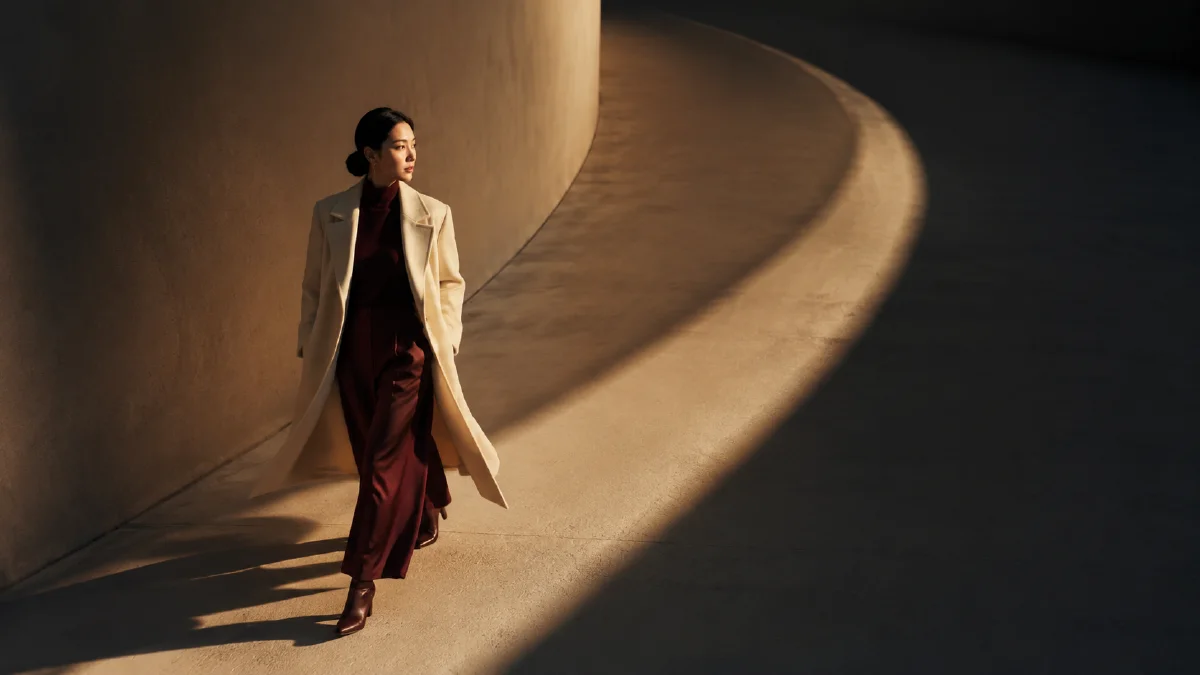
Subject placement decides the visual center of gravity. Center composition feels direct and stable. Off-center composition feels more cinematic, observational, or editorial.
| Goal | Prompt phrase |
|---|---|
| Natural portrait | subject placed at the left one-third of the frame |
| Product with caption space | product centered in lower third, clean space above |
| Cinematic loneliness | tiny subject near bottom third, vast negative space above |
| Editorial tension | subject pushed to the far right edge, asymmetrical composition |
| Hero product | centered product, symmetrical composition, controlled studio space |
For video first frames, leave room for motion. A portrait cropped too close may look good as a still image but fail once the camera moves. Add phrases like "margin around the subject" or "space for a slow push-in."
Use leading lines
Leading lines guide the viewer's eye. Models understand concrete objects better than abstract instructions, so do not only write "strong composition." Name the line source.
Useful line sources:
- Roads and sidewalks.
- Railings and fences.
- Shadows.
- Light beams.
- Table edges.
- Product reflections.
- Character gaze.
Prompt examples:
Leading lines from the wet road guide the eye toward the subject.
Diagonal sunlight from the top right cuts across the frame and points toward the product.
The subject looks toward a distant window, creating a visual path into the background.
If a generated image feels crowded, add one dominant visual path and remove competing objects.
Balance the frame without making it symmetrical
Balance does not always mean symmetry. Many strong images use asymmetrical balance: the subject sits on one side, while light, color, scale, or a secondary object balances the other side.
| Balance method | Prompt phrase |
|---|---|
| Light balance | balanced by a bright window on the opposite side |
| Color balance | warm subject light balanced by cool background tones |
| Object balance | small object on the right counterbalances the large subject on the left |
| Shape balance | background architecture creates stable visual weight |
| Empty space balance | negative space balances the close-up subject |
For ads and product visuals, balance also helps readability. If the product is on the lower third, leave clean space for text or captions. If the face is off-center, keep the direction of gaze open rather than cramped against the edge.
Composition prompt templates
Cinematic portrait
A close portrait of a young creator, subject positioned on the left third of the frame, eyes looking toward open negative space on the right, diagonal violet rim light guiding the viewer's eye, dark studio background, balanced by a soft rectangular light shape in the distance.
Product hero image
A premium product on a black reflective table, centered lower-third composition, clean negative space above for title copy, light reflection leading from foreground toward the product, balanced by a subtle rim light on the opposite edge, commercial studio photography.
Anime first frame
Anime character standing on a rainy neon street, subject placed at right one-third, road reflections and building lines converging toward the character, background lights balancing the empty left side, cinematic night palette, enough margin for a slow camera push-in.
Common composition mistakes
- Writing only the subject and expecting the model to choose the frame.
- Asking for cinematic composition without naming subject position.
- Adding too many leading lines that compete.
- Cropping the subject too tightly for image to video.
- Putting important details where platform UI or captions will cover them.
- Treating every product shot as centered when the final ad needs text space.
Composition checklist
Before generating, answer five questions:
- Where should the viewer look first?
- What line or light path moves the eye?
- What balances the subject?
- Is there enough space for the intended format?
- What details must stay visible if this becomes video?
Good composition prompts do not need to be long. They need to define the frame's visual logic. Once that logic is clear, the image becomes easier to animate, crop, caption, and reuse.
Composition review pass before you generate
Before you send a prompt, review the frame like a designer. Ask what the viewer should notice first, second, and third. If everything in the prompt has equal importance, the image will often become visually noisy. Give the model a clear priority order: "hero bottle centered in the lower third, soft hands in the foreground, blurred bathroom tiles behind it" is easier to follow than "bottle, bathroom, hands, clean, premium, lifestyle." Good composition is not only about beauty. It is about directing attention.
Use a short markup pass for important assets. Sketch a rectangle on paper or in your design tool, then mark the subject zone, empty copy zone, foreground layer, and background texture. This prevents common failures such as generated text covering the product, a face being cropped by a platform UI area, or a banner having no clean space for a headline. For ecommerce, keep the product readable before adding mood. For editorial visuals, let the negative space and leading lines carry more emotion. For video first frames, leave enough room for motion so the subject does not immediately exit the frame.
Composition also decides what to remove. If the image needs to sell one feature, remove extra props. If the portrait needs intimacy, remove heavy environmental detail. If the ad needs captions, remove busy texture behind the planned text area. Build the still in the AI image generator, then animate a stable version with image to video. For adjacent controls, use camera angle prompts, perspective prompts, and lighting prompts as separate passes rather than stuffing every idea into one sentence.
For repeat campaigns, save the composition pattern that worked: centered hero with top copy space, diagonal product path, foreground frame, split layout, or subject on the lower third. Naming the pattern makes feedback more precise and helps the next prompt start from a proven layout instead of a blank page.
Try it in Naviya
Use Naviya AI Image Generator to test composition variants before spending time on motion. If the composition is meant to become a clip, bring the strongest still into Image to Video, then use the AI video prompt guide to add camera and motion without breaking the frame.