2026-06-12
Perspective Prompts for AI Images: Add Depth with Lines, Atmosphere, and Scale
Use perspective prompts for AI images to create depth with vanishing points, atmospheric perspective, foreground layers, scale contrast, and lens choice.
Try this workflow in Naviya
Use the guide to shape a still image, then keep it as a first frame or campaign asset.
Open the studio
Perspective prompts help AI images feel three-dimensional. Without perspective cues, a model may arrange objects like a flat collage: subject in front, background behind, little depth between them.
Depth is created through lines, atmosphere, scale, foreground, and lens choice. The model responds best when those cues are concrete.
Use this guide for cinematic images, product scenes, anime environments, architecture, fantasy concepts, and first frames for video.
Linear perspective
Linear perspective uses converging lines to pull the eye into the frame.
Useful phrases:
- "converging lines"
- "vanishing point"
- "road stretching into the distance"
- "hallway narrowing toward a distant point"
- "building edges leading toward the subject"
- "foreground lines guiding the eye"
Example:
A rainy city street stretching toward a distant vanishing point, building edges on both sides forming converging lines, wet road reflections guiding the eye toward the subject, wide 35mm lens.
This gives the model a spatial structure instead of a list of objects.
Atmospheric perspective
Atmospheric perspective uses fog, haze, contrast, and detail falloff to separate foreground, midground, and background.
Prompt phrases:
- "foreground sharp, background fading into mist"
- "layers of fog between distant objects"
- "atmospheric depth"
- "far mountains low contrast and desaturated"
- "volumetric light revealing air density"
- "foreground bokeh framing the subject"
Example:
Forest scene with sharp rain-soaked leaves in the foreground, explorer in the midground, distant trees fading into layered white fog, atmospheric depth, cool morning light.
Do not describe every background detail with equal sharpness. Depth needs information falloff.
Scale contrast
Scale contrast makes space obvious by placing small and large elements together.
Useful phrases:
- "tiny subject dwarfed by enormous architecture"
- "colossal structure towering over the scene"
- "extreme scale contrast"
- "wide establishing shot"
- "low-angle view emphasizing height"
- "miniature figure in vast environment"
Example:
Tiny lone figure standing at the base of a colossal concrete structure, extreme scale contrast, low-angle wide shot, vertical height disappearing into fog, cinematic atmosphere.
Scale works especially well for science fiction, fantasy, city scenes, and product macro concepts.
Foreground layers
Foreground objects create depth because the viewer looks through something.
Examples:
- window frame
- doorway
- blurred leaves
- glass reflection
- railing
- desk edge
- product reflection
- out-of-focus fabric
Prompt:
View through a blurred foreground window frame, subject visible in the midground, background lights softened into bokeh, shallow depth of field, cinematic depth.
For video first frames, foreground layers can make a slow push-in more interesting.
Lens choice
Lens affects perceived depth.
| Lens | Depth behavior |
|---|---|
| 16-24mm wide angle | strong perspective, exaggerated foreground |
| 35mm | cinematic depth with natural space |
| 50mm | balanced natural perspective |
| 85mm | compressed background, subject isolation |
| 135mm+ | flat, distant, compressed space |
If the scene needs deep perspective, use wide or 35mm language. If the goal is isolation, use 85mm or telephoto language.
Perspective prompt templates
City depth
Wide 35mm shot of a neon city street, road stretching into a distant vanishing point, wet reflections leading toward a small subject in the midground, buildings on both sides forming converging lines, atmospheric haze in the far background.
Product macro depth
Macro product shot with blurred foreground reflection at the bottom of the frame, product sharp in the midground, background falling into soft bokeh, side light revealing material texture, shallow depth of field.
Anime landscape
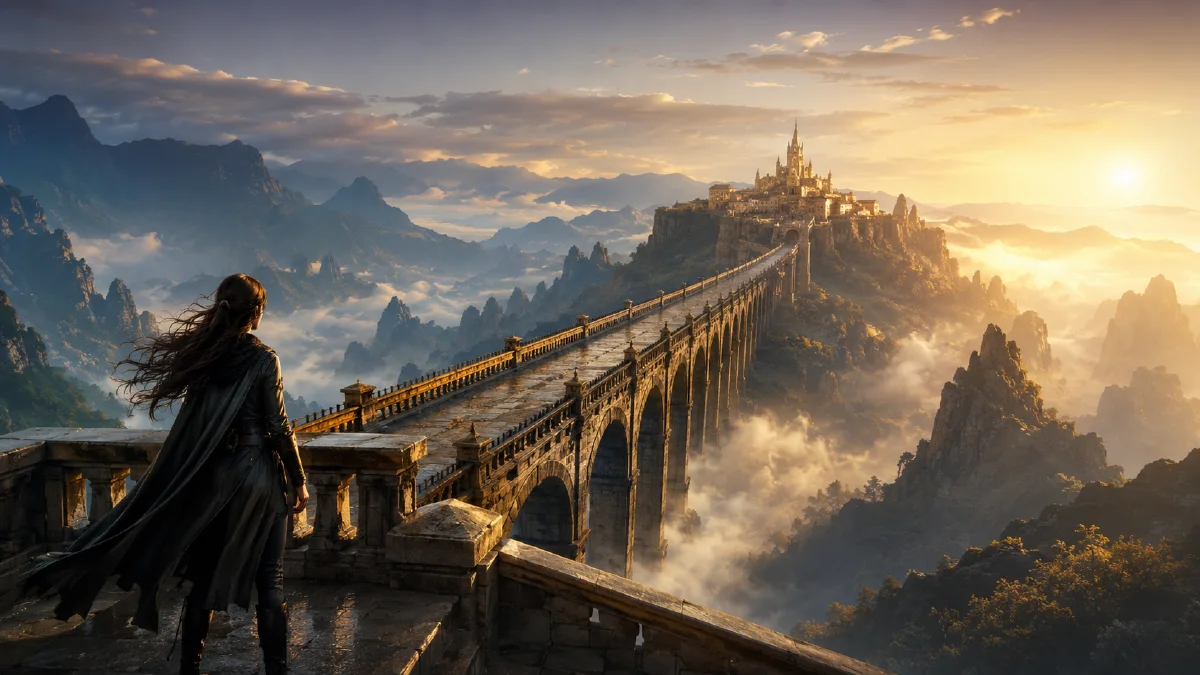
Anime fantasy landscape, tiny character in foreground looking toward a massive distant castle, layers of mist between hills, atmospheric perspective, warm sunlight cutting through clouds, wide cinematic frame.
Common perspective mistakes
- Listing foreground and background without describing their distance.
- Making every object equally sharp.
- Using square format for a scene that needs strong horizontal depth.
- Asking for telephoto compression when you want wide depth.
- Filling the frame so tightly there is no room for perspective.
- Forgetting foreground layers.
Checklist
Before generating, include at least two depth cues:
- A line cue: road, hallway, building edge, shadow.
- An atmosphere cue: fog, haze, contrast falloff.
- A scale cue: tiny subject, massive structure.
- A foreground cue: blurred object near camera.
- A lens cue: wide, 35mm, telephoto, macro.
Perspective prompts turn a flat description into a space the viewer can enter.
Perspective for image to video
Depth cues become even more useful when the image will move. A slow push-in feels stronger when there are foreground objects, midground subjects, and a background that fades into space. A side tracking shot needs visible layers so parallax can appear.
Useful video-first additions:
- "foreground object softly out of focus near the camera"
- "midground subject remains clear"
- "background recedes into mist"
- "slow push-in reveals depth between layers"
- "side tracking shot creates foreground/background parallax"
Pair this with AI camera angle prompts when you need lens control, or with Image to Video when the perspective image is already ready to animate.
Depth planning workflow
Perspective becomes easier when you plan the frame as layers. Start with the subject plane: where the person, product, or main object sits. Then define the foreground layer, the midground support, and the background depth. A product macro might use a blurred foreground edge, a sharp product plane, and soft shelf shapes behind it. A city image might use street markings in the foreground, the subject in the midground, and fading buildings in the distance.
Use this prompt order:
- Camera position: low, eye-level, overhead, worm's-eye, or top-down.
- Lens behavior: wide, normal, telephoto, macro, or shallow depth of field.
- Layering: foreground object, subject plane, background environment.
- Scale cue: hand, furniture, road line, doorway, person, or known object.
- Atmosphere: haze, rain, dust, sunlight, neon, or clean studio air.
- Constraint: keep the product, face, or architecture undistorted.
Most perspective failures come from conflicting instructions. "Top-down view with dramatic horizon" asks for two incompatible spaces. "Macro close-up of a full city" may collapse scale unless the prompt explains a miniature or reflected surface. If a result looks warped, reduce wide-angle language or move the camera farther away. If the scene looks flat, add foreground overlap or atmospheric depth. If the product stretches, avoid extreme low-angle shots and use a normal lens.
Perspective also matters for motion. A strong still with clear layers can become a better video because parallax, push-ins, and tracking shots have something to move through. Build the frame in the AI image generator, then animate with the image to video generator when depth is stable. For more control, pair this guide with camera angle prompts, composition prompts, and AI video camera movement prompts.
For business assets, choose depth based on the message. Shallow depth can make a beauty product feel intimate. Long street perspective can make a travel or automotive scene feel expansive. Top-down perspective can make kits, bundles, and ingredients easier to compare. The right depth choice should make the offer clearer, not just make the image look more cinematic.
Try it in Naviya
Create depth-rich stills in Naviya AI Image Generator, then animate them with Image to Video. Keep the motion simple so the model preserves the perspective structure.
Final rule
If an image feels flat, do not add more objects first. Add spatial evidence: a foreground layer, a vanishing line, a distant low-contrast background, or a scale cue. Depth is usually created by relationships between objects, not by the number of objects in the frame.