2026-06-12
Outdoor Jacket Detail Page AI Workflow
Build a complete outdoor jacket ecommerce detail page with AI competitor analysis, hero visuals, multi-state product images, CG fabric demos, and conversion copy.
Try this workflow in Naviya
Turn a product, hook, or campaign idea into short social-ready ad concepts.
Create video ad variants
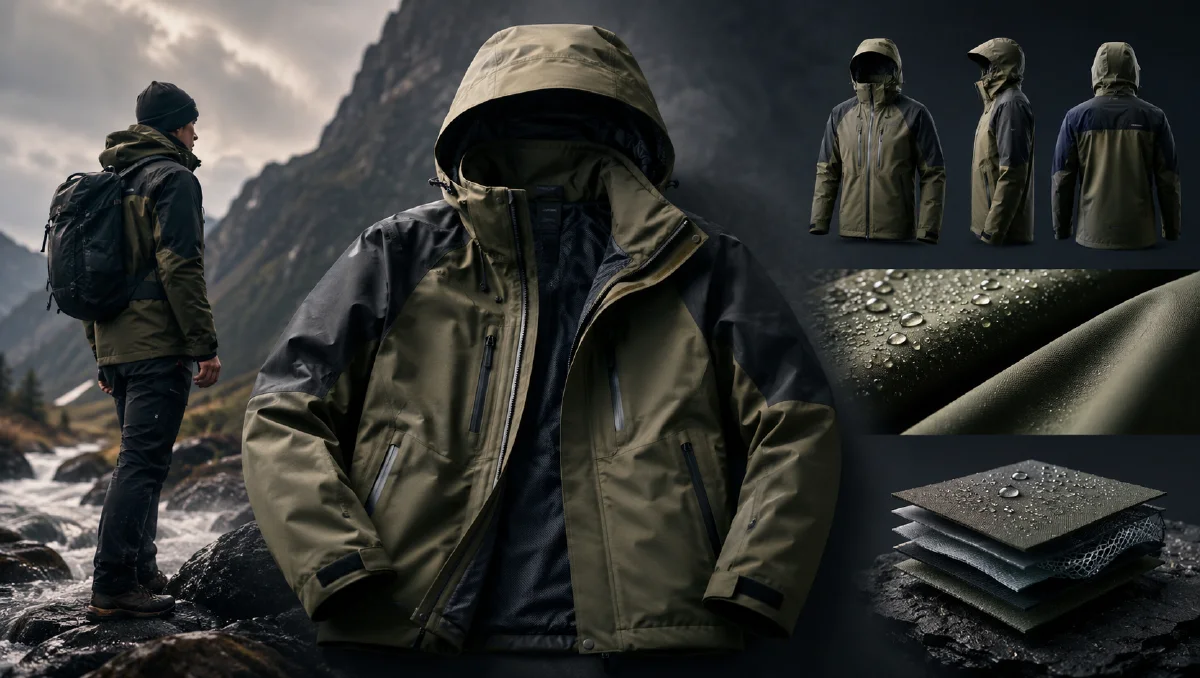
An outdoor jacket detail page has to do more than look good. It must explain weather protection, layering, fit, fabric technology, scenarios, and value quickly enough for a shopper to keep scrolling. AI can help create the full page when you treat the page as a planned conversion sequence instead of a pile of generated images.
This workflow uses competitive analysis, hero image generation, product-state visuals, CG fabric demonstrations, and sharper ecommerce copy. For related asset creation, see outdoor apparel AI scenario photography workflow, AI product promo page workflow, and ecommerce product video AI.
What is an AI detail page workflow?
An AI detail page workflow is a structured method for planning and creating a long ecommerce page. It combines visual direction, product proof, scene imagery, detail diagrams, and copywriting. For a technical jacket, the page should answer:
- What does it look like on a person?
- What weather does it handle?
- What are the technical selling points?
- How can it be worn?
- What details prove quality?
- Why should this product be chosen now?
Step 1: Analyze competitor page logic
Before generating, study high-performing outdoor pages. You are looking for structure, not copying.
Common pattern:
| Screen | Purpose | Visual direction |
|---|---|---|
| 1 | Hero and instant desire | Model or celebrity-style outdoor hero |
| 2 | Core promise | Waterproof, windproof, breathable icons |
| 3 | Fabric proof | Macro water or air visualization |
| 4 | Construction | Seams, hood, zipper, pockets |
| 5 | Multi-state wear | Combined, outer shell, inner liner |
| 6 | Scenario | Mountain, city, camp, commute |
| 7 | Fit and sizing | Front, side, movement, layering |
| 8 | Detail close-ups | Hardware, cuffs, hem, pocket |
| 9 | Comparison or specs | Clear feature grid |
| 10 | Brand close | Lifestyle payoff and purchase cue |
This becomes the page architecture.
Step 2: Generate the hero visual
The first screen should be simple, bold, and product-led. If the hero jacket is red, place it against a cold environment so the color does the work.
Prompt:
Commercial hero image for a technical outdoor three-in-one jacket detail page.
Model wearing the red jacket on a snowy mountain ridge with blue sky and white
snow contrast. Strong product visibility, dynamic but believable pose, sharp
fabric texture, hood and zipper details visible, premium outdoor campaign mood,
cold light, high-resolution ecommerce hero image, no text.
If unwanted text appears, regenerate or use image editing to remove it. If the logo is wrong, use a clean logo reference and ask for placement correction only.
Create hero assets in Naviya image generator. For a moving top banner, use Naviya image-to-video after the still is approved.
Step 3: Create multi-state product visuals
A three-in-one jacket needs four clean states:
- Combined jacket.
- Outer shell.
- Down liner.
- Fleece or soft liner.
Prompt:
Generate four white-background ecommerce images of the same model wearing the
same three-in-one jacket in four states: combined full jacket, outer shell only,
down liner only, fleece liner only. Natural model posture, full body visible,
accurate jacket fit, consistent model identity, clean commercial lighting.
Then create scenario images for each state:
Model wearing the outer shell state while adjusting the hood on a rainy trail.
Lightweight shell texture visible, water droplets on fabric, overcast mountain
environment, realistic outdoor ecommerce photography, product details preserved.
For more scenario planning, use cross-border ecommerce scene images.
Step 4: Visualize technical benefits
Technical benefits often look boring as text. Turn them into CG or macro visuals.
Examples:
| Feature | Visual idea |
|---|---|
| Waterproof | Water droplets rolling off white fabric texture |
| Breathable | Subtle blue airflow passing through textile layers |
| Windproof | Fabric surface resisting directional wind particles |
| Stain resistant | Mud or liquid sliding away from fibers |
| Seam quality | Macro seam with clean stitching and sealed tape |
Prompt:
Premium white CG macro visualization of technical outdoor jacket fabric. Close
view of woven textile surface with water droplets rolling off, subtle blue
technology background, clean studio lighting, high-end product science mood,
realistic material texture, no text.
CG sections make the page feel engineered. Keep them visually consistent: white materials, blue technology accents, clean lighting, and simple diagrams.
Step 5: Turn specs into social copy
Outdoor specifications can sound cold. Translate them into benefit-led copy.
| Spec copy | Better page copy |
|---|---|
| Waterproof index 26267 | Heavy rain feels like background noise |
| Three-in-one design | One jacket, three weather modes |
| Breathable membrane | Stay covered without feeling sealed in |
| Windproof shell | Keep moving when the wind picks up |
| Detachable liner | Warmth when you need it, lighter wear when you do not |
Use punchy copy in hero sections and precise copy in specs. Do not hide the real parameters, but do not make them the emotional headline.
Step 6: Layout the detail page
Recommended order:
- Hero image with one clear headline.
- Product promise icons.
- Waterproof CG macro.
- Breathability CG macro.
- Windproof outdoor scenario.
- Multi-state wear grid.
- Detail close-ups.
- Lifestyle scenarios.
- Fit and size information.
- Brand closing visual.
Use AI visual brief to prompt to turn each section into consistent image prompts.
Step 7: Add motion where it helps
Not every detail page needs video, but certain sections benefit:
- Hero banner: slow wind and camera push-in.
- Waterproof section: droplets roll off fabric.
- Multi-state section: jacket layers separate smoothly.
- Scenario section: model adjusts hood or walks through rain.
Use Naviya video generator or image-to-video for these short loops.
Mobile page reading order
Most shoppers will scan the detail page on a phone. Plan every screen as a vertical decision point:
- Do I like the look?
- Do I trust the weather promise?
- Can I see the material?
- Can I understand the three wearing modes?
- Does it fit my use case?
- Are the details worth the price?
If a screen does not answer one of those questions, remove it or combine it with a stronger section. AI can generate many visuals, but a detail page should not become a gallery. Each section should reduce buying uncertainty.
Mobile copy rule: one headline, one proof image, one supporting line. Keep icons simple and give every technical image a clear reason to exist.
Image naming for production
Name generated assets by page section so the page can be assembled quickly:
01-hero-red-jacket-snow02-waterproof-macro-droplets03-breathable-airflow-cg04-shell-rain-trail05-three-in-one-grid06-cuff-zipper-detail07-camp-lifestyle-liner08-spec-comparison
Clear names reduce layout mistakes. They also help editors replace weak images without confusing the page order. A long detail page can have dozens of assets; naming is part of the workflow, not an afterthought.
Try it in Naviya
Build the hero, product states, scenarios, and CG fabric images in Naviya image generator. Animate key sections with image-to-video, then create ad variants in Naviya AI video ads for paid traffic.
Detail page checklist
- The first screen shows the product clearly.
- Every feature has a visual proof.
- Multi-state wearing is easy to understand.
- CG sections use one consistent design language.
- Copy translates specs into shopper benefits.
- Product color, zipper, hood, pockets, and fit stay accurate.
- The page can be scanned quickly on mobile.
AI can build the raw materials quickly, but the page still needs ecommerce logic. Plan the scroll before you generate the images.