2026-06-12
Cross-Border Ecommerce Scene Images: Furniture Lifestyle Workflow
Create cross-border ecommerce scene images for furniture listings with accurate scale, localized room styling, marketplace ratios, and high-resolution QA.
Try this workflow in Naviya
Turn a product, hook, or campaign idea into short social-ready ad concepts.
Create video ad variants
Cross-border ecommerce scene images are difficult for furniture sellers because the product has to look accurate and the room has to feel right for the target market. A sofa cannot change arm shape. A dining table cannot lose leg length. A cabinet cannot become a different wood. At the same time, the image must fit Amazon, an independent store, A+ content, ads, and social placements.
AI can make furniture scene production faster, but furniture is less forgiving than small products. Scale, perspective, texture, and room style all expose weak generation. A useful workflow separates the process into three passes: create the base scene, adjust the ratio, then upscale and inspect details.
Use Naviya AI Image Generator to create the still scene from a clean product reference. The product image should lead the generation, not the room.
Prepare the furniture reference
Start with a product image on a white or light gray background. The cleaner the input, the easier it is for the model to preserve the silhouette.
For furniture, inspect the reference before generating:
| Product feature | Why it matters |
|---|---|
| Arm shape | Sofas and chairs drift easily |
| Leg length | Perspective errors change perceived height |
| Wood grain | Low detail can become blurry plastic |
| Fabric texture | Buyers judge comfort and quality |
| Door lines | Cabinets need straight construction |
| Overall scale | Scene objects must not make product look wrong |
If the product image is tiny, cropped, or poorly lit, fix that first. AI scene generation cannot reliably restore missing product information.
Match scene style to furniture style
The room must support the product. A Nordic sofa should not land in a heavy traditional room unless contrast is the campaign idea. A modern dining table should not sit under a visually dominant chandelier that makes it look smaller or cheaper. A storage cabinet needs a room that shows depth and scale.
Prompt structure:
Create a realistic ecommerce furniture lifestyle scene using the provided sofa reference.
Product: preserve exact sofa shape, arm height, seat depth, cushion count, fabric texture, color, and proportions.
Scene: modern Nordic living room, light wood floor, neutral wall, simple coffee table, minimal decor, no clutter.
Placement: sofa occupies 70 to 80 percent of the frame, centered, fully visible, not cropped.
Lighting: soft daylight from a large side window, natural shadows, realistic fabric texture.
Camera: eye-level interior product photography, slight wide lens but no distortion.
Constraints: do not change sofa arms, legs, cushion count, fabric color, or scale. No extra duplicate sofas.
The "70 to 80 percent" instruction is useful for furniture listing images because the product must dominate the frame. Lifestyle context should help, not bury the item.
Use a human or prop only when it explains scale
Some furniture images benefit from a relaxed person in the scene, such as someone leaning casually on a sofa or sitting naturally at a dining table. Use this carefully. The person should help scale and lifestyle, not become the subject.
Better:
One casually dressed adult sits naturally at the far side of the sofa, relaxed posture, partially secondary to the product, no face emphasis.
Avoid:
Fashion model posing dramatically on the sofa.
Furniture shoppers want to inspect the product. The room and person should make the item more understandable.
Plan marketplace ratios early
Different ecommerce placements need different crops:
| Placement | Common ratio | Planning note |
|---|---|---|
| Marketplace main image | 1:1 | Product large, clean, centered |
| Product detail image | 3:4 | Good for vertical room context |
| A+ or brand content | 16:9 or 9:16 | Needs negative space for copy |
| Social ad | 4:5, 1:1, 9:16 | Product visible in feed crop |
Do not wait until the end to crop. A beautiful wide room may fail as a square marketplace image if the sofa becomes too small. Generate with the target ratio in mind, or create a central composition that can survive multiple crops.
If you plan to turn the still into a clip, keep the product centered and uncropped for Image to Video. A slow push-in or slight parallax move works better than a camera orbit around furniture.
Upscale and inspect texture
Furniture images often need high resolution. After the scene and ratio work, inspect material details:
- Sofa fabric weave.
- Wood grain direction.
- Cabinet door edges.
- Table leg geometry.
- Metal hardware.
- Cushion seams.
- Rug and floor contact shadows.
Upscaling can improve listing presentation, but it can also sharpen mistakes. Review the upscaled version at 100 percent, not just as a thumbnail.
Adapt scenes for regions
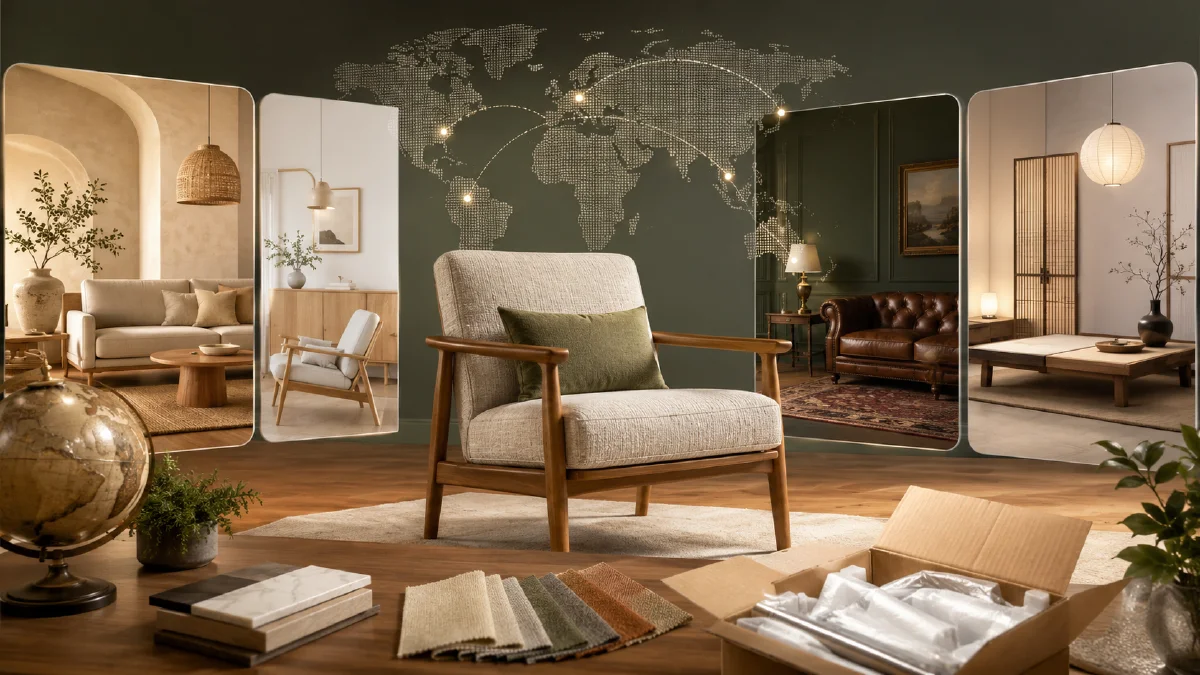
Cross-border sellers often need region-specific room styling. A US living room, Japanese apartment, European loft, and Middle Eastern interior may use different layouts, materials, and light. Keep the product constant and change the scene layer only.
For a broader localization method, see the ai product photography to video guide for product-preservation principles and the reference image prompting guide for assigning room, product, and lighting references separate roles.
For paid campaigns, approved furniture stills can become AI Video Ads, but product-page images should stay calmer than scroll-stopping social creative.
Localization QA before export
Cross-border scene images need cultural clarity without turning into stereotypes. The scene should help a buyer imagine ownership in their market, not announce the market with obvious symbols. A small apartment layout, local light quality, outlet style, balcony shape, or room size often works better than flags, landmark posters, or crowded props.
Use a market QA pass:
| Check | Good result | Fix if weak |
|---|---|---|
| Room scale | Product feels correctly sized for the home. | Add familiar furniture or reduce room exaggeration. |
| Style fit | Interior taste matches the target shopper. | Change material, color, and decor restraint. |
| Product truth | Shape, legs, seams, and material remain accurate. | Return to the clean product reference. |
| Crop readiness | Works for square, vertical, and desktop crops. | Regenerate with more negative space. |
| Regional detail | Subtle, believable, and not distracting. | Remove obvious symbols and use layout cues instead. |
For furniture, pair this workflow with AI furniture product scene images. For smaller products, use AI product scene generation to define buyer occasion before choosing the room. Once a still passes QA, animate only the safest version in Image to Video. If the visual will be used in paid acquisition, build a separate social edit in AI Video Ads so the product-page image stays calm and inspectable.
Keep a rejected-example folder as well. It helps the team remember which room sizes, lighting styles, or prop choices made the product look inaccurate. Those negatives become better prompt constraints for the next region pack and prevent the same failure from returning under a different style.
For final delivery, export the same approved scene in the ratios each marketplace needs instead of cropping blindly later. Product scale, floor contact, and headline space should be checked in every ratio because a strong desktop scene can become cramped in a mobile card.
Try it in Naviya
In Naviya, upload the clean furniture reference, generate one room scene at the ratio you need, then create region and crop variants from the approved image. Use video only after the product shape, scale, and material pass listing QA.
Cross-border furniture scene images work when the product remains the hero. Let the room localize the story, but keep the furniture accurate, large, and easy to inspect.