2026-06-12
Outdoor Apparel AI Scenario Photography Workflow
Generate a full outdoor apparel image set from one jacket photo by decomposing garment states, matching scenarios, customizing models, and rendering commercial images.
Try this workflow in Naviya
Turn a product, hook, or campaign idea into short social-ready ad concepts.
Create video ad variants
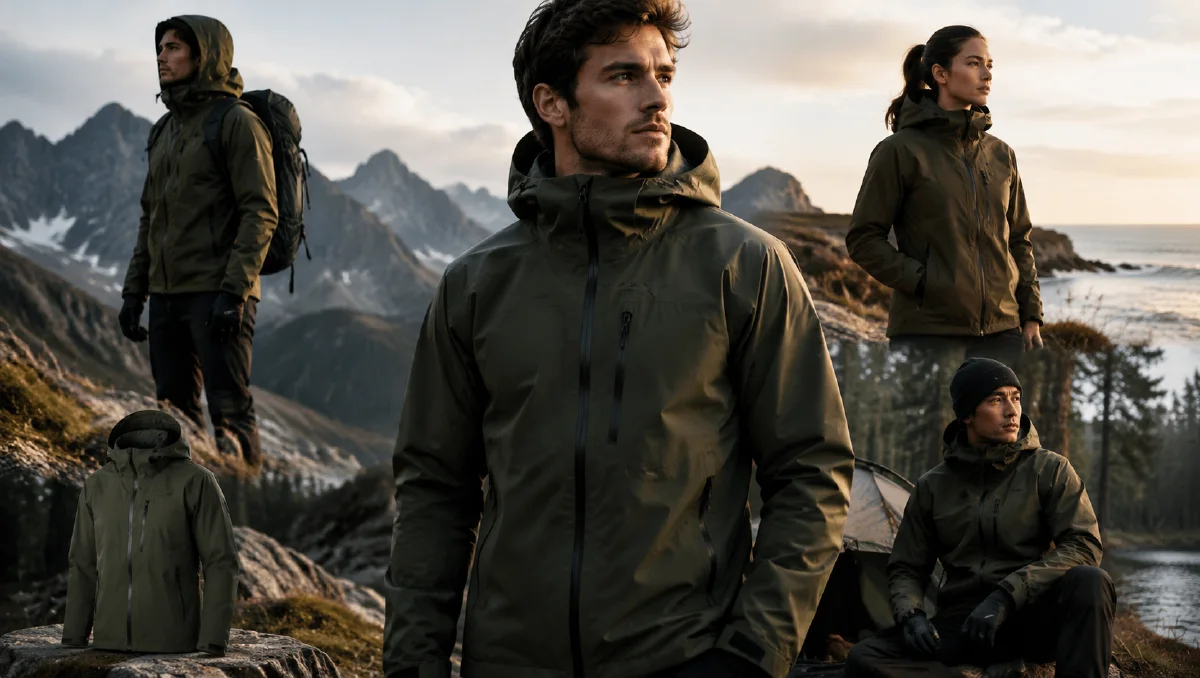
Outdoor apparel needs more than a clean product shot. A technical jacket has to prove how it works across weather, terrain, and lifestyle contexts: hiking in cold wind, fishing near a river, riding through a mountain road, resting at a campfire, or layering inside a cabin. AI can create this range from one flat-lay or hanging product image if the workflow understands the garment instead of simply placing it on a random model.
This guide shows how to turn one three-in-one outdoor jacket image into a nine-image scenario set. It combines garment-state analysis, scene planning, model customization, and high-resolution rendering. For adjacent ecommerce workflows, read AI apparel model workflow, ecommerce AI model photos, and cross-border ecommerce scene images.
What is scenario photography for outdoor apparel?
Scenario photography is product imagery that shows when, where, and why a product is used. For outdoor apparel, that means the image should communicate function:
- Wind resistance.
- Warmth and layering.
- Waterproof or weather-ready context.
- Mobility.
- Lifestyle comfort.
- Product fit on a believable person.
The best AI workflow starts by separating the jacket into states. A three-in-one jacket is not one product image. It is a small system.
Step 1: Decompose the garment
Upload a clean product image to Naviya image generator or a reference-driven image workflow. Ask the model to identify the garment states:
| Garment state | Visual character | Scenario direction |
|---|---|---|
| Combined jacket | Protective, warm, fully equipped | Snow hiking, high-altitude trail, forest crossing |
| Outer shell | Light, technical, wind-ready | River fishing, cycling, rainy commute |
| Inner liner | Soft, warm, relaxed | Campfire, cabin, road trip, coffee stop |
Prompt:
Analyze this three-in-one outdoor jacket as a product system. Identify the
combined form, outer shell form, and inner liner form. For each state, describe
the visible fabric, silhouette, functional details, and best use scenarios.
Return a commercial photography plan with three scenes per state.
This planning step prevents the AI from producing nine similar mountain images.
Step 2: Plan nine scenes
Use a three-by-three shot plan.
| Group | Scene 1 | Scene 2 | Scene 3 |
|---|---|---|---|
| Combined jacket | Snow ridge hike | Dense forest crossing | Windy high-altitude overlook |
| Outer shell | River valley fishing | Mountain cycling stop | Wet trail navigation |
| Inner liner | Campfire evening | Cabin coffee moment | Road trip rest stop |
Each scene should prove a different selling point. Do not just change the background. Change posture, prop, layer, weather, and emotional tone.
Step 3: Customize the model
Outdoor apparel images feel better when the model has a lifestyle identity. Use a concise, concrete template:
Model: early twenties, East Asian appearance, clean and relaxed look, healthy
warm skin tone, softly textured hair, gentle features, black frame glasses or
glasses hanging from the collar, easy smile.

Wardrobe styling: earth-tone technical vest or outdoor base layer, utility
shorts or hiking pants, long socks, sandals or hiking boots depending on scene.

Mood: relaxed outdoor creator, practical but stylish, calm confidence, loves
camping and mountain travel.
If your brand has a different audience, change the model, not the product rules. Keep the jacket features fixed in every prompt.
Step 4: Generate scene prompts
Combined jacket prompt:
Commercial outdoor apparel photography of the model wearing the full combined
three-in-one jacket. Scene: high-altitude hiking trail with snow ridge and wind.
The jacket looks protective and warm, hood adjusted, fabric texture visible,
natural posture, trekking pole in one hand, cold blue sky, sharp mountain light,
realistic commercial fashion photography, product details preserved.
Outer shell prompt:
Model wearing only the outer shell of the jacket over a plaid base layer while
standing near a river valley fishing spot. Lightweight technical shell texture,
hands adjusting cuff, damp rocks, muted green valley, soft overcast light,
functional outdoor lifestyle photography, product color and zipper details
preserved.
Inner liner prompt:
Model wearing the soft inner liner of the jacket at an evening campsite, holding
a camping lantern near a low fire. Warm light on the fabric, relaxed smile,
wooden chair, blurred tent behind, cozy outdoor lifestyle mood, liner texture and
fit clearly visible, realistic commercial photography.
For better control, generate one scene at a time. Use reference image prompting guide to keep the product consistent and multi-angle model references when you need the same person across the set.
Step 5: Render for detail
Outdoor ecommerce images need material credibility. Ask for:
- Sharp fabric weave.
- Accurate zipper and seam placement.
- Realistic hood structure.
- Natural sleeve folds.
- Weather interaction such as wind, snow, or light rain.
- Commercial resolution and clean product visibility.
Avoid prompts that only say "cinematic." Cinematic does not guarantee ecommerce usefulness. Add product rules.
Preserve the jacket color, panel seams, zipper direction, hood shape, cuff
structure, and pocket placement. Do not invent new logos. Keep fabric texture
visible and realistic.
Step 6: Build the product story
Once you have nine images, arrange them as a landing-page or marketplace sequence:
- Full protection hero image.
- Snow or wind scene for weather proof.
- Forest or trail scene for mobility.
- Shell-only technical scene.
- Detail crop of cuff, pocket, or zipper.
- Cycling or fishing lifestyle scene.
- Inner liner comfort scene.
- Cabin or campfire warmth scene.
- All-state comparison grid.
If you also need motion, animate the strongest frames in Naviya image-to-video. Use AI product photography to video for a product-page video structure.
Detail crops to generate after the scenarios
Scenario images create desire, but technical apparel also needs proof. After the nine hero scenes, generate a smaller set of detail crops that can sit between lifestyle images.
| Detail | Prompt focus | Page use |
|---|---|---|
| Hood | Shape, drawcord, weather coverage | Weather protection section |
| Zipper | Teeth, puller, sealed placket | Construction proof |
| Sleeve cuff | Adjustable tab, fabric fold | Fit and comfort |
| Opening, stitching, hand placement | Utility proof | |
| Fabric macro | Weave, droplets, texture | Material credibility |
Prompt pattern:
Close commercial detail crop of [jacket part], same product color and fabric,
realistic outdoor light, sharp stitching and material texture, clean ecommerce
composition, no text.
These crops make the scenario set easier to sell. They turn broad outdoor mood into concrete shopper evidence.
How to review the nine-image set
Review the set as a grid, not one image at a time. A single image can look strong while the full set repeats the same pose or background. Check whether the three garment states are visually distinct. Combined jacket scenes should feel protective and weather-ready. Shell-only scenes should feel lighter and more technical. Inner-liner scenes should feel warmer and more relaxed.
Also check color balance. If every background is blue snow, the product story becomes narrow. A strong set includes cold mountain light, muted forest green, wet river grey, warm campfire amber, and clean product detail. The jacket should connect the set, while the scenarios show range.
Try it in Naviya
Upload the jacket image to Naviya image generator, create the three garment states, then generate the nine scenario frames. If you need moving campaign assets, send the approved frames to Naviya video generator or image-to-video.
Scenario checklist
- Each garment state appears in three clearly different scenes.
- Product details are preserved across the full set.
- Model identity and fit remain consistent.
- Outdoor props serve the product story.
- Images show both hard weather and comfortable lifestyle use.
- The final grid can explain the jacket without extra copy.
Scenario photography works when the product logic drives the image plan. Start with the garment states, then let the landscape prove the benefits.