2026-06-12
Sneaker CG Ad Video Workflow
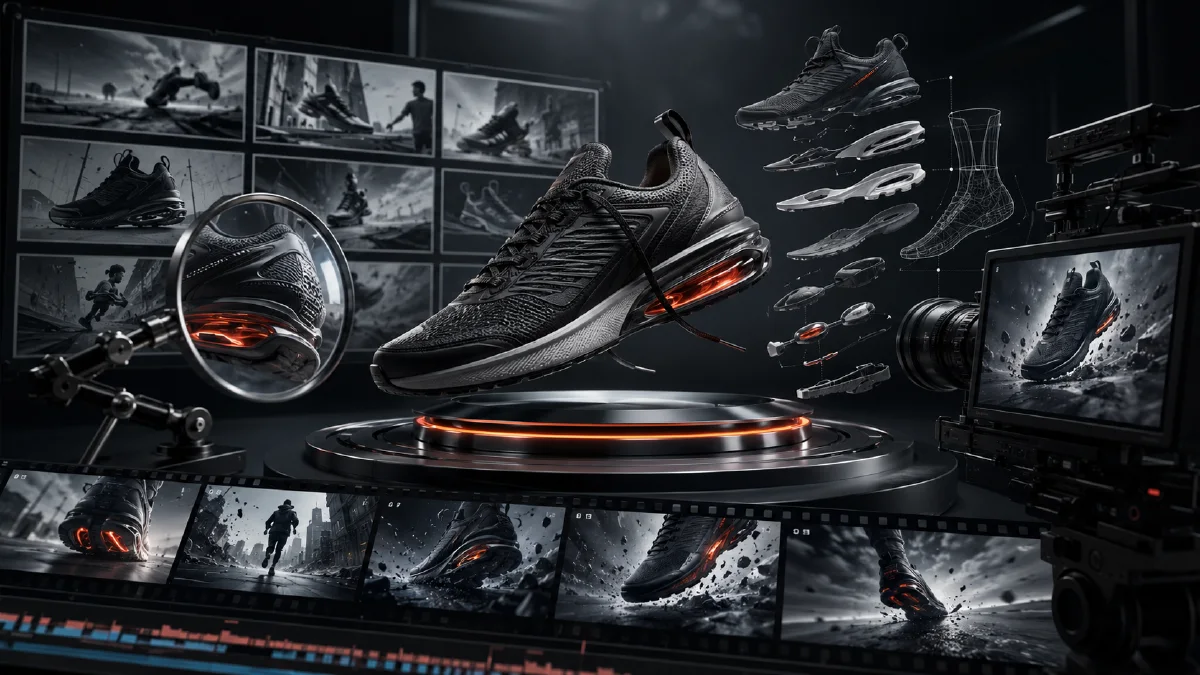
Build a commercial sneaker CG ad with a hero universe, storyboard frames, technical drawings, magnifier shots, exploded views, video prompts, and edit rhythm.
Try this workflow in Naviya
Apply the prompt structure directly inside Naviya video generation workflows.
Plan a video prompt
Sneaker CG ads need precision. The shoe must stay recognizable, the environment must feel designed, and each shot has to reveal a product feature without looking like a random render. A good AI workflow treats the ad like a sequence of engineered frames: establish the product universe, plan the storyboard, generate controlled stills, animate camera moves, and edit to a clean technology rhythm.
This guide shows a full sneaker CG workflow from the first showroom image to exploded component shots. For related product systems, see AI product photography to video, AI tech product CG images iMac workflow, and AI game controller product CG workflow.
What makes a sneaker CG ad feel commercial?
The ad needs three kinds of control:
| Control | Why it matters |
|---|---|
| Product control | The shoe shape, sole, laces, and logo must stay consistent |
| Environment control | The lab or showroom must feel like one designed world |
| Motion control | Camera movement should reveal details, not create chaos |
The strongest CG ads are not just shiny. They use restrained design language, small technical details, and strong material contrast.
Stage 1: Establish the product universe
Start with a hero scene: a clean high-tech showroom with a glass chamber, white console, grey haze, and orange power accents. Create this first frame in Naviya image generator.
Prompt:
Meticulously detailed orthographic front view of a clean minimalist C4D-style
high-tech product showroom. Symmetrical composition, cool grey atmospheric haze,
low-contrast filmic wash, white walls and floor with large grid tiles and light
grey grout. Thick orange power conduits and heavy cables run across the floor.

Center: solid white geometric console with a clear glass chamber above it,
black border framework around the glass panels. Inside the glass chamber, a
white athletic sneaker is suspended in side profile. Tiny precise orange product
data markings on the console, microscopic white ports and dials, refined scale.

Left: vertical dark screen with white frame displaying glowing orange logo-like
data. Commercial CG product design, clean studio lighting, precise materials,
no extra text.
Why these words work:
- "Orthographic front view" reduces perspective distortion.
- "C4D-style" anchors a clean 3D render look.
- "Grey atmospheric haze" prevents cheap over-sharp contrast.
- "Tiny precise markings" encourages small-scale detail.
- "Orange conduits" create a memorable accent color.
Stage 2: Plan storyboard frames
Create a shot list before generating variations.
| Frame | Shot idea | Purpose |
|---|---|---|
| 1 | Hero lab chamber | Establish world |
| 2 | Forward push to sneaker | Product focus |
| 3 | 45-degree angle | Shape and volume |
| 4 | Heel detail | Construction |
| 5 | Technical drawing paper | Engineering proof |
| 6 | Magnifier inspection | Detail journey |
| 7 | Exploded component view | Material system |
| 8 | Top-down insole layer | Comfort and tech |
| 9 | Sole reveal | Performance |
| 10 | Final display case | Closing product memory |
Use AI visual brief to prompt to turn this table into production prompts.
Stage 3: Generate controlled stills
All stills should reference the hero frame and shoe image.
Forward push prompt:
Use the hero lab frame as the environment. Move the camera closer toward the
center sneaker from a straight front view. The sneaker is centered in the glass
chamber, white console visible, orange conduit accents still present, same grey
filmic haze, same clean C4D material style.
45-degree detail prompt:
Change the camera to a right 45-degree view of the same sneaker in the same lab
environment. Close-up product shot, shoe remains accurate, glass chamber changes
perspective naturally, focus on heel, laces, sole texture, and side cage detail.
Technical drawing prompt:
Precise technical engineering sketch of the sneaker sole on white paper. Fine
black linework shows oval traction blocks, central torsion shape, contour lines,
internal texture, and small red-dot technical callouts. Clean paper on a bright
lab stand, no large labels, commercial design process mood.
Exploded view prompt:
Eye-level straight side profile view of the sneaker as a vertical exploded
component display. The shoe is separated into upper, side cage, inner sockliner,
midsole, side panels, and outsole. Components float in sequence with no connecting
lines and no typography. Crisp even studio light, detailed textures, premium
C4D render style.
Stage 4: Animate with product-safe motion
Use Naviya image-to-video for each shot. The motion should be mechanical, smooth, and readable.
Lighting reveal:
Start in a dim lab. Main lights, side lights, and tiny console lights turn on one
by one, softly revealing the glass chamber and sneaker. Camera remains steady.
Push-in:
The camera slowly moves forward toward the sneaker while lab reflections shift
subtly on the glass. Product remains sharp and centered.
Orbit:
The camera gently orbits to the right, showing the sneaker side profile and heel.
The glass chamber and showroom environment stay consistent.
Technical sketch:
The camera pushes toward the paper while the line drawing appears as if being
drawn in fine black ink. The paper then softly lifts or settles, revealing the
next technical sketch underneath.
Magnifier:
A simple magnifier passes smoothly across the shoe, inspecting heel, toe, and
laces in sequence. The sneaker rotates slightly while the magnifier stays near
the center of the frame.
Exploded view:
The camera pulls back as the sneaker components separate vertically into an
exploded view. Each material layer floats cleanly, rotating slightly, with no
labels and no extra lines.
Stage 5: Edit the CG ad
Choose a sharp technology beat. Align cuts with:
- Light activation.
- Camera push arrival.
- Magnifier pass.
- Component separation.
- Sole reveal.
- Final display case landing.
Keep the color grade consistent: grey-white lab, black glass edges, orange details, and clean sneaker whites. If a clip becomes too glossy, reduce saturation or add a grey haze overlay in the prompt.
Product detail priority
Not every sneaker detail deserves the same screen time. Prioritize what affects buying confidence:
| Detail | Why show it | Best shot |
|---|---|---|
| Side profile | Brand shape and recognition | Hero chamber or 45-degree frame |
| Midsole | Cushion and performance | Slow push-in or exploded view |
| Outsole | Grip and durability | Top-down or rotating sole reveal |
| Upper knit | Comfort and breathability | Magnifier pass or macro close-up |
| Heel structure | Stability and design | Side orbit or rear close-up |
If the shoe has a signature technology, give that detail a dedicated scene. If it is visually ordinary, keep it as part of the main hero shot. The ad should feel designed around product truth, not just abstract tech atmosphere.
Keep the lab readable
CG environments can become too busy. Use a simple hierarchy: shoe first, glass chamber second, console third, background panels last. Orange cables, tiny screens, and technical markings should support scale, not compete with the sneaker.
If the lab overwhelms the shoe, simplify the next prompt:
Reduce background complexity. Keep only the white console, glass chamber, subtle
orange cable accents, and soft grey haze. The sneaker remains the largest and
sharpest object in the frame.
This is especially important for mobile ads, where small technical details disappear. The viewer should understand the product shape even on a small screen.
Try it in Naviya
Generate the hero lab and storyboard stills in Naviya image generator, then animate each approved frame with image-to-video. For campaign cuts and paid placements, test short versions in Naviya AI video ads.
CG ad checklist
- The shoe remains accurate in every frame.
- The lab environment stays consistent.
- Each shot has one product purpose.
- Technical drawings are clean and not text-heavy.
- Exploded views have no unnecessary labels.
- Motion reveals features instead of hiding them.
- The edit has a clear technology rhythm.
A sneaker CG ad works when it feels engineered. Plan the product universe first, then let each shot reveal one layer of the shoe.