2026-06-12
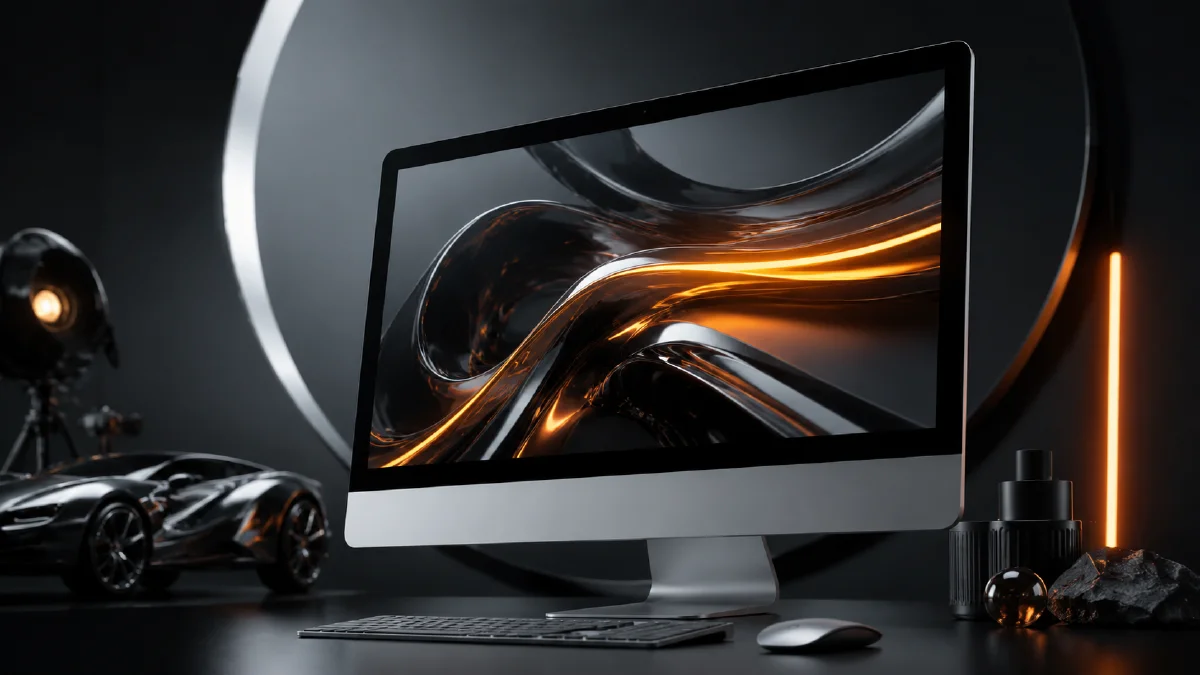
AI Tech Product CG Images for iMac and Desktop Displays
Create AI tech product CG images for iMac-style desktops, ecommerce interfaces, color moods, clean first frames, and video-ready display ads.
Try this workflow in Naviya
Turn a product, hook, or campaign idea into short social-ready ad concepts.
Create video ad variants
AI tech product CG for desktop displays is a strong format for SaaS, ecommerce, app launches, and hardware campaigns. A screen can show a product interface, a shopping experience, a visual dashboard, or a brand mood. The challenge is that AI models often treat screens as decorative rectangles. To get usable images, you need to define the device, interface intent, lighting, color atmosphere, and cleanup workflow.
Use AI Image Generator for the still display scenes. Once you have a clean first frame, use Image to Video for light movement, UI parallax, and camera drift. If the campaign needs a short teaser, use AI Video Generator. For adjacent product workflows, read AI Product Photography to Video, Product Image to Video, and AI lighting prompts.
Use a six-part prompt
Desktop display prompts work well when they are built from six parts:
- Subject and device details
- Screen content
- Environment
- Visual style
- Composition
- Color and render quality
For example:
A modern all-in-one desktop computer displaying an ecommerce interface
with product cards and shopping cart icons, minimalist background,
soft studio lighting, blue technology atmosphere, digital art combined
with 3D product rendering, the computer centered as the visual focus,
ultra-detailed metallic and glass textures, clean commercial image.
This prompt tells the model what the device is, what the screen is doing, where it sits, how it should feel, and how detailed the rendering should be.
Keep screen content realistic but not text-dependent
AI-generated interface text is usually unreliable, so write the prompt around interface structure instead of exact words. Ask for product cards, checkout icons, chart blocks, navigation bars, or abstract app panels. Do not expect tiny generated labels to be final.
Useful phrases:
- "clean ecommerce interface with product cards"
- "simple dashboard blocks, no tiny readable text"
- "shopping cart icon shapes, modern UI layout"
- "abstract app interface, realistic hierarchy"
- "space for real copy to be added later"
This gives you a strong visual while keeping final typography under design control.
Create color mood variants
The fastest way to extend a tech CG concept is to keep the structure fixed and change the atmosphere color. The device, camera angle, background, and interface should remain consistent while the mood shifts.
| Color mood | Best fit |
|---|---|
| Blue atmosphere | Technology, finance, SaaS, electronics |
| Green atmosphere | wellness, sustainability, beauty, home goods |
| Red atmosphere | promotions, fashion drops, high-energy retail |
| Pastel colors | lifestyle apps, home decor, creator tools |
| Purple accent | premium AI, creative software, launch pages |
Prompt example:
Same composition and desktop display setup, but with a soft green atmosphere,
natural modern ecommerce feeling, gentle reflections on metal and glass,
clean interface blocks, minimal background, commercial product CG.
When making variants, change one dimension at a time. If you change the device, background, UI, color, and camera all together, the series stops feeling like one campaign.
Clean the frame before video
A desktop CG scene often comes with unwanted props: cups, plants, cables, desk clutter, or extra devices. Props can help a lifestyle scene, but they can also distract from the screen. If the goal is a video-ready first frame, simplify it.
Ask for:
Remove surrounding objects from the desk, keep only the desktop computer,
keyboard, and mouse. Preserve the lighting, shadows, screen angle,
and clean product photography composition.
The cleaner first frame is easier to animate. It also gives editors more space for title cards, pricing, or feature callouts.
Use retro display variants for campaign texture
Not every tech product image needs to be a modern all-in-one computer. A retro CRT display can create a nostalgic or cyberpunk direction for music, gaming, developer tools, or creative software.
Prompt example:
A vintage CRT monitor displaying abstract visuals,
neatly arranged power cables at the bottom, professional photography studio,
textured dark background, subtle shadows, retro-modern fusion aesthetic,
product photography style, ultra-detailed plastic and glass textures.
The CRT direction works because it has a distinct silhouette, tactile material, and strong mood. It should still be treated as product photography, not as a random sci-fi scene.
Animate display CG safely
For an all-in-one desktop or monitor, avoid wild camera moves that reveal impossible back angles from a single front image. Use motion that supports the frame:
- slow push-in toward the display
- subtle screen glow change
- UI parallax within the screen
- soft light sweep across metal
- background color shift
- very small orbit from front-left to center
Image-to-video prompt:
Animate this desktop product CG image into a 6 second technology ad.
Camera: slow push-in from front-left to center.
Screen: subtle UI parallax and gentle glow, no readable text changes.
Lighting: soft highlight travels across the glass and metal edge.
Product motion: the computer remains stable and centered.
Constraints: preserve device shape, screen layout, keyboard, mouse,
color atmosphere, and proportions. No extra objects, no warped text.
For a CRT scene, use flicker and ambient light instead of large physical movement:
The CRT screen emits a soft purple and blue glow,
abstract visuals move slowly, camera locked, dust particles subtle,
studio shadows remain stable, retro cinematic technology mood.
Plan the final ad layout
AI images are often strongest when they leave room for the design layer. A tech product hero should reserve negative space for a headline, product name, or CTA. Ask for a centered device only when the image itself is the complete composition. If the asset will go into a landing page, leave a clean area on the left or top.
Prompt addition:
large clean negative space on the left for real campaign typography,
balanced commercial layout, no generated text.
This small instruction makes the image easier to use in real marketing.
Try it in Naviya
In Naviya, create the display scene with AI Image Generator, then refine the color atmosphere until the device and screen read clearly. Use Image to Video for a calm product motion pass, and use AI Video Generator when you need multiple shots for a launch teaser.
Screen-safe review checklist
Desktop display renders fail quickly when the screen becomes too literal. AI-generated interface text, fake app icons, or overcomplicated dashboards can distract from the product. Keep the screen readable as a design surface, not as final UI copy.
Before approving the image, check:
- The display shape, bezel, stand, and shadow are stable.
- The screen content uses blocks, charts, or color fields instead of tiny unreadable copy.
- Reflections do not hide the device silhouette.
- The desk props support scale without becoming the subject.
- The background color does not merge with the device edge.
- There is enough margin for ad copy or product labels added later.
For a motion pass, avoid asking the UI to animate many widgets at once. A subtle parallax shift, light sweep, or camera drift usually feels more premium than busy screen animation. If you need a social edit, use AI Video Ads after the hero still and motion pass are approved.
Strong AI tech product CG is not about filling the screen with futuristic decoration. It is about making the device, interface, and brand mood work as one controlled image.