2026-06-12
AI Image Consistency Workflow: Keep Characters and Style Stable
Use feature lists, style references, and character references to create consistent AI images for campaigns, portraits, products, and video-ready assets.
Try this workflow in Naviya
Use references when identity, product shape, outfit, or style needs to stay consistent.
Try reference to video
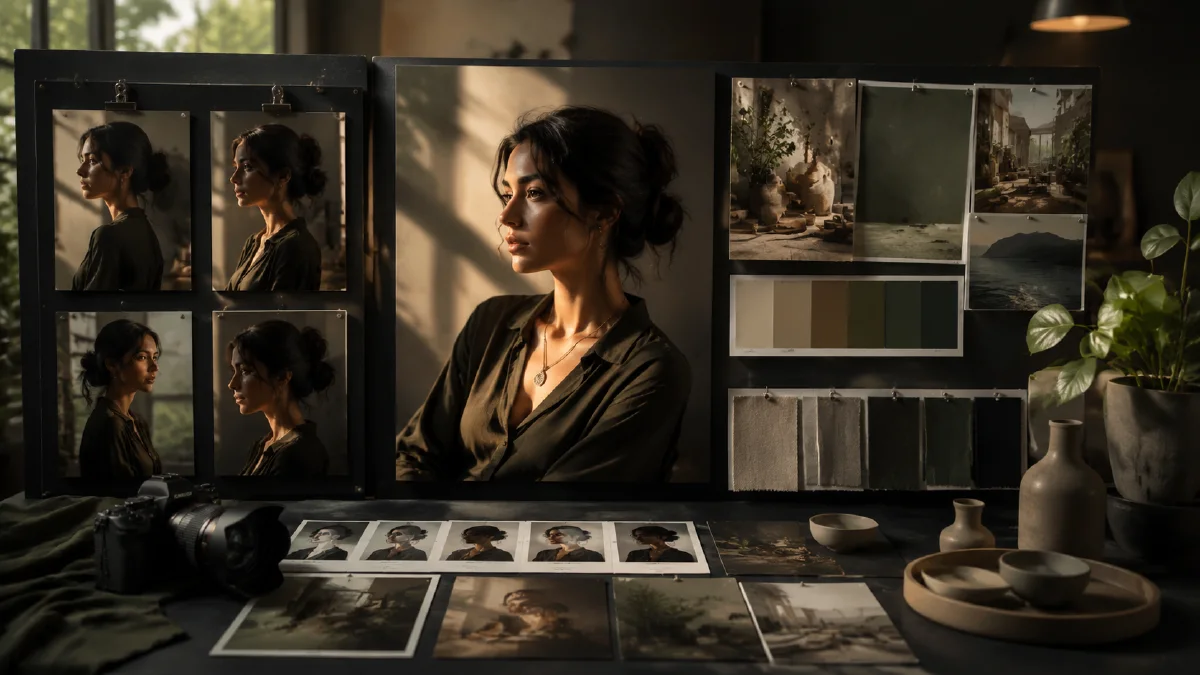
AI image consistency means that a generated person, product, outfit, or visual style remains recognizable across multiple outputs. For brand teams and creators, this is often more valuable than a single impressive image. A campaign needs the same model across product angles. A creator avatar needs the same face across thumbnails. A visual story needs the same lighting language and art direction across every frame.
The mistake is treating consistency as luck. Re-rolling can occasionally produce a near match, but it is not a workflow. A reliable consistency workflow combines three anchors: a detailed feature list, a style reference, and a character reference. Use Naviya AI Image Generator when you need controlled image exploration, then move stable results into Reference to Video if the same person or look needs motion. For related techniques, read reference image prompting, multi-angle model references, and consistent AI video character guide.
The definition of consistent AI images
Consistent AI images are images that preserve identity and design constraints while allowing controlled variation. The face should still feel like the same person. The outfit should keep the same materials and silhouette. The lighting, camera taste, and color world should belong to the same visual system.
Consistency does not mean every picture is identical. A strong set can include close-ups, mid-shots, street scenes, studio portraits, and campaign crops. The key is that the important anchors remain stable while the scene changes.
| Anchor | What it preserves | Example |
|---|---|---|
| Feature list | Visible identity details | age range, face shape, hair, outfit, skin texture |
| Style reference | Overall visual language | VHS texture, glossy realism, clean studio light |
| Character reference | Specific face or body | same model across multiple shots |
| Constraints | Things that must not drift | no age change, no new outfit, no face swap |
Method 1: write a feature list before prompting
A feature list is a compact profile of the subject. It prevents the prompt from becoming a vague mood board. Instead of writing "a stylish young woman," describe the visible details the model should preserve.
Useful feature categories:
- Age range and presence: 19 year old, early twenties, mature, calm, idol-like, editorial.
- Face and skin: oval face, soft jawline, high cheekbones, realistic skin texture, light blemishes.
- Hair: color, length, cut, movement, bangs, ponytail, wet look, wind.
- Outfit: silhouette, fabric, color, era, accessories, footwear.
- Camera: close-up, mid-shot, rear angle, candid street portrait, editorial collage.
- Finish: film grain, camcorder interface, glossy realism, soft haze, tack-sharp focus.
Here is a reusable prompt structure:
A cinematic collage of [number] close-up and mid-shot portraits
of the same [subject profile], with [face and skin details],
wearing [outfit details], in [scene].
Camera and finish: [camera language], [lighting], [texture],
sharp focus on the subject, consistent facial identity,
consistent outfit and styling, cohesive campaign atmosphere.
Example:
A cinematic collage of six close-up and mid-shot portraits
of the same young fashion model, glossy realistic skin with subtle
blemishes, refined youthful beauty, star-in-the-making presence,
wearing an avant-garde slightly futuristic high-fashion outfit
with saturated color accents. Natural light on a busy street corner,
people walking in the background, retro VHS digital camcorder interface,
ultra-realistic, cinematic, tack-sharp focus on the model
while maintaining a dreamy atmosphere.
This kind of prompt does two things. It tells the model what to repeat, and it tells it what can vary. The collage format is especially useful because it asks for several views of the same subject in one generation, which can help you choose a stable identity before making standalone assets.
Method 2: lock the visual style
Style is often the first thing to drift. One image may look like glossy beauty photography, while the next looks like a fashion catalog or a social post. A style reference helps keep the visual world intact.
In a platform that supports style references, use a reference image to guide texture, color, lighting, and composition. The reference should represent the final system, not only a nice image. If you want a dreamy camcorder campaign, the reference should show that atmosphere clearly. If you want clean luxury studio portraits, avoid references with noisy street backgrounds.
When selecting a style reference, check:
- Does it show the color palette you want?
- Does it show the lighting quality you want?
- Is the crop similar to the final asset?
- Is the background complexity appropriate?
- Is the image clean enough to guide style without adding unwanted details?
Style prompting works best when you combine a reference with plain language. Do not rely on the reference alone. Add phrases such as "retro VHS digital camcorder interface," "natural street lighting," "dreamy but realistic atmosphere," or "high-fashion editorial finish." The text tells the system which parts of the reference matter.
Method 3: lock the character
A character reference is for identity. Use it when the same face, body, hairstyle, or avatar must survive across images. This is essential for creator avatars, virtual influencers, fashion model systems, product mascots, game characters, and episodic visual storytelling.
Good character references are simple. Use one subject, a clear face, and minimal obstructions. If the reference is cropped too tightly, the output may guess the body. If the reference includes a busy scene, the model may copy irrelevant background elements.
Character consistency prompt:
Use the reference image to preserve the same character identity,
face shape, hairstyle, expression language, and overall presence.
Create [shot type] in [new scene].
Keep the character consistent with the reference while changing only
[scene, pose, camera, or wardrobe detail].
Avoid age drift, face distortion, extra people, and different hairstyle.
For a video workflow, a strong character image can become the identity anchor for image to video. Keep the motion simple at first: a blink, a slight head turn, hair moving in wind, or a controlled camera push-in. Dramatic actions are easier after the identity is proven.
A practical consistency workflow
- Write the feature list before generating.
- Generate a small set of identity candidates.
- Pick the face or product shape with the least distortion.
- Use that winner as the character reference.
- Add a style reference that matches the campaign finish.
- Generate a controlled set: close-up, mid-shot, full-body, detail crop.
- Reject any image that changes the core identity.
- Move the best stills into video only after the still system is stable.
Consistency checklist
Use this checklist before publishing or animating a set:
| Check | Pass condition |
|---|---|
| Face | Same age range, jawline, eyes, and expression language |
| Hair | Same cut, color, volume, and major styling |
| Outfit | Same silhouette, color family, and material logic |
| Style | Same lighting, grain, contrast, and camera mood |
| Scene | Variation feels intentional, not accidental |
| Video readiness | Still image is sharp, uncropped, and not overcomplicated |
Try it in Naviya
Start with one strong identity image in Naviya AI Image Generator, then create a controlled set with a feature list and reference guidance. When the character looks stable, use Reference to Video to turn the strongest frame into a short campaign clip.
Final prompt template
Subject identity:
[age, face, skin, hair, expression, body language]

Wardrobe:
[outfit, colors, materials, accessories]

Scene:
[location, background activity, atmosphere]

Camera:
[shot size, lens feel, framing]

Style:
[lighting, texture, color, finish]

Consistency constraints:
same face, same hairstyle, same outfit logic, same art direction,
no age drift, no extra people, no warped hands, no random background text.
Use the template as a brief, not a magic spell. The most consistent results come from a clear subject definition, a visual style anchor, and strict rejection of outputs that look attractive but break identity.