2026-06-12
AI Style Extraction Prompts: Turn References into Repeatable Visual Systems
Learn how to extract reusable AI style prompts from reference images by identifying constraints, common visual rules, and repeatable style systems.
Try this workflow in Naviya
Use references when identity, product shape, outfit, or style needs to stay consistent.
Try reference to video
AI style extraction prompts often fail for a simple reason: they describe what is visible instead of explaining why the image feels the way it does. A reference image might contain a woman running through a tunnel, a bright orange desert, or a quiet room with dust in the air. Those details matter, but they are not the style. They are the content.
Style is the set of choices that keeps repeating even when the subject changes. It includes what the image refuses to do: no clean whites, no centered beauty pose, no glossy plastic, no full facial detail, no bright blue, no perfect digital sharpness. When you can identify those rules, you can turn a reference into a reusable system for AI image generation, first frames, concept art, and consistent campaigns.
If you are already using references inside Naviya, pair this guide with the broader AI composition prompt guide.
Stop asking for keywords
Many creators start by uploading a reference and asking a model to "describe this image." The output usually sounds impressive: cinematic, grainy, moody, neon, shallow depth of field, dramatic lighting. But those words are often surface labels. They describe objects and effects without separating the permanent style rules from accidental scene details.
A better question is:
Ignore the subject matter. Analyze the visual constraints that define this image style: composition, color limits, lighting logic, texture, lens behavior, and what the image avoids.
This reframes the task. Instead of asking for a caption, you ask for the design system underneath the reference.
Step 1: Separate content from form
Start with two columns.
| Content | Form |
|---|---|
| Person, object, place, action | Composition, light, color, texture, lens, timing |
| What the image shows | How the image is constructed |
| Easy to copy badly | Useful across new subjects |
For example, if a reference shows a person in a hallway, the content is the person and hallway. The form might be a long compressed corridor, overhead practical lights, heavy green color cast, low shutter blur, crushed shadows, and a sense that the subject is being observed rather than posed.
Those form rules can be reused for a product reveal, a fashion image, or an image-to-video first frame. The person and hallway do not need to survive.
Step 2: Identify what the reference refuses
High-quality style is often defined by exclusions. Ask:
- What colors are missing?
- What kind of light is not allowed?
- Is the frame refusing symmetry?
- Is the subject denied a clear face?
- Are highlights clean or dirty?
- Does the image avoid digital smoothness?
- Does the lens compress space or exaggerate it?
This matters because AI models tend to fill gaps with popular defaults: bright faces, centered subjects, clean skin, balanced exposure, smooth gradients, and decorative glow. If the reference style is built on restraint, the prompt must protect that restraint.
Try this extraction prompt:
Analyze this reference as a reusable visual style. List five non-negotiable constraints and five things the style should avoid. Do not summarize the subject. Focus on composition, lighting, color, texture, lens, and negative constraints.
The output should sound more like a creative direction brief than a tag list.
Step 3: Use comparison references
One image can mislead you. A single frame might contain a knife, a red jacket, a round doorway, or a specific prop that has nothing to do with the style. If you extract from only one reference, the model may treat that accidental detail as required.
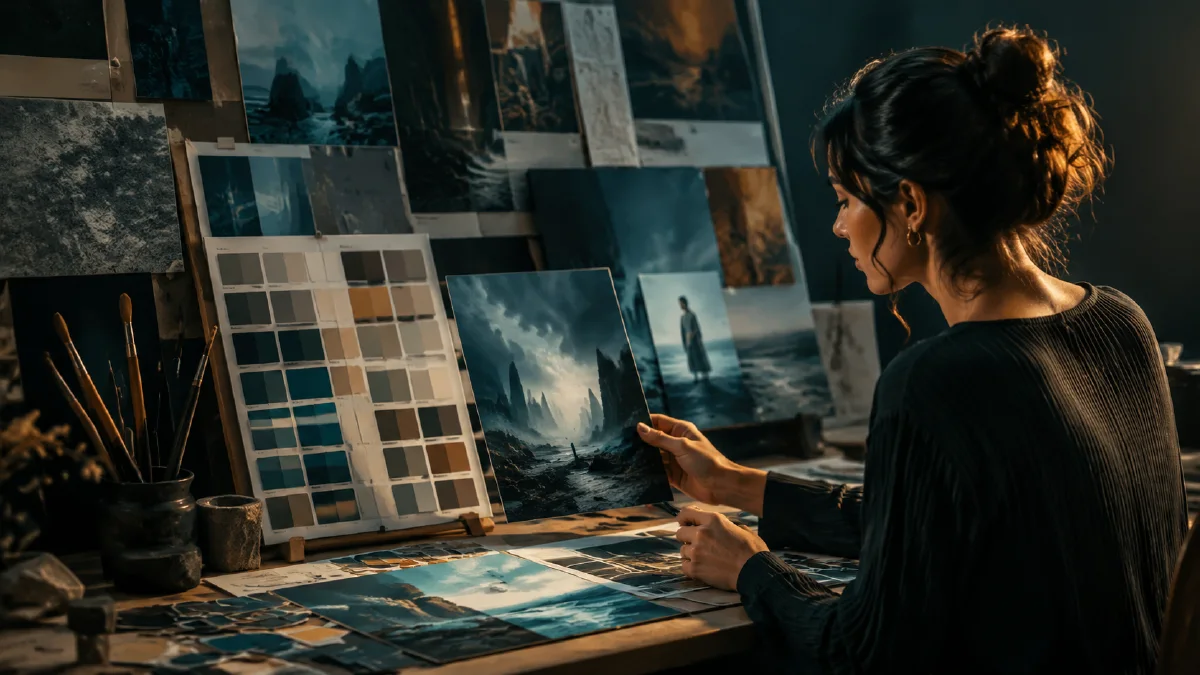
Use a small comparison set instead. Choose three references that share a look but show different subjects. The difference in content forces the shared visual logic to surface.
Ask:
These references show different subjects but appear to belong to the same visual system. Extract the shared style rules only. Separate permanent rules from one-off content details.
Look for repeated patterns:
- A limited palette, such as amber, black, and dust tones.
- Backlit figures with minimal face detail.
- Wide frames where people feel small.
- Hazy air that softens distant objects.
- Matte surfaces instead of glossy highlights.
- Practical light sources instead of magical glow.
Once a rule appears across multiple subjects, it is more likely to be part of the style.
Step 4: Turn the extraction into a style prompt
A reusable AI style prompt should not be a pile of adjectives. It should behave like a compact style guide.
Use this structure:
Style system:
Composition: [framing, scale, subject placement]
Lighting: [source, direction, contrast, falloff]
Color: [palette limits and forbidden colors]
Texture: [film, grain, surface, atmosphere]
Lens: [focal length, depth, motion or blur]
Rules: [what to avoid]
Example:
Style system: extreme wide framing with tiny human figures, stable horizon line, large negative space. Natural practical light only, harsh sunlight or weak tungsten bulbs, no decorative glow. Muted earth palette with dusty beige, charcoal, bone white, and desaturated metal. Visible film grain, dry air, matte surfaces, atmospheric haze. Avoid neon, glossy plastic, clean digital render, saturated colors, holograms, and perfect beauty lighting.
You can now attach that style system to different subjects:
A small founder standing alone in a vast server warehouse, using the same style system: extreme wide framing, muted earth palette, practical side light, dusty air, matte industrial textures, no neon or glossy plastic.
Preserve style without copying the scene
The goal is not to recreate one reference frame. It is to make a new image that follows the same visual logic. That distinction is especially important when building brand assets, ad concepts, or inspiration boards.
If the style is mainly about color, keep the composition flexible. If the style is mainly about composition, do not overload the prompt with color demands. If the style is mainly about light, use the deeper lighting language in the AI lighting prompts guide.
For video, keep the style prompt shorter. A video model must also solve motion, camera movement, and temporal consistency. Use the style system as a constraint, then write motion separately.
Style system QA
Test an extracted style on at least three different subjects before calling it reusable. A good style prompt should survive a portrait, a product, and a scene without forcing every output into the same composition.
Review for:
- Color consistency without identical color placement.
- Lighting behavior that still fits the new subject.
- Composition rules that guide attention without copying the reference scene.
- Material treatment that remains believable.
- Enough flexibility for campaign variants.
If the style only works on one subject, it may be a scene prompt rather than a style prompt. Reduce object-specific details and keep the visual rules: palette, contrast, texture, line quality, lens feel, and spacing. For motion work, combine the extracted style with Reference to Video only after the still tests are stable.
Try it in Naviya
Start with Naviya AI Image Generator when you want to test the style on new subjects. If you already have a strong reference and need consistency across a moving clip, use Reference to Video. For still-to-motion workflows, create the first frame first, then continue in Image to Video.
Style extraction checklist
Before generating, make sure your prompt answers these questions:
- Which parts of the reference are content, and which parts are form?
- What are the non-negotiable style constraints?
- What colors, light sources, surfaces, or camera behaviors are forbidden?
- Have you compared more than one reference?
- Can the style work on a new subject without carrying over props from the original?
Strong style extraction is not about finding secret keywords. It is about turning visual taste into rules the model can repeat.