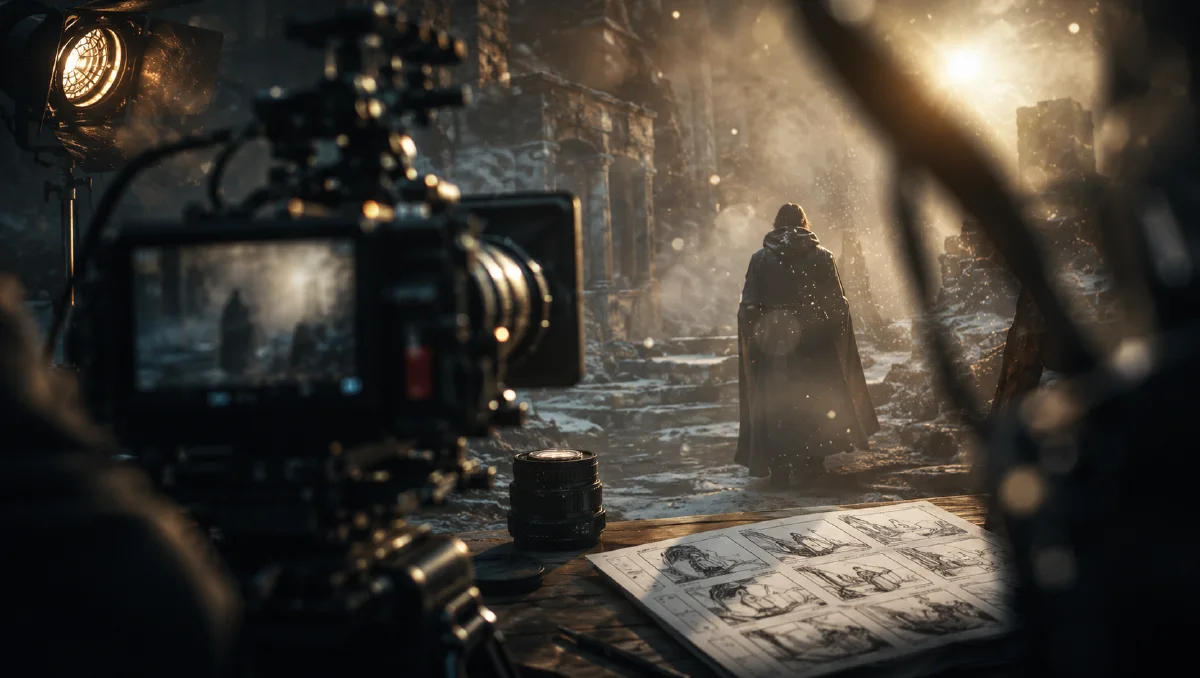
2026-06-12
Foreground Occlusion Prompts for Cinematic AI Images and Video
Use physical foreground objects, haze, dust, snow, and light particles to make AI images and videos feel cinematic, spatial, and realistic.
Try this workflow in Naviya
Use the guide to shape a still image, then keep it as a first frame or campaign asset.
Open the studio
Many AI images feel artificial because they are too clean. The subject is centered, fully visible, evenly lit, and unobstructed. Real cameras rarely see the world that way. A camera may be half-hidden behind leaves, framed by a marble pillar, separated from a subject by rain, or looking through air full of dust. Foreground occlusion makes an AI image feel like it was captured from a physical position.
Foreground occlusion means placing something between the camera and the subject. It can be a physical object, such as leaves, door frames, curtains, glass, pillars, or passing silhouettes. It can also be atmospheric, such as haze, snow, rain, dust motes, petals, or smoke. Use Naviya AI Image Generator for still frames, Image to Video for parallax motion, and AI Video Generator for cinematic sequences. For related craft, read cinematic atmosphere AI prompts, AI lighting prompts guide, and AI composition prompts guide.
What foreground occlusion does
Foreground occlusion gives the viewer a camera position. A blurred leaf near the lens says the camera is inside the forest, not floating outside it. A marble pillar edge says the viewer is hiding behind architecture. Dust in a sunbeam says the room has air, time, and texture.
It improves three things:
- Spatial depth: the image gains foreground, midground, and background.
- Realism: the scene feels physically captured rather than perfectly arranged.
- Story: the viewer feels like they are peeking, waiting, observing, or entering.
Method 1: physical foreground occlusion
Physical occlusion uses a real object near the lens. The object should be heavily out of focus and should logically belong to the scene.
Prompt formula:
[camera and lens language] + [extreme out-of-focus foreground object]
+ [midground subject and action] + [background environment]
+ [film stock, color, lighting, texture]
Do not add random foreground objects. Leaves make sense in a forest. A pillar makes sense in a hotel lobby. Wet glass makes sense in a car or cafe. A desert scene with rainy window glass will feel fake unless the story explains it.
Forest example
Anamorphic lens, low-angle shot. Huge raw dark-green leaves fill the
extreme foreground, blurred into abstract semi-transparent color shapes
that partially block the frame and create a hidden viewpoint. Through
the gaps, a solitary woman in a white dress stands in an ancient misty
forest, lost in thought. Golden-hour sunlight filters through the
canopy, catching floating dust particles in the air. Strong shallow
depth of field, subtle film grain, Kodak Portra 400 texture,
cinematic teal and orange color grade, moody shadows.
The subject is still readable, but the foreground turns the image into a scene.
Hotel lobby example
Medium close-up shot, shot on ARRI Alexa 35, Leitz Summilux-C lens.
Close-up on the heavily out-of-focus silhouetted edge of a textured
marble pillar framing the far left side of the lens, establishing a
hidden point of view. In the sharp midground, a sophisticated woman in
a velvet evening gown has a tense phone conversation in a dimly lit
high-end hotel lobby. Warm volumetric light filters through the
background. Cinematic depth of field, natural film grain, rich textures,
Kodak Portra 400 film look, sophisticated teal and orange color grading.
This works because the pillar is not decoration. It tells the viewer where the camera is.
Physical occlusion video prompt
When animating a still with foreground occlusion, use parallax. The foreground should move differently from the subject because it is closer to the lens.
The camera slowly pushes forward, sliding past the blurred marble
pillar in the foreground. The pillar edge moves across the lens with
strong parallax while the woman remains sharp in the midground,
speaking tensely on the phone in the dim hotel lobby. Warm volumetric
light glows in the background. Subtle handheld camera movement,
cinematic depth of field.
This creates a simple but powerful three-dimensional feeling.
Method 2: atmospheric foreground occlusion
Atmospheric occlusion makes air visible. It uses haze, dust, smoke, snow, rain, petals, or microscopic particles to sit between the camera and the subject.
The important rule: light needs a medium. If you ask only for "cinematic light," the result may look like a digital glow. If you ask for sunlight passing through haze and dust motes, the light has something to reveal.
Prompt formula:
[style] + [subject and room] + [visible atmospheric medium]
+ [light entering the scene] + [particles in foreground]
+ [shadow and color mood]
Startup office anime example
2D animated movie style. A young man stands by the large window of a
small cluttered startup office at golden hour, looking out thoughtfully.
Thick atmospheric haze fills the room. Tyndall effect, with god rays
piercing through the windowpane. Microscopic dust motes float and glow
warmly in the shafts of sunlight in the foreground. Deep shadows,
rich warm amber and soft purple color grading, cinematic depth.
The dust is not clutter. It is the reason the light feels visible.
Atmospheric video prompt
Animated style, rear view of a young man standing before a floor-to-
ceiling window overlooking a sunset city. Strong volumetric light enters
the room at golden hour. Warm dust particles drift slowly through the
light beams in the foreground. The man slowly lifts his head toward the
sky. Smooth motion, quiet melancholic atmosphere, cinematic depth.
This is a restrained motion prompt. The emotional weight comes from light, dust, and time, not from dramatic action.
Occlusion decision table
| Scene | Best foreground |
|---|---|
| Forest portrait | leaves, branches, mist |
| Hotel or luxury interior | pillar edge, curtain, doorway, glass |
| Car commercial | asphalt blur, dust, windshield reflection |
| Office sunset | haze, dust motes, window flare |
| Snow scene | foreground snowflakes, cold mist |
| Music video | silhouettes, smoke, lens dirt |
Mistakes to avoid
| Mistake | Why it fails |
|---|---|
| Only describing the subject | image becomes centered and flat |
| Adding random foreground objects | breaks environmental logic |
| Asking for extreme detail everywhere | removes haze, dust, and softness |
| Using glow without particles | light looks painted on |
| Making occlusion too heavy | subject becomes unreadable |
Try it in Naviya
Create a still frame in Naviya AI Image Generator with one clear foreground layer and one clear subject. Then use Image to Video to add a slow push-in, parallax, drifting dust, or snow movement. Keep the motion small so the depth cue stays believable.
How much foreground is enough?
A good rule is that the foreground should change the feeling of the shot without hiding the reason for the shot. For a portrait, the eyes or body language still need to read. For a product, the shape and label area should remain clear. For a city or landscape, the occlusion should guide the viewer into depth, not cover the landmark.
Start with one foreground idea. A blurred leaf plus heavy rain plus window glare plus smoke will usually become visual noise. One believable layer, used with intention, is more cinematic than four unrelated layers.
For video, test the occlusion at low motion first. If the foreground layer slides naturally against the midground, you can increase the push-in. If it tears, flickers, or changes object type, reduce the camera movement.
Final checklist
Before publishing, ask three questions. Where is the camera physically located? What is between the lens and the subject? Does that foreground element belong to the scene? If the answers are clear, the image will feel less like a generated render and more like a cinematic moment.