2026-06-12
AI MIDI Keyboard Product Video: Storyboard, Prompts, and Motion
Create a MIDI keyboard promo video with AI using product close-ups, studio scenes, sound visualization, image-to-video motion, and music-led editing.
Try this workflow in Naviya
Start from a finished image when the subject, style, or composition should stay stable.
Animate a still image
Music gear videos need to make a product feel useful, tactile, and creative. A MIDI keyboard is not just a rectangle with keys. It suggests portability, studio workflow, performance, sound design, and the moment an idea becomes music. AI can help create a polished promo if the storyboard balances product detail with musician context.
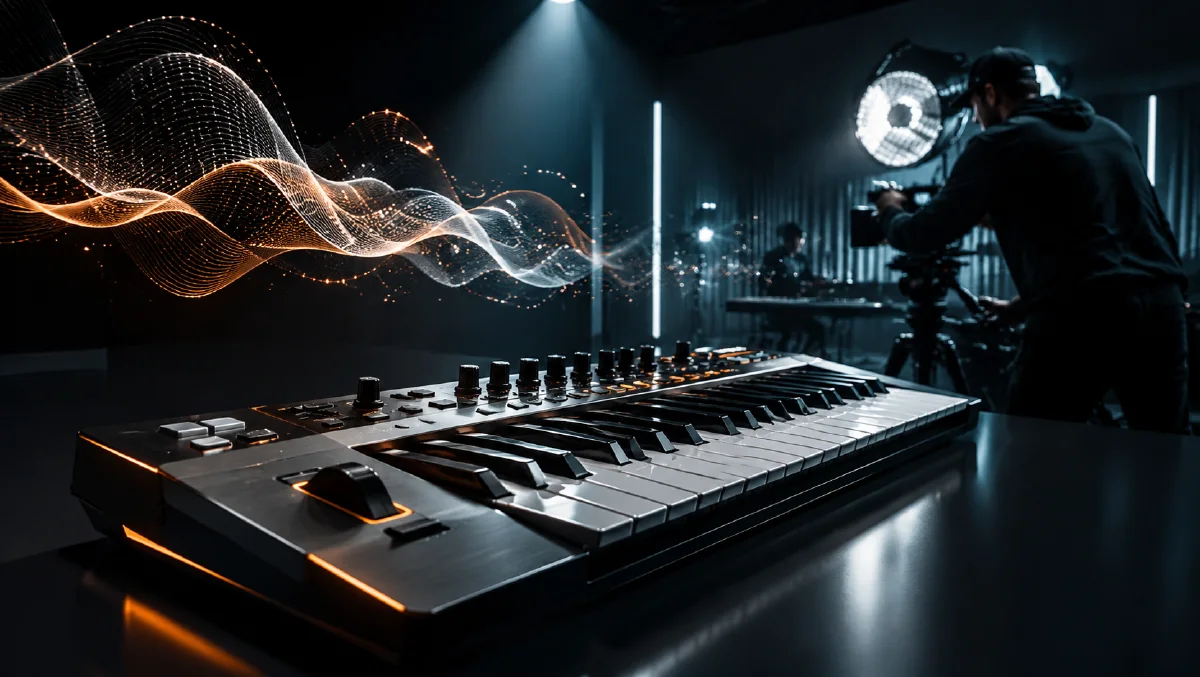
The practical definition: an AI MIDI keyboard product video is a short sequence built from generated product close-ups, studio or performance scenes, creative sound-visualization shots, image-to-video clips, and a music-led edit. It can support product launches, ecommerce pages, creator ads, or concept films.
For general product video planning, read AI product photography to video. For camera movement, use AI video camera movement prompts. For social ad structure, connect the final cut to AI video generator for social ads.
Define the product promise
MIDI keyboard videos can focus on different promises:
| Promise | Visual direction |
|---|---|
| Portability | compact keyboard in backpack, desk, travel studio |
| Expressive control | fingers on keys, pads glowing, knobs turning |
| Studio quality | modern desk setup, monitors, low light |
| Creativity | sound waves, colored light, abstract motion |
| Design | close-ups of keys, buttons, matte surfaces |
Pick one primary promise and one secondary promise. If you try to show everything equally, the video may feel unfocused.
Four-shot storyboard
| Shot | Purpose | Motion |
|---|---|---|
| 1. Product close-up | establish hardware | slow glide over keys and pads |
| 2. Studio use | show context | musician plays at desk |
| 3. Sound visualization | show creativity | light waves respond to notes |
| 4. Final hero | create product memory | keyboard on clean studio surface |
This structure can fit a 10-second ad or expand into a 30-second product film.
Shot 1: keys and controls
Macro close-up of a compact MIDI keyboard on a dark studio desk,
white and black keys, softly glowing performance pads, matte black knobs,
premium music gear product photography, blue and violet studio rim light,
shallow depth of field, high detail.
Motion prompt:
Camera glides slowly along the keyboard from left to right.
Soft light moves across the keys and pads.
Keys remain stable, buttons do not change layout, no fake text.
The close-up should make the product feel tactile. The viewer should want to touch the keys.
Shot 2: musician in studio
Medium shot of a music producer playing a compact MIDI keyboard in a modern home studio,
computer monitor glow in the background, speakers, clean desk setup,
soft blue-violet light, focused creative atmosphere,
cinematic product lifestyle photography.
Motion prompt:
The musician's fingers press a few keys naturally.
Pads glow softly in response.
Camera pushes in slightly toward the keyboard.
Hands remain natural, product layout stable, no extra fingers.
Hand motion is challenging, so keep it subtle. Do not request rapid virtuosic playing unless you are prepared to regenerate.
Shot 3: sound visualization
This shot turns the invisible benefit into a visual moment:
Creative product shot of a compact MIDI keyboard with soft luminous sound waves rising above the keys,
blue and violet light trails, dark studio background, clean premium composition,
abstract but tasteful music visualization, no text.
Motion prompt:
Soft luminous sound waves pulse gently above the keyboard as if responding to notes.
The keyboard remains fixed on the desk.
Camera locked, subtle glow movement, no chaotic particles.
Keep visualization elegant. The product should still be the anchor.
Shot 4: final hero frame
Hero shot of a compact MIDI keyboard on a clean studio desk,
angled three-quarter view, keys and pads clearly visible,
soft blue-violet rim light, warm screen glow in background,
premium music technology product advertising style,
empty space for short headline.
Motion prompt:
Camera slowly pushes in on the MIDI keyboard.
Pad lights breathe gently, background monitor glow shifts softly.
Product shape and control layout remain stable.
This shot should be clean enough to carry a product name, price, offer, or call to action.
Prompt safeguards
| Problem | Fix |
|---|---|
| keys change count | "keyboard layout remains stable, no changing key count" |
| fake labels appear | "no readable text, no random labels" |
| hands distort | "natural slow finger movement, minimal hand motion" |
| scene too cluttered | "clean modern studio desk, minimal props" |
| visualization overpowers product | "subtle sound waves, product remains main focus" |
Hardware products have many small details. Reference images help if the keyboard design must be exact.
Show input and output
A MIDI keyboard does not make sound on its own in the same way an acoustic instrument does, so the video should show both input and creative output. Input is fingers pressing keys, pads glowing, knobs turning, or the product sitting in a studio workflow. Output is the music idea: waveforms, monitor glow, speaker vibration, colored light, or the musician reacting to the sound.
This input-output structure makes the product easier to understand:
Shot A: fingers press keys on the compact MIDI keyboard.
Shot B: soft luminous sound waves rise from the desk and travel toward studio speakers.
Shot C: final hero frame shows the keyboard as the creative control center.
The visualization should be tasteful, not a giant fantasy effect. The product remains the tool that makes the idea possible.
Portability variation
If portability is the main selling point, add a desk-to-bag or travel-studio scene: compact keyboard beside a laptop, headphones, and small audio interface on a clean table. Keep the shot practical. A product that looks usable in a small setup can be more persuasive than a huge studio scene.
Keep the music gear credible
Musicians notice unrealistic layouts quickly. Keep the keyboard, pads, knobs, cables, and studio accessories plausible. Avoid extra rows of random controls, unreadable labels, or impossible hand positions. If the product is compact, do not place it in a giant control room where it feels out of scale. A believable home studio can be more persuasive than an exaggerated stage.
For a premium look, combine practical realism with clean lighting: one laptop, two small speakers, headphones, and a tidy desk. The product should look ready to use, not buried inside props.
Edit with music
For a 12-second product ad:
| Time | Shot |
|---|---|
| 0-3 seconds | macro glide over keys |
| 3-6 seconds | musician playing |
| 6-9 seconds | sound visualization |
| 9-12 seconds | final hero frame |
Cut to the beat. Let pad lights or sound waves hit on musical accents. If the product is for beginners, keep the mood approachable. If it is for professional producers, make the studio lighting cleaner and more refined.
Try it in Naviya
Create close-up, studio, visualization, and hero frames in Naviya Image Generator. Animate them with Naviya Image to Video. Use Naviya Reference to Video if the keyboard layout must match a real product, and test ad cuts in Naviya AI Video Ads.
Final checklist
Before publishing, verify:
- The keyboard layout stays consistent.
- Keys, pads, and knobs are clearly visible.
- Hands move naturally if included.
- Sound visualization supports rather than hides the product.
- The edit feels synced to music.
- The final frame leaves room for product copy.
A MIDI keyboard video should make creativity feel immediate. Show the hardware, show the hands, show the sound idea, and finish with a clear product hero. AI can generate the visuals, but the rhythm of the edit should feel musical.