2026-06-12
AI Furniture Product Scene Images for Ecommerce
Create ecommerce furniture scene images by generating interiors, replacing placeholder products with real references, and building reusable visual variants.
Try this workflow in Naviya
Use references when identity, product shape, outfit, or style needs to stay consistent.
Try reference to video
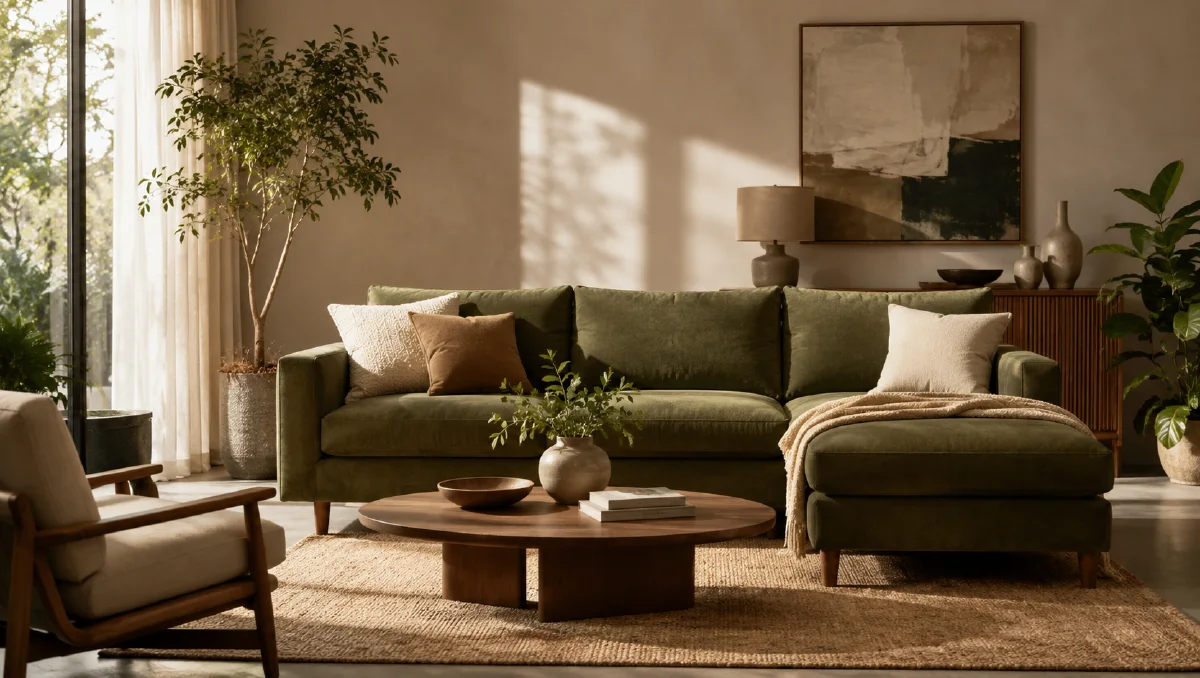
Furniture ecommerce needs more than a white-background product shot. Shoppers want to understand scale, comfort, materials, and how an item might live in a room. Traditional interior shoots are expensive because every scene needs a location, props, lighting, and styling. AI scene generation can help teams create multiple lifestyle settings from one approved product image, as long as the workflow keeps the real furniture accurate.
This guide shows how to generate furniture scenes for online stores, product manuals, posters, and social content. It is especially useful for chairs, sofas, lounge seating, tables, lamps, shelves, and decor. Use it with cross-border ecommerce scene images, AI product scene generation, Naviya's AI Image Generator, and Reference to Video.
Separate the room from the real product
The fastest reliable workflow is:
- Generate high-quality interior scenes with a placeholder product.
- Choose the scenes where camera angle and scale fit your real product.
- Replace the placeholder with the approved product reference.
- Retouch shadows, contact points, fabric texture, and perspective.
- Export multiple channel crops.
This is safer than asking AI to invent the room and product perfectly in one step. A lounge chair may need a specific rattan texture, cushion depth, arm shape, or fabric color. If those details change, the image becomes a mood piece rather than a product image.
Create a scene library
Build scenes around use cases:
| Scene | Best for |
|---|---|
| Studio close-up | Single-product poster, marketplace hero. |
| Lifestyle with person | Comfort and scale proof. |
| Warm living room | Home page and product category banner. |
| Window with landscape | Premium relaxation mood. |
| Top-down view | Shape, cushion depth, and styling detail. |
| Garden or terrace | Outdoor lifestyle or seasonal campaign. |
| Seaside deck | Vacation, leisure, resort positioning. |
| Mountain terrace | Calm, nature, retreat, slow-living brand tone. |
You do not need every scene for every product. Choose the scenes that match the product's category and customer intent.
Prompt examples for furniture scenes
Studio close-up:
Contemporary lounge chair with a wide, low, deep silhouette, oversized pillow-like cushions, rounded edges, and plush integrated armrests.
Clean beige studio background, soft diffused side lighting, subtle shadows emphasizing the sculptural shape.
Refined minimal editorial product photography style, high-resolution, realistic fabric texture, no text, no logo.
Lifestyle room:
Minimalist interior scene with a modern lounge chair and matching footstool in the center.
An adult person sits comfortably in a relaxed side-profile pose reading a book, feet resting naturally.
Large painting, modern floor lamp, warm diffused light, cozy yet refined interior mood.
Softly blurred background, realistic home furnishing photography, product remains the focal point.
Window landscape:
High-end interior photo featuring a textured lounge chair facing a large floor-to-ceiling window.
Beyond the glass is a calm lake and distant mountains under soft daylight.
Minimal beige flooring, slim dark window frames, natural light across the chair, faint reflection in the glass.
Calm refined luxury mood, realistic interior photography, clean composition.
Outdoor garden:
Quiet corner of a private garden with a lounge chair surrounded by hydrangeas and soft greenery.
Morning light filters through leaves, natural spots of light on beige cushions, simple side table with an empty glass vase.
Fresh relaxing atmosphere, realistic product lifestyle photography, clear furniture texture.
Use placeholders when generating rooms. The placeholder only needs the right volume, not perfect product details.
Replace the placeholder product
Use the real product reference:
Replace the placeholder chair in image 2 with the real chair from image 1.
Keep the room, camera angle, lighting, floor contact, shadows, and background unchanged.
Preserve the real chair's rattan texture, cushion shape, arm design, color, and proportions.
Match perspective and scale naturally.
If the real product is white-background only, add a scale cue in the prompt: "the chair sits naturally on the floor, legs and base contact the surface, correct perspective." Without contact detail, AI may make furniture float or sink.
Build a product-scene set
A strong ecommerce set might include:
- Clean hero shot.
- Living room usage shot.
- Comfort shot with person.
- Detail shot of material or cushion.
- Premium aspirational scene.
- Seasonal outdoor scene.
Keep color grading consistent so the product catalog feels unified. If the chair fabric is dark green, do not let one scene turn it gray and another blue. Mention exact color preservation in every replacement prompt.
Turn furniture stills into video
Furniture video can be simple:
Subtle interior product video from the uploaded furniture scene.
Slow camera push-in toward the chair, soft daylight shifts gently across the fabric, background remains calm.
The chair shape, color, texture, and position stay stable, realistic home interior ad style.
For outdoor scenes:
Gentle lifestyle furniture video from the uploaded terrace image.
Leaves move slightly in the breeze, sunlight flickers softly, camera slowly slides toward the chair.
Product remains stable and accurate, calm premium lifestyle mood.
Use Image to Video for subtle motion, and Reference to Video when you need several scenes to share one visual tone.
QA checklist
- Product proportions match the real item.
- Material texture is preserved.
- Legs, base, or chair body contact the floor naturally.
- Scale makes sense relative to person, table, window, or floor.
- Room style supports the product audience.
- No unrelated brand marks or artworks appear.
- Final crops work for desktop, mobile, marketplace, and print if needed.
Scale and material review
Furniture scene images fail most often in two places: scale and material. A room can look beautiful while the chair is too small, the sofa floats, or the wood grain changes into plastic. Review the product like a buyer who is deciding whether it will fit their home.
Use this checklist before approving a scene:
- Compare the product height to nearby objects such as a table, lamp, window, rug, or seated person.
- Check whether legs, cushions, shelves, or arms make physical contact with the floor or wall.
- Look for material drift: wood becoming marble, fabric becoming leather, metal turning into painted plastic.
- Inspect shadows under the furniture. A believable shadow often matters more than another prop.
- Crop to marketplace ratios and confirm the product still dominates the frame.
For cross-border ecommerce, build a region set from the same product reference: compact apartment, larger suburban living room, studio rental, warm family space, and premium showroom. The room changes, but product shape and material do not. For more regional scene planning, use cross-border ecommerce scene images. If the approved image will become a short showroom clip, keep motion limited to a slow camera move in Image to Video. Save more dramatic edits for AI Video Ads, where the goal is attention rather than detailed inspection.
One practical habit is to keep the original product photo open beside every generated scene. Review the silhouette, leg spacing, cushion depth, handle placement, and material grain in pairs. If the scene wins emotionally but loses the product, it is not ready for a listing. Regenerate with fewer props and a simpler light direction.
Try it in Naviya
Start with one approved furniture product image in Naviya's AI Image Generator. Generate three interiors, replace the placeholder product with the real reference, and choose the scene with the clearest scale. Then create a slow showroom or lifestyle clip with Image to Video, or build a campaign sequence in AI Video Ads.