2026-06-12
Manga Style Character Visual Workflow for Fast Campaign Concepts
Create manga-style character visuals by changing the subject while keeping preset style, lighting, background, and composition rules consistent.
Try this workflow in Naviya
Use references when identity, product shape, outfit, or style needs to stay consistent.
Try reference to video
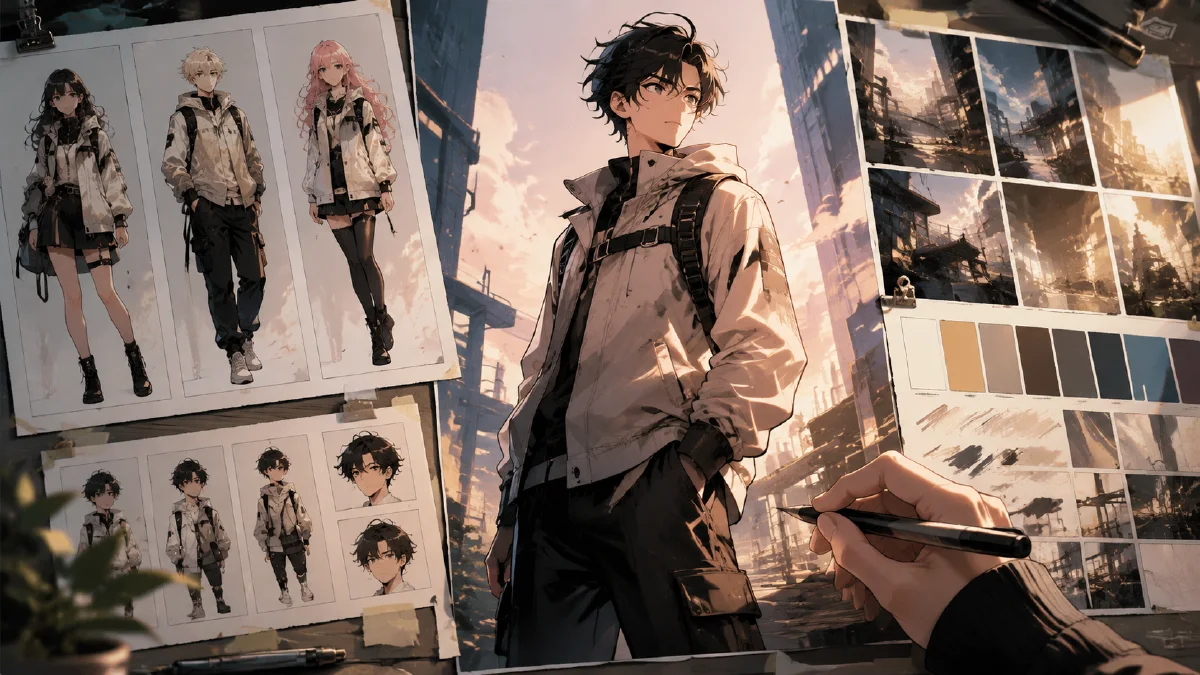
A manga style character visual workflow lets you change the main subject while keeping the cinematic comic look consistent. The subject can be a person, mascot, pet, product character, game avatar, or brand creature. The workflow is useful when a team needs fast visual concepts with the same dramatic lighting, background energy, and graphic finish.
The idea is simple: build a preset style container, then swap the subject. Instead of rewriting every prompt from scratch, you define the visual rules once and only change the subject line. This makes the workflow practical for campaign ideation, avatar packs, social posts, game concepts, and brand mascot exploration.
Use AI Image Generator for the still visuals. If you want to animate the best image, send it to Image to Video. For related prompt systems, see AI style extraction prompts, unique photography AI prompts, AI composition prompts guide, and reference image prompting guide.
Definition
A style preset is a reusable set of visual instructions. It can include lighting, line quality, color palette, background, camera angle, texture, and mood. In a manga-style workflow, the preset might specify sharp ink lines, dynamic speed shapes, heroic rim light, saturated shadows, and a dramatic poster composition.
The subject line is the only part you change:
Subject: [your character, mascot, object, or creature]
Everything else stays stable.
When this workflow is useful
Use it when you need:
- A campaign mascot in multiple concepts.
- Character posters for a game or story pitch.
- Pet or creator portraits in a comic visual style.
- Product characters for social posts.
- Fast ideation before final illustration.
- A consistent look across a visual series.
It is less useful when you need precise brand packaging or exact typography inside the image. Keep text out of the generated image and add final copy later.
Build the style container
Start by defining the look independently from the subject.
Style container template:
Visual style: high-energy manga cover art, cinematic comic lighting, sharp inked edges, dramatic contrast, dynamic background shapes, premium poster finish.
Composition: centered hero subject, low-angle three-quarter view, powerful silhouette, room for headline at the top.
Lighting: bright rim light from behind, deep shadow on one side, controlled highlights on face and body.
Color: saturated accent color against dark neutral shadows.
Texture: clean digital illustration with subtle paper grain and crisp line work.
Mood: intense, confident, iconic, action-ready.
This block is the stable part of the prompt. It prevents every generation from drifting into a different visual world.
Add the subject
Now write a subject description that is specific but not overloaded.
Weak:
Subject: a cool hero.
Better:
Subject: a streetwear mascot character with oversized sneakers, a cropped bomber jacket, expressive eyes, and a confident forward stance.
For a pet concept:
Subject: a small fluffy dog as a heroic manga protagonist, wind lifting the fur, focused expression, wearing a tiny futuristic scarf.
For a product character:
Subject: a wireless headphone product reimagined as a sleek manga mecha companion, glowing ear cups, aerodynamic silhouette, standing beside a young creator.
The subject should tell the model what must be visible. The style container tells it how to render.
Full prompt template
Create a manga-style campaign character visual.
Subject: [specific subject description].
Visual style: high-energy manga cover art, cinematic comic lighting, sharp inked edges, dramatic contrast, premium poster finish.
Composition: centered hero subject, low-angle three-quarter view, powerful silhouette, room for headline at the top.
Lighting: bright rim light from behind, deep shadow on one side, controlled highlights on the subject.
Color: saturated accent color against dark neutral shadows.
Background: abstract speed shapes, subtle texture, no readable text.
Mood: intense, confident, iconic.
Constraints: keep the subject readable, avoid extra limbs, avoid warped face, no fake logos, no clutter.
Generate several versions by changing only the subject line. This is the fastest way to test whether the preset is strong.
Comparison table
| Prompt part | Change often? | Purpose |
|---|---|---|
| Subject | Yes | Defines the character or object |
| Composition | Rarely | Keeps the series visually unified |
| Lighting | Rarely | Creates the signature look |
| Color accent | Sometimes | Lets each concept have a variant |
| Background | Rarely | Keeps the campaign system consistent |
| Constraints | Keep | Protects quality and readability |
Turn the best still into motion
Once a character image is strong, animate it carefully. Manga-style visuals can break if the motion is too complex. Use Image to Video with subtle motion first.
Motion prompt:
Animate this manga-style character poster into a 4 second campaign clip.
Camera: slow push-in.
Motion: cape, hair, or background speed lines move subtly, rim light flickers, subject holds a confident pose.
Style: preserve the manga poster look, sharp lines, dramatic contrast.
Constraints: keep face, hands, outfit, and silhouette stable. No new text.
For a more energetic version:
Create a short action reveal.
Camera: low-angle push-in with slight parallax.
Motion: background shapes streak outward while the subject remains sharp and stable.
Constraints: no body deformation, no extra limbs, no changed costume.
Failure modes and fixes
Manga-style prompts can fail in two opposite ways. Sometimes the result becomes too generic: a random anime portrait with no campaign structure. Other times it becomes too noisy: speed lines, lightning, weapon shapes, and typography all competing with the character. Fix both by protecting the silhouette and reducing background events.
Use these repairs:
| Problem | Fix |
|---|---|
| Character feels generic | add a specific role, costume shape, prop, or attitude |
| Background overwhelms subject | ask for abstract speed shapes behind the silhouette, not around the face |
| Fake title text appears | request poster space with no readable text |
| Hands or limbs distort | use a simpler pose and stronger silhouette |
| Series lacks consistency | repeat the same lighting, camera angle, and accent color |
For business visuals, decide whether the character is a mascot, campaign hero, packaging illustration, game-style avatar, or social poster subject. Each use needs a different level of detail. A mascot needs recognizability. A poster needs impact. A packaging illustration needs clean edges and room for real design. Naming the use case in the prompt helps the output become more than a stylish drawing.
When building a series, keep a small character bible: silhouette, hair shape, costume colors, signature prop, and expression range. Reuse those facts in every prompt. If the character changes too much between images, reduce pose variety before increasing style complexity.
Try it in Naviya
Use AI Image Generator to build the style container and generate several subject variants. Pick the strongest character image, then use Image to Video for a short animated reveal or Reference to Video when you need the same character to stay consistent across a series.
Quality checklist
Before using the concept:
- The subject is recognizable at thumbnail size.
- The style looks consistent across variants.
- The silhouette is clean and iconic.
- The background supports the subject instead of competing with it.
- There is no fake readable text.
- The visual can be cropped for vertical, square, and banner formats.
The fastest manga-style workflow is not about endless prompt complexity. It is about separating the stable visual preset from the subject. Once the style container works, one subject line can produce a full visual exploration.