2026-06-12
AI Speaker Product Detail Page Workflow
Plan a conversion-focused AI product detail page for speakers using competitor analysis, feature architecture, image prompts, replacement, and layout.
Try this workflow in Naviya
Turn a product, hook, or campaign idea into short social-ready ad concepts.
Create video ad variants
A speaker detail page has to do several jobs at once. It must show the product clearly, explain sound and materials visually, answer shopper doubts, and create a reason to buy. AI can help plan the page, generate section images, and produce detail shots, but it works best when the page architecture is defined before image generation begins.
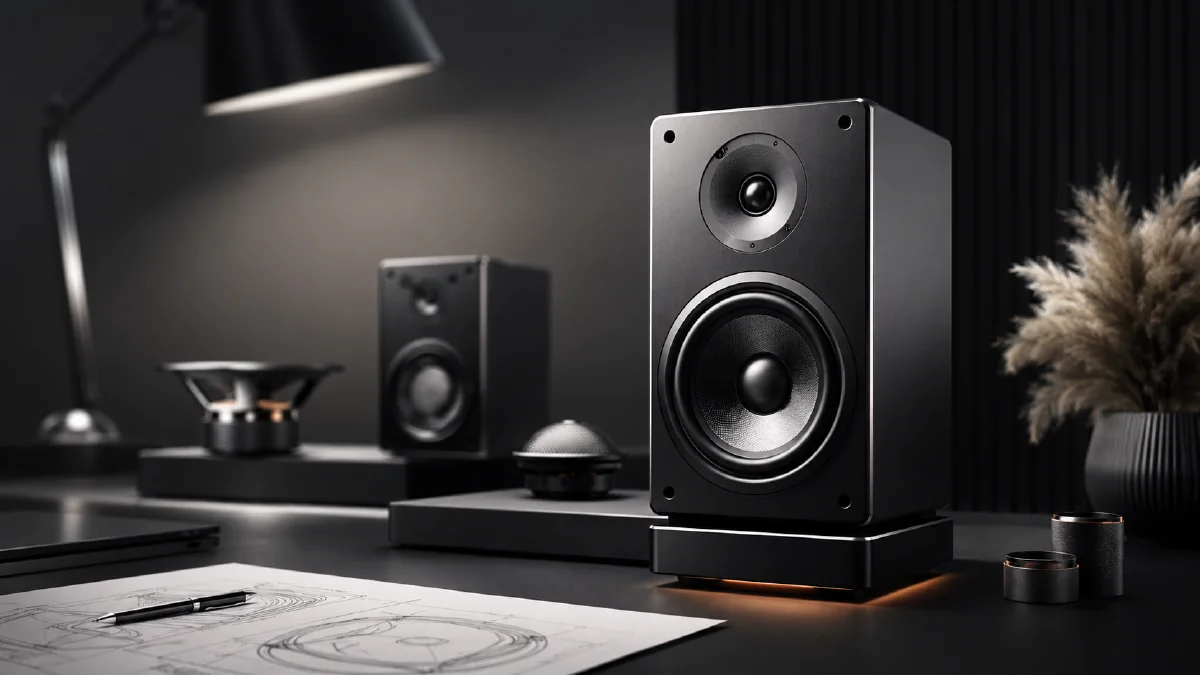
This guide explains a two-role workflow for creating a speaker product detail page: one role plans the ecommerce story, and another role turns that story into image prompts. It is useful for 3C products, audio gear, smart devices, and small appliances. Use it with AI tech product CG images, AI speaker product visuals, Naviya's AI Image Generator, and Reference to Video.
Separate strategy from image prompting
Many detail pages fail because visual generation starts too early. A better workflow:
| Stage | Output |
|---|---|
| Competitor review | What other pages emphasize and where they are weak. |
| Product intake | Real features, dimensions, materials, ports, battery, controls, use cases. |
| Page architecture | 8 to 12 sections with title, subtitle, and visual requirement. |
| Image prompt writing | One prompt per section with consistent style. |
| AI image generation | Section visuals, detail shots, background scenes. |
| Product replacement | Swap in the real speaker reference where needed. |
| Typography layout | Add final text in a design tool for accuracy. |
This keeps the page conversion-led instead of decoration-led.
Product page architecture
A useful speaker detail page might include:
| Screen | Goal | Visual direction |
|---|---|---|
| 1 | Hero promise | Speaker on clean desk, premium light, main claim space. |
| 2 | Sound quality | Sound-wave atmosphere, room depth, no exaggerated science. |
| 3 | Retro or design appeal | Material close-up, grille, knob, wood, metal, or fabric. |
| 4 | Everyday scene | Living room, desk, picnic, kitchen, or bedside use. |
| 5 | Controls | Hand pressing button or turning knob. |
| 6 | Connectivity | Simple phone and speaker scene, clean UI-like light. |
| 7 | Portability | Speaker beside bag, book, or travel object. |
| 8 | Battery or usage | Calm all-day lifestyle scene, avoid unsupported numeric claims. |
| 9 | Detail macro | Grille texture, buttons, stitching, LED, or logo area. |
| 10 | Final reassurance | Product packshot and CTA area. |
Keep titles short. If you plan to add copy in a design tool, do not ask the image model to render all text perfectly.
Planning prompt
Use this with your product data and competitor references:
Act as an experienced ecommerce product detail page planner for audio products.
Analyze the provided competitor page references and the uploaded speaker product.
Create a 10-section product detail page architecture.
For each section, provide a short main title, short subtitle, commercial purpose, and precise visual requirement.
Focus on conversion logic, product truth, and visual clarity.
Do not invent unsupported specs.
Then request image-ready prompts:
Turn the approved detail page architecture into AI image prompts.
Each section prompt must include main copy direction, visual layout, product composition, background, lighting, style, and detail requirements.
Keep style consistent across all sections.
Do not rely on generated text for final typography.
Avoid the word "assume" in visual requirements. Be concrete: "macro close-up of the speaker grille" is better than "maybe show sound quality."
Image prompt example
Hero screen:
Product detail page hero image for a retro portable Bluetooth speaker.
The speaker sits on a warm wooden desk, angled three-quarters toward the camera.
Soft morning light from the left, subtle shadow, clean neutral background with space above for headline.
Preserve speaker shape, grille texture, button layout, knob position, material finish, and color.
Premium 3C ecommerce style, high-resolution realistic product photography, no text, no extra logos.
Button close-up:
Macro product detail image of a finger pressing the speaker's metal button.
Focus on tactile button shape, grille texture, material finish, and soft reflection.
Warm neutral background, shallow depth of field, realistic ecommerce product photography.
Preserve the speaker's button layout and scale.
Lifestyle scene:
Cozy living room product scene with the speaker on a low side table near books and a warm lamp.
The speaker is the main focus, realistic scale, soft background blur, refined home audio atmosphere.
Warm diffused light, clean modern interior, no clutter, no text.
Replace the product after generation
When a section image has the right mood but a generic speaker, insert the real product:
Replace the speaker in image 2 with the real speaker from image 1.
Keep the room, lighting, camera angle, shadows, and composition unchanged.
Preserve the real speaker's grille, buttons, proportions, color, material, and logo area.
Remove all generated text.
If the section needs exact copy, add it later in Figma, Photoshop, or your page builder.
QA checklist
- Every section has a commercial purpose.
- Product visuals match the real speaker.
- Claims do not invent specs.
- Copy areas are clean and readable.
- Detail shots show useful proof, not random decoration.
- Final long page has consistent color and lighting.
- Mobile crop keeps the product and text hierarchy readable.
Before publishing, view the long page as a shopper would: scroll quickly once, then inspect slowly. The quick pass should communicate product category, design appeal, and one or two reasons to buy. The slow pass should answer detail questions about controls, materials, use scenes, and compatibility without making the user hunt.
Page asset checklist for audio products
Speaker pages need to make sound visible without pretending the image can prove audio quality. Use visuals to explain design, placement, use case, and feeling. A complete page set usually includes a clean hero, a scale shot in a real room, a close-up of controls or fabric texture, a feature visual for portability or battery life, and a lifestyle scene that shows where the speaker belongs. If every image is a dramatic hero shot, the shopper still may not know whether it fits a desk, shelf, kitchen, or travel bag.
Prompt each asset with a clear page role. For a hero image, prioritize silhouette, material, and reflection. For a room scene, prioritize scale, furniture context, and realistic placement. For a control close-up, avoid fast motion or deep blur because the viewer needs to inspect details. For a lifestyle banner, leave copy-safe space and keep the speaker visible within the first glance.
Common failure modes include warped grille patterns, changing button layouts, fake readable labels, and speakers floating in rooms with no contact shadow. These are not minor issues on a product detail page. Reject or regenerate them before design work begins. Use the AI image generator for the static asset set, image to video for subtle reveal clips, and the white background product banner workflow when a retail placement needs a clean conversion asset. If you later turn the page concept into ads, move the strongest feature shot into the AI video ads generator.
For premium audio brands, add one proof-oriented detail shot to every set. It might show the grille weave, control surface, carrying loop, charging port, or speaker sitting beside a familiar object for scale. These quiet images often do more conversion work than dramatic lifestyle scenes because they answer practical ownership questions.
Try it in Naviya
Use Naviya's AI Image Generator to create section backgrounds and product-detail images, then preserve the real speaker reference during replacement. Build short motion clips for hero sections with Image to Video, or create product-page ad cuts with AI Video Ads.