2026-06-12
AI Handbag Fashion Video Workflow
Create luxury-style handbag videos with AI model images, product insertion, multi-angle stills, close-ups, subtle motion, and final editing.
Try this workflow in Naviya
Turn a product, hook, or campaign idea into short social-ready ad concepts.
Create video ad variants
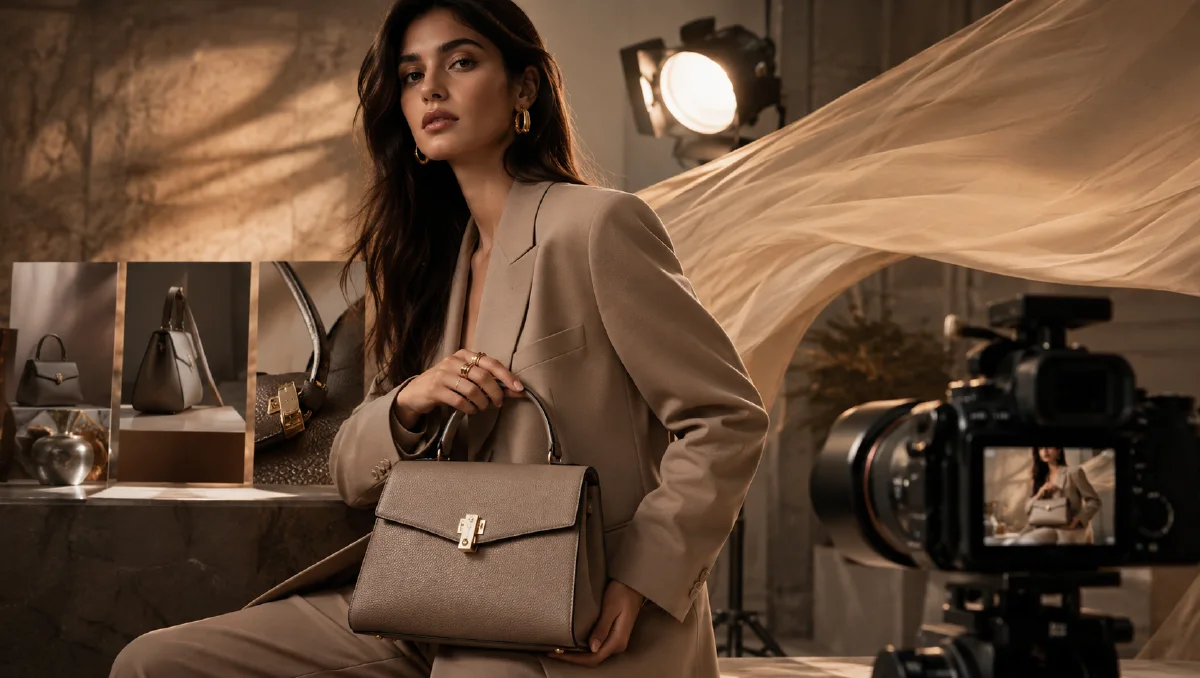
Handbag videos need elegance, scale, and detail. A still product photo can show shape and leather texture, but a fashion ad needs the bag to live with a model: carried by hand, worn over the shoulder, resting on a lap, or shown in close-up with fabric and skin. AI can create a complete handbag concept video when the workflow separates model generation, product insertion, angle expansion, motion, and editing.
This guide focuses on luxury-style handbag creative without implying affiliation with any real fashion house. It is useful for ecommerce brands, accessory campaigns, social videos, and concept decks. Use it with AI fashion accessory video ads, AI fashion product video workflow, Naviya's AI Image Generator, and Reference to Video.
Build the base model image
Start with a clean fashion photograph prompt. The goal is not yet to perfect the bag. The goal is to create a model pose, wardrobe, background, and lighting that can support the real handbag reference.
Minimalist fashion photography of a young adult woman sitting on a simple stool, looking calmly toward the camera.
She wears an oversized off-white corduroy overshirt and beige trousers.
Plain white studio background, soft diffused lighting, neutral color palette, photorealistic editorial style.
The composition is medium-long lens, relaxed seated pose, clean space around hands and lap for a handbag.
No text, no logos.
Why this works:
| Prompt part | Function |
|---|---|
| Neutral wardrobe | Lets the handbag carry the visual weight. |
| Plain background | Makes product insertion easier. |
| Soft lighting | Reduces harsh mismatch during replacement. |
| Hands and lap space | Creates a physical place for the bag. |
| No logos | Avoids unapproved visual clutter. |
Generate several options. Choose the frame where hands, lap, shoulder, or walking posture can physically support a handbag.
Insert the real handbag reference
Use an approved product reference: your own product photo, catalog render, or clean ecommerce image. If the base model already holds a placeholder bag, remove it first. Then place the real handbag.
Removal prompt:
Remove the existing handbag from the model image.
Reconstruct natural clothing folds, hand position, and lap area.
Keep the model pose, lighting, background, and wardrobe unchanged.
Insertion prompt:
Place the handbag from image 1 naturally into image 2.
The model holds the bag on her lap with correct scale, strap position, contact shadow, and hand overlap.
Preserve the handbag's color, leather texture, hardware, shape, handle, stitching, and proportions.
Keep the model, wardrobe, lighting, and background unchanged.
If the strap crosses the hand, you may need a manual mask or retouch. Product insertion is a physical problem: straps pass behind fingers, bag bottoms touch fabric, and leather reflects the scene.
Expand into multiple angles
Once you have one clean hero, generate related angles:
| Angle | Purpose |
|---|---|
| Side view walking | Shows how the bag sits against the body. |
| High-angle seated | Adds editorial variety and lap scale. |
| Three-quarter turn | Shows front, side, and handle together. |
| Hair-adjusting pose | Adds natural fashion movement. |
| Hand close-up | Shows leather, handle, hardware, stitching. |
| Wall lean | Creates a calm product-detail campaign shot. |
Prompt example:
Create a related fashion campaign still using the same adult model, wardrobe, lighting tone, and handbag.
Three-quarter view, the model turns slightly back toward the camera while holding the dark brown leather handbag by the handle.
Plain warm-white studio wall, soft diffused light, elegant minimal fashion photography.
Preserve handbag color, hardware, shape, texture, and scale.
For close-up:
Close-up fashion product photograph focused on the model's hand holding the handbag handle.
Show leather texture, stitching, hardware reflection, and natural hand contact.
Warm neutral background, shallow depth of field, luxury accessory advertising style.
Preserve the exact handbag design.
Animate with small movements
Handbag motion should be subtle. Useful movements include:
- Model shifts posture while the bag stays on lap.
- Hand lifts the handle slightly.
- Camera pushes toward leather texture.
- Model walks slowly in side view.
- Hair moves gently while bag remains stable.
Prompt:
Short luxury-style handbag video from the uploaded fashion still.
The model makes a small natural movement, slightly lifting the handbag handle and turning her shoulder.
Camera slowly pushes in, soft studio lighting, elegant neutral palette.
The handbag design, scale, color, hardware, and strap remain stable and accurate.
For a walking shot:
Side-view fashion video of the model walking slowly while carrying the handbag.
Natural arm swing, handbag moves gently with the body, soft neutral studio background.
Keep the product accurate, refined editorial mood, no text, no logos.
Edit the final video
Use a quiet sequence:
| Time | Shot |
|---|---|
| 0-2s | Hero seated model with handbag. |
| 2-4s | Close-up of handle and hardware. |
| 4-7s | Side walking or shoulder movement. |
| 7-10s | Three-quarter product pose. |
| 10-12s | Final packshot with CTA space. |
Luxury-style handbag videos do not need fast cuts. Let texture and posture breathe. Add soft music, a slight film grain if appropriate, and clean typography outside the generated image.
Failure modes and prompt fixes
Handbags are difficult because straps, handles, stitching, and hardware can drift during motion. Review the bag before you review the model. If the product is wrong, the clip cannot be saved by editing.
Use targeted fixes:
| Failure | Likely cause | Prompt fix |
|---|---|---|
| Handle melts into fingers | hand motion too complex | "hand remains mostly still, light grip, visible separation between fingers and handle" |
| Strap changes length | long motion or walking shot | "strap length and attachment points remain unchanged" |
| Hardware duplicates | macro detail too loose | "single clasp, single buckle, preserve hardware count" |
| Bag scale changes | camera orbit too wide | "bag stays same size relative to torso" |
| Leather becomes plastic | style over-corrected | "matte leather grain, subtle natural creases, refined reflections" |
When in doubt, separate the workflow. Generate a clean seated still, a close-up still, and a walking still. Approve the bag accuracy in each still before motion. Then animate with one small action per clip. A luxury accessory ad usually benefits from restraint: a hand lift, a shoulder turn, a controlled camera push, or a slow walk with the bag visible.
For business use, create versions by customer intent. A product-page clip should show shape and hardware. A social ad can lead with posture and mood. A retargeting clip can open on leather texture or clasp detail. The same bag can support all three if the reference remains protected.
Build one approved still library before editing: front carry, seated pose, side walk, handle macro, and final packshot. Label the best product-accurate still as the master reference. When a later clip drifts, compare it against that master instead of relying on memory. This simple habit catches changed strap attachment points, altered hardware finish, and inaccurate leather grain before the asset reaches an ad or product page.
QA checklist
- Handbag shape and hardware match the reference.
- Strap paths make physical sense around fingers and body.
- Product scale is believable.
- Model identity and wardrobe stay consistent across shots.
- No unapproved logos or real-brand marks appear.
- Motion does not melt handles or duplicate hardware.
- Final crop works for social and product-page use.
Try it in Naviya
Create your base model and product-placement stills in Naviya's AI Image Generator. Use Reference to Video to preserve the strongest handbag frame across motion, then assemble a polished ad with AI Video Ads. For subtle product movement, Image to Video is often enough.