2026-06-12
AI Fashion Accessory Video Ads for Bags, Scarves, and Shoes
Create AI fashion accessory video ads from static concept images, style-consistent variants, image-to-video motion, and social-ready edits.
Try this workflow in Naviya
Use references when identity, product shape, outfit, or style needs to stay consistent.
Try reference to video
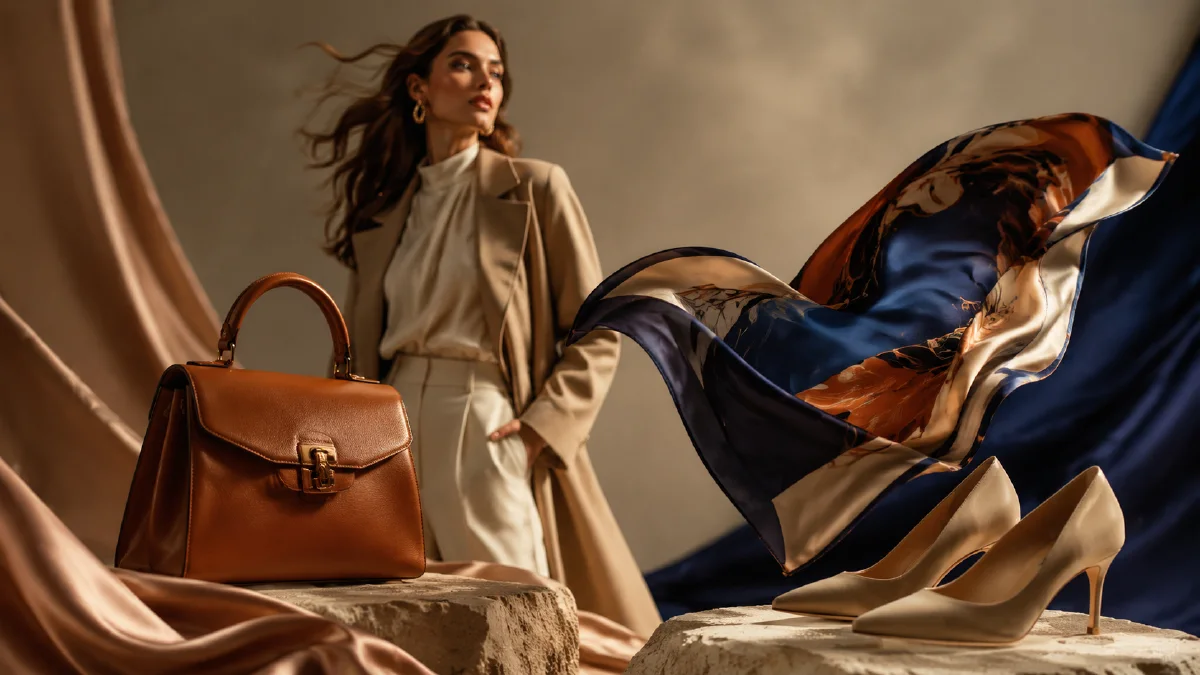
Fashion accessories are ideal for AI video because a single product can carry a whole visual world. A bag can hang in a gallery-like studio, a scarf can move through wind, shoes can step through reflective streets, and a knit hat can become part of a seasonal campaign. The challenge is consistency. If every item is generated with a different style, the final ad feels like a mood board instead of a brand video.
Use Naviya AI Video Generator for concept exploration, Naviya Image to Video to animate selected accessory stills, and Naviya AI Video Ads for social variants. If you need a broader product workflow, read the product image to video guide and the AI video generator for social ads.
Choose a product family, not a random list
The source of a good accessory ad is a clear product family. A backpack, scarf, knit hat, jeans, puffer jacket, shoes, and sweater can work together only if they share a campaign idea: winter city movement, soft outdoor layering, playful streetwear, or minimalist gallery fashion. Without that idea, the edit becomes a collection of unrelated generated clips.
Start with a campaign sentence:
Create a fashion accessory campaign where every product feels like part of one modern city wardrobe: soft texture, clean silhouettes, confident movement, and warm editorial lighting.
This sentence should guide every still frame. Even when the product changes, the lighting, background, camera attitude, and color palette should remain connected.
Generate static concepts first
For accessories, the still image does most of the strategic work. A strong static concept tells the model what the product is, how it sits in space, and what mood it belongs to. Generate stills for each item before animation. Keep the product centered enough to recognize, but give it space for motion.
Backpack prompt:
Create a premium fashion accessory keyframe.
Product: structured black design backpack with clean seams, matte texture, and sculptural shape.
Scene: minimal city studio with warm side light and subtle floor reflection.
Composition: backpack centered, three-quarter angle, space around straps.
Mood: modern, confident, editorial, wearable.
Constraints: stable product shape, realistic straps, no fake readable logo, no extra pockets.
Scarf prompt:
Create a fashion campaign keyframe for a soft textured scarf.
Scene: clean winter city background, warm soft light, subtle motion implied in the fabric.
Product: long scarf with visible woven texture and premium drape.
Composition: scarf is the hero, with enough negative space for movement.
Constraints: realistic textile behavior, no tangled impossible loops, no fake text.
Each product needs enough detail to animate without losing identity.
Use style consistency as the glue
When generating multiple accessory stills, repeat a style line in every prompt:
Style: modern fashion editorial, warm soft light, clean city minimalism, premium product focus, restrained color palette.
This line is more useful than adding more objects. Accessories can differ in shape and material, so the campaign needs another form of continuity. Color palette, light, camera angle, and background language create that continuity. If one product is in a neon club and another is in a beige bedroom, the final cut will not feel intentional.
Style references can also help. Pick the strongest still from the first batch and use it as the visual benchmark for the rest. The goal is not to duplicate the image; it is to make every item feel like it came from the same campaign shoot.
Animate one accessory behavior at a time
Each accessory has a natural motion. A bag can rotate or swing slightly. A scarf can ripple. Shoes can step or glide. A puffer jacket can breathe with volume. A knit hat can turn on a mannequin or model. Use the motion that belongs to the product.
Image-to-video prompt for a bag:
Animate this fashion accessory image into a 6 second product ad.
Camera: slow orbit from front-left to center.
Motion: backpack rotates subtly while straps move naturally with gravity.
Lighting: warm highlight travels across the matte surface.
Mood: premium city fashion, clean and editorial.
Constraints: preserve bag shape, seam placement, strap length, and material texture.
Prompt for a scarf:
Animate this scarf keyframe into a 5 second fashion clip.
Camera: gentle push-in.
Motion: scarf ripples softly as if moved by a light winter breeze.
Lighting: warm side light catches the woven texture.
Constraints: keep the scarf continuous, realistic, and not tangled.
For social ads, the motion should be visible in the first second. For product pages, it can be slower and more inspectable.
Build the final cut
A fashion accessory ad can be edited as a quick product parade, but the sequence still needs hierarchy. Open with the hero item, then cut to texture or motion detail, then show supporting items, and close on the hero again. If the campaign is for one product, use multiple angles of the same accessory instead.
Recommended structure for a multi-item accessory ad:
| Clip | Purpose | Duration |
|---|---|---|
| Hero bag or shoe | Establish campaign | 2 seconds |
| Texture close-up | Add premium feel | 1.5 seconds |
| Secondary accessories | Show range | 3 to 5 seconds |
| Styled final frame | Make it brandable | 2 seconds |
Do not let transitions become the main event. A clean cut or subtle match movement usually feels more premium than a heavy effect.
Try it in Naviya
In Naviya, begin with one hero accessory and one style line. Generate three still directions, pick the most brandable one, then create the rest of the product family from that direction. Animate each selected image with one natural product behavior. Use the video ads workflow to test different openers: hero bag, moving scarf, shoe step, or styled outfit detail.
If you only have time for one asset, create a 6 second vertical clip: product visible immediately, one motion idea, clean background, stable final frame. That single clip can become a product page video, a Reels ad, or a campaign teaser.
Accessory ad evaluation rubric
Fashion accessories fail when the scene becomes prettier than the item. Before approving a clip, review the asset as a buyer, stylist, and paid-media editor.
| Role | What to check |
|---|---|
| Buyer | Can I understand size, material, and how it is worn? |
| Stylist | Does the outfit support the accessory instead of competing with it? |
| Paid-media editor | Is the accessory visible before the scroll decision? |
| Brand reviewer | Does the scene feel consistent with the campaign mood? |
For bags, protect handles, strap length, closure details, and silhouette. For shoes, protect toe shape, heel height, sole thickness, and movement realism. For scarves, protect fabric weight, fold direction, and how the fabric interacts with wind or hands.
If a clip is beautiful but the accessory is too small, remake the first frame rather than trying to fix it in editing. If the accessory is clear but the motion feels stiff, keep the still for the product page and generate a separate social hook with AI Video Generator.
Final checklist
Before exporting, confirm that each accessory remains recognizable, the materials feel believable, and the styling belongs to one brand world. If the products look connected and the motion reveals their best qualities, the ad can do more than decorate a feed. It can make a fashion accessory feel desirable enough to click.