2026-06-12
Lifestyle Product Video Automation Workflow From One Apparel Image
Create four lifestyle product videos from one apparel image with model setup, outfit planning, mirror-view scenes, spoken hooks, and AI video generation.
Try this workflow in Naviya
Use the guide to shape a still image, then keep it as a first frame or campaign asset.
Open the studio
A lifestyle product video automation workflow turns one apparel image into several short social videos. The product is analyzed, styled into different looks, placed on a model, rebuilt into lifestyle scenes, and animated with short hooks. The result is not one product demo, but a batch of lifestyle clips that show why the item belongs in different moments.
This workflow is especially useful for fashion ecommerce. A single shirt, jacket, or pair of pants can become four distinct video concepts: home, street, work, and night-out. Each one speaks to a different buying situation.
Use AI Image Generator for model and scene stills, Image to Video for short clips, and AI Video Ads for final ad variants. Related guides include AI model product scene automation, UGC AI video ad prompts, talking fashion creator AI videos, and ecommerce product video AI.
Definition
Lifestyle product video automation is the use of AI to generate multiple short videos from a product image by automating product analysis, styling, scene design, motion prompting, and hook writing.
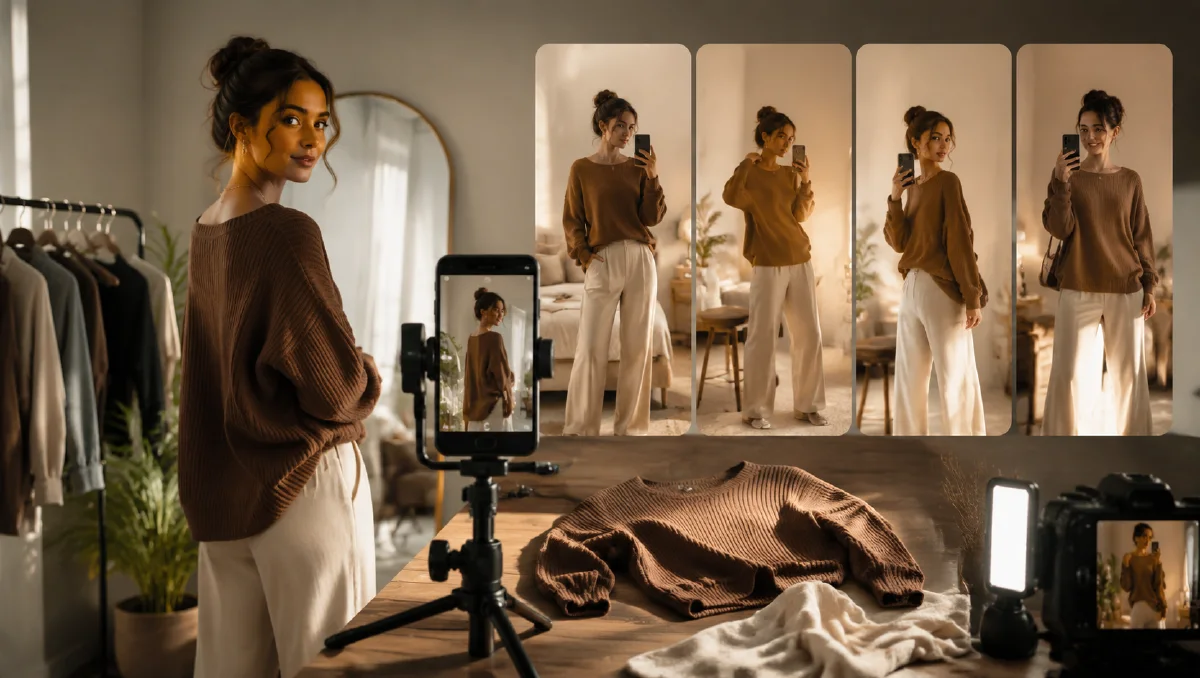
The strongest version uses a first-person mirror or reflection strategy. A mirror shot feels like a real outfit check. It can show the full look while maintaining the casual trust of creator content.
Stage 1: Create the model foundation
Define a model that fits the buyer and can appear across all four videos.
Model prompt:
Create a realistic fashion model reference.
Age range:
Gender presentation:
Body type:
Skin tone:
Hair:
Style attitude:
Brand mood:
Choose a model who looks believable in the target lifestyle scenes. Save the best model as a reference for consistency.
Stage 2: Analyze the product and create four looks
Upload the apparel image and ask AI to understand it.
Product and styling prompt:
Analyze the uploaded garment.
Identify garment type, material, fit, color, pattern, and styling role.
Create four lifestyle outfit concepts for different moments.
For each concept, provide: look name, matching items, scene, mood, and target buyer situation.
Example four-look structure:
| Look | Scene | Hook angle |
|---|---|---|
| Home relaxed | bedroom mirror | comfort and ease |
| Street utility | elevator or storefront reflection | everyday confidence |
| Work commute | office lobby mirror | clean and practical |
| Night outing | car window or bathroom mirror | style upgrade |
Stage 3: Generate mirror-view scenes
The reflection strategy is useful because it feels like social content. The reflective surface can be a bathroom mirror, elevator door, car window, shop window, or hallway mirror.
Still image prompt:
Create a first-person mirror-style fashion lifestyle image.
Model: [chosen model reference].
Garment: use the uploaded product image and preserve all details.
Outfit: [look concept].
Scene: [mirror, elevator reflection, car window, shop window].
Camera: casual outfit-check perspective, realistic phone-photo energy.
Lighting: [scene-specific lighting].
Style: authentic lifestyle content, polished but not overproduced.
Constraints: accurate garment color, fit, fabric, and pattern. Natural reflection, no warped body, no fake text.
Generate one still per lifestyle concept. Review product accuracy before animating.
Stage 4: Write short hooks
Each video needs a five-second hook. Keep it natural and specific.
Hook template:
Scene: [lifestyle moment]
Audience: [buyer]
Mood: [relaxed, confident, practical, night-out]
Hook: [short spoken line under 8 words]
Caption: [short on-screen line]
Examples:
- "Meeting in five. Outfit checks out."
- "Easy layer, no overthinking."
- "The jacket that fixes the commute."
- "One shirt, four plans."
Do not over-explain. The video shows the outfit; the hook gives it context.
Stage 5: Animate the videos
Use subtle, realistic motion:
Animate this mirror-style fashion image into a 5 second social video.
Camera: slight handheld phone movement.
Motion: model shifts weight, fabric moves naturally, reflection remains stable.
Scene motion: small light change or background movement.
Style: realistic creator-style outfit video, casual and trustworthy.
Constraints: preserve garment design, model identity, reflection geometry, and body proportions.
For a more commercial cut:
Create a polished fashion ad clip from this lifestyle still.
Camera: slow push-in with subtle parallax.
Motion: fabric breathes naturally, model turns slightly to show fit.
Constraints: product remains accurate and clearly visible.
Stage 6: Assemble the four-video batch
Use four separate clips or one montage:
- Home relaxed.
- Street utility.
- Work commute.
- Night outing.
Add captions, light music, and a clear final product frame. If using voice, keep it short and aligned with the hook. For paid creative, make vertical, square, and story versions.
Four-clip storyboard example
For one overshirt, the batch could look like this:
| Clip | Scene | Motion | Hook |
|---|---|---|---|
| 1 | bedroom mirror | model buttons sleeve | "Easy layer, no overthinking." |
| 2 | elevator reflection | slight phone movement | "Commute fit is handled." |
| 3 | office lobby | model turns to show side fit | "Clean enough for the meeting." |
| 4 | night window | fabric catches street light | "Same shirt, later plans." |
The clips share one product and model, but each sells a different moment. That makes the batch more useful than four near-duplicates.
Automation rules that keep batches useful
Automation only helps when the outputs are comparable. If every clip changes product angle, model identity, room type, hook style, and motion at the same time, the team cannot learn anything from the batch. Keep a batch rule sheet beside the prompts.
Use these rules:
- One product reference per batch.
- One model identity or body type per batch unless the goal is persona testing.
- Four lifestyle concepts maximum: commute, mirror check, desk routine, outdoor movement.
- One motion pattern per clip: turn, walk, lift, mirror glance, or camera push.
- Captions written after generation, not baked into the video.
For each output, record the tested variable. A four-clip apparel batch might test occasion, while a second batch tests hook. This makes it possible to see whether the product works better in a mirror-view clip, a detail-first opener, or a movement-focused scene.
If you need a stronger garment foundation, build it first with multi-angle model references or AI fashion product video. Use AI Image Generator for still control, Image to Video for conservative motion, and AI Video Ads for hook batches. Automation should make review faster, not less disciplined.
Keep one spreadsheet or naming sheet for the batch. Record product, persona, scene, hook, motion, and result. After a week, this small record shows which prompt structures deserve more budget and which should be retired.
Try it in Naviya
Upload one apparel image to AI Image Generator, create four lifestyle concepts, generate mirror-style stills, and animate each one with Image to Video. Use AI Video Ads to test different hooks and edit lengths.
QA checklist
- The product is accurate in all four looks.
- Each lifestyle concept feels distinct.
- Mirror or reflection geometry looks believable.
- The hook matches the scene.
- Motion is small enough to keep the garment readable.
- Captions are short and mobile-safe.
- The batch can be cut into ads and organic posts.
One product image can support more than one story. The workflow is to build a consistent model, create distinct lifestyle moments, use reflection framing for trust, and keep motion realistic enough that the clothing remains the hero.