2026-06-12
Holographic Dot-Matrix AI Prompts: Build Glowing Point-Cloud Visuals
Learn how to write holographic dot-matrix AI prompts for glowing point clouds, particle bodies, sci-fi portraits, and image-to-video first frames.
Try this workflow in Naviya
Start from a finished image when the subject, style, or composition should stay stable.
Animate a still image
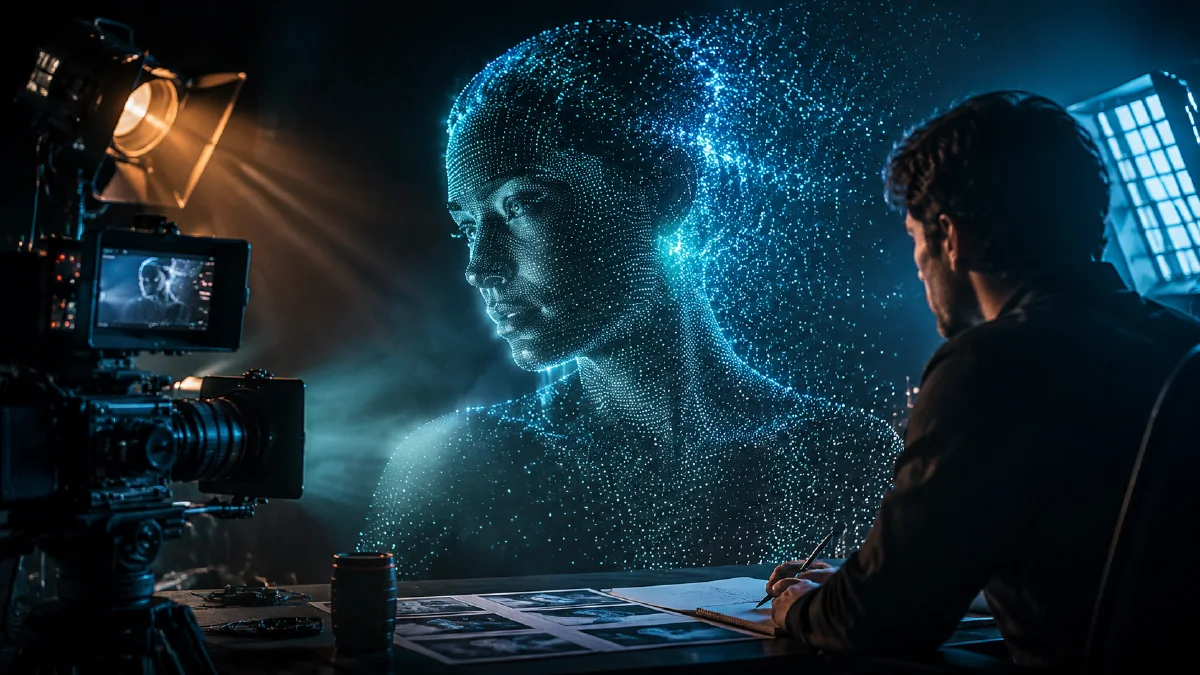
Holographic dot-matrix AI prompts work best when you treat the subject as light architecture rather than a normal object covered in glow. The difference matters. A generic neon prompt usually produces a shiny person, vehicle, or animal with blue highlights. A real dot-matrix hologram feels semi-transparent, built from thousands of visible particles, and partially dissolved into the air around it.
This style is useful for sci-fi posters, product teasers, futuristic avatars, concert visuals, startup explainers, and first frames that later move through image-to-video workflows. The visual language is precise: point clouds, scan lines, volumetric light, digital disintegration, and a clear contrast between the glowing subject and a more grounded environment.
If you are building a repeatable look, pair this guide with AI style extraction prompts, AI color grading prompts, and cinematic atmosphere prompts. The style only becomes premium when the light, density, and background all agree.
What makes the style work
A dot-matrix hologram has three visible layers.
First, the subject needs a readable silhouette. The viewer should know whether they are looking at a runner, a horse, a luxury sneaker, a city map, or a robot hand before they notice the particles. If the silhouette collapses, the image becomes decorative noise.
Second, the body should be made from small light points, short strokes, or voxel-like dots. These dots should vary in density. The face, product logo, or key contour can be more concentrated, while secondary edges can dissolve outward.
Third, the environment should not compete with the hologram. A blurred natural background, dark studio, clean museum space, or foggy cinematic street can work because it lets the glowing structure read clearly. If the background is also full of neon particles, the subject loses separation.
Use this structure:
Subject + particle construction + density pattern + light behavior + environment contrast + camera language.
Example:
A futuristic running shoe suspended in air, constructed from thousands of cyan and violet light dots, dense particles around the sole and logo, looser particles dissolving from the heel, semi-transparent hologram structure, faint scan lines, dark matte studio background, low fog catching the light, 85mm product lens, crisp silhouette.
The prompt is not just saying "hologram." It explains how the object is built.
Control particle density
Most weak holographic outputs fail because every part of the frame receives the same treatment. The model spreads dots everywhere, the subject dissolves, and the image becomes an even field of glitter. Density control fixes that.
Prompt for a hierarchy:
- "dense point cloud along the face and hands"
- "loose particles trailing behind the body"
- "clear silhouette edge with sparse outer fragments"
- "core structure remains readable"
- "background has no particle pattern"
For a portrait, keep the eyes, jawline, and shoulders more defined. For a product, protect the logo, front edge, and main material break. For an animal or vehicle, keep the head and leading edge crisp while the rear can fragment into digital dust.
If the output looks like a solid 3D render, add "semi-transparent wireframe understructure" and "visible gaps between light points." If it looks too broken, add "coherent body silhouette" and "particle density concentrated along the main form."
Use color as a technical system
Holographic visuals often default to cyan and purple. That can work, but a premium image needs a controlled color system. Decide whether the light is cool medical holography, nightclub neon, warm amber projection, or luxury monochrome.
Try these directions:
Cool research hologram: icy cyan, pale blue, faint white highlights, deep charcoal background, low saturation around the environment.
Luxury violet hologram: dominant Naviya violet, soft lavender bloom, silver-white particle highlights, matte black studio space.
Warning-system hologram: amber-orange dots, red edge alerts, smoky industrial background, high contrast and minimal extra color.
Color should also explain depth. Brighter dots can sit on the front contour, dimmer dots can recede inside the body, and a soft volumetric haze can show where the hologram emits into the air.
Prompting for motion
For image generation, the style is about structure. For video, it is about controlled change. Use Naviya AI Image Generator to create a strong first frame, then animate it only after the silhouette and particle hierarchy are stable.
Good movement prompts are restrained:
The holographic figure slowly walks forward. Light particles pulse gently across the body, a few dots detach and drift backward, the silhouette stays stable, camera slowly pushes in, no full-body melting.
Avoid asking for too many effects at once: transformation, explosion, glitch, scan, teleportation, and camera spin will compete. A dot-matrix hologram already has visual complexity. Give the video model one or two changes to perform.
For product clips, use a subtle rotation, a slow reveal, or a pulse that travels across the object. For character clips, use slow walking, a head turn, hand movement, or atmospheric particles drifting away from the edges.
Common mistakes
The first mistake is overusing the word "neon." Neon describes a type of light, not the structure of the image. You still need point cloud, light dots, semi-transparent body, scan lines, and density.
The second mistake is making the background equally futuristic. If the subject and environment share the same particle language, there is no focal point. Let the background be photographic, cinematic, or quiet.
The third mistake is forcing too much realism. Holographic dot-matrix work does not need realistic skin, fur, leather, or metal. It needs a believable light object. Replace material words with projection words: luminous points, transparent mesh, volumetric glow, diffraction, and digital fragments.
The fourth mistake is asking for complete disintegration. A little particle loss looks advanced. Too much becomes a cloud. Protect the subject first, then let edges break.
Try it in Naviya
Start in Naviya AI Image Generator with one subject and one color system. Once the first frame has a clean silhouette, move to Naviya Image to Video and describe only the motion: slow walk, pulse, rotation, or particle drift. If you want to preserve a specific product or character, use reference-led workflows and keep the hologram language as the style layer.
Particle QA checklist
Holographic dot-matrix visuals need hierarchy. If every point glows at the same intensity, the result becomes a cloud of decoration instead of a readable subject.
Review:
- The silhouette is understandable before you notice the particles.
- The brightest points define face, product edge, or main contour.
- The background is darker or quieter than the subject.
- The color system has one dominant hue and one accent.
- Motion is limited to pulse, drift, scan, or rotation.
- The style does not cover logos, facial features, or product details that must remain clear.
For commercial assets, keep the hologram style as a layer over a clear idea. A watch, shoe, car, or character should still be identifiable. If the dot grid hides the form, lower particle density and strengthen rim light rather than adding more glow.
For stronger results, write your prompt in blocks:
Subject: [what must remain recognizable]
Construction: [point cloud, light dots, wireframe, density]
Color: [two dominant light colors and one highlight]
Environment: [quiet background that creates separation]
Motion: [one controlled movement, if using video]
Avoid: solid plastic, random glitter, unreadable silhouette, busy neon background
Holographic dot-matrix style is not a glow preset. It is a way to rebuild a subject as organized light. When density, color, and motion are controlled, the result feels futuristic without becoming visual noise.