2026-06-12
AI Video Director Mindset: Stage Space, Light, and Camera Before Motion
Improve AI video prompts by thinking like a director: stage foreground, subject, background, motivated light, camera movement, and realistic imperfections before asking for motion.
Try this workflow in Naviya
Use the guide to shape a still image, then keep it as a first frame or campaign asset.
Open the studio
AI video tools can make motion quickly, but speed does not automatically create direction. If the workflow is only "generate a beautiful image, then ask it to move," the video often looks like a still poster with a small animation applied. The character sits in the center. The room has no spatial logic. The camera behaves like a fixed security feed.
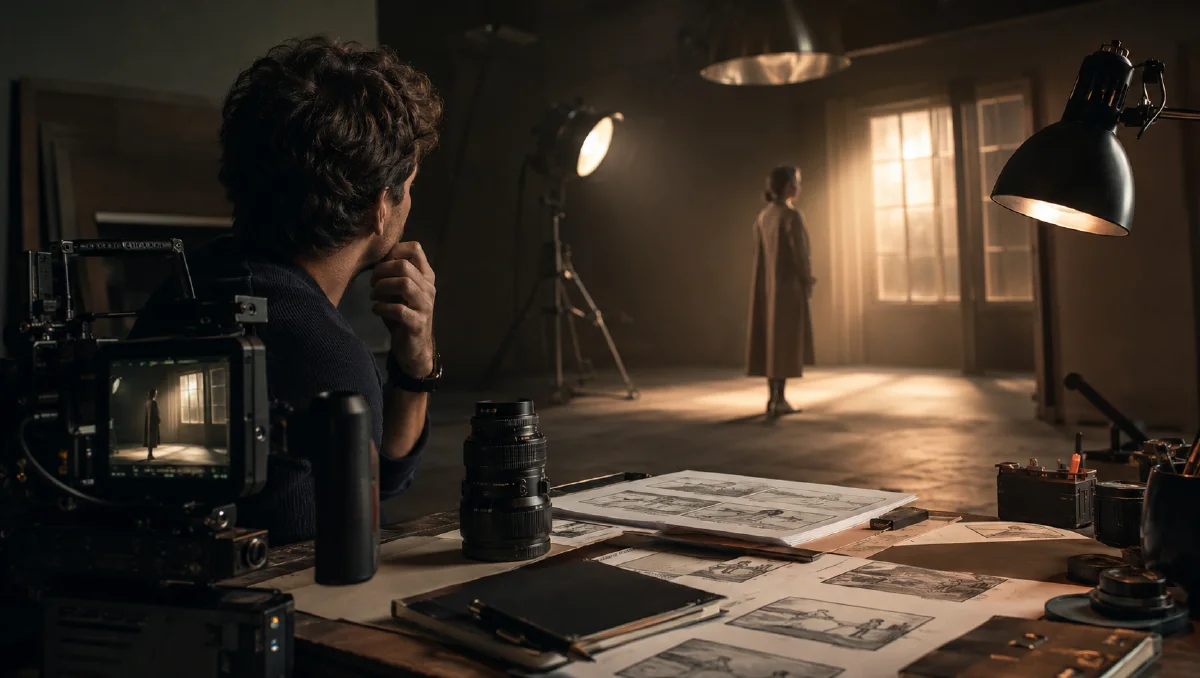
The better mindset is director-first. Before asking for movement, decide how the space is staged, where the light comes from, and what role the camera plays. Motion should happen inside a designed scene, not float on top of it.
Use this guide with Naviya AI Video Generator and Naviya Image to Video. For prompt structure, read the AI video prompt guide. For camera movement options, use AI video camera movement prompts. For first-frame workflows, read the image to video workflow guide.
Stage the space before the action
Many prompts describe a subject and mood but ignore depth:
A sad man sitting in a dark messy room, cinematic lighting, beautiful composition, high detail.
The result may look polished, but the room often feels random. Objects appear without purpose, the subject becomes a prop, and the video has nowhere to move.
Stage the scene in layers instead:
Foreground: out-of-focus iron railing crosses the lower third of the frame, with a rain-soaked jacket hanging from it.
Middle ground: a man in a white shirt stands near the rooftop edge with his back to camera, hands in pockets, head slightly lowered.
Background: a fog-covered city skyline recedes into the distance, a few tower lights glowing through the mist.
Now the model has a three-dimensional stage. The camera can move past the foreground, hold the subject in the middle, and reveal the background as emotional context.
This is especially important for video because motion exposes weak staging. A still image can hide flatness. A moving camera cannot.
Think in the Z axis
Beginners often describe the X and Y axis: left, right, tall, short, outfit, face. Directors also think in the Z axis: what is near the lens, what sits at the action plane, and what recedes into depth.
Use these prompt labels:
- Foreground: occlusion, texture, depth cue, object close to camera.
- Middle ground: main subject and action.
- Background: environment, scale, context, emotional pressure.
Example:
Low-angle dolly shot through a cluttered workbench in the foreground, tools passing softly out of focus near the lens. In the middle ground, a designer studies a glowing prototype. In the background, large dark windows reflect city lights.
The foreground gives motion parallax. The middle ground carries the story. The background gives atmosphere.
Use motivated lighting
"Dark room" is not a lighting plan. Motivated lighting means the light has a visible or believable source: window, lamp, phone screen, neon sign, projector, fire, monitor, streetlight.
Instead of writing:
Moody dark lighting.
Write:
Cold moonlight enters through venetian blinds on camera left, projecting striped shadows across the wooden floor. A small amber desk lamp on camera right lights only half of the man's face, while the other half falls into shadow.
This does two things. It gives the model physical lighting logic, and it gives the character a psychological split. The light is no longer decoration. It directs the scene.
For more detail on light direction and color temperature, use the AI lighting prompts guide.
Make the camera a participant
AI videos often look staged because the subject moves while the camera does nothing. A strong video prompt decides how the camera discovers the scene.
Weak:
The girl looks out the window, cinematic, warm.
Better:
The shot begins in an extreme close-up of a steaming coffee cup on a wooden desk. The camera slowly tilts up, passing an open book in the foreground, and settles on a medium side profile of a girl by the window. She looks outside as soft sunlight passes through sheer curtains.
The better prompt gives the camera a route. It also connects objects in space: cup, book, face, window, light.
For short clips, use one camera idea. A slow push-in, a tilt up, a side track, a handheld follow, or a gentle orbit is usually enough. Multiple complex moves in five seconds often produce confusion.
Start with emotion, then reverse-engineer visuals
Do not begin with "What should be in the shot?" Begin with "What should the viewer feel?"
If the target feeling is restraint, you might choose a locked-off camera, low movement, cool light, negative space, and a small hand gesture. If the feeling is discovery, you might use a slow reveal through foreground occlusion. If the feeling is pressure, you might use a wide lens close to the subject and hard overhead light.
Emotion becomes useful when it affects visible decisions.
Target feeling: quiet dread.
Locked-off wide shot, deep negative space, a small figure seated at the far end of a dim hospital corridor. Overhead fluorescent lights flicker unevenly, greenish color cast, no camera movement, only the subject's fingers tapping once against the chair.
The prompt does not need the character to overact. The staging does the work.
Add controlled imperfection
AI video can look too clean. Real footage contains small imperfections: lens softness, slight motion blur, dust in light, uneven exposure, film grain, skin texture, tiny camera drift, natural vignetting.
Use imperfection as texture, not as noise:
Subtle film grain, slight natural vignette at the frame edges, gentle motion blur during the camera move, realistic imperfect room details, no glossy plastic skin.
Avoid adding every imperfection at once. A documentary scene may need handheld texture. A premium product video may need almost none. A memory scene may need soft grain and faded highlights.
A director's preflight checklist
Before generating, write a small shot plan instead of a paragraph of style words. Define the subject, the viewer's distance from the subject, the first visible object, the camera route, the light source, and the final frame. This takes less than a minute and prevents vague prompts.
Use this checklist:
- What changes during the shot?
- What must remain stable?
- Where is the camera at the start?
- Where does the camera end?
- What light motivates the mood?
- What sound would this shot imply?
If you cannot answer these questions, the prompt is probably asking for a vibe instead of directing a scene. For short AI videos, clarity beats ambition. A locked wide shot with one precise gesture can feel more cinematic than a complex prompt full of action, lens terms, and atmosphere.
This mindset is useful for brand work too. Product videos, creator clips, and emotional shorts all improve when you decide the shot's job before adding style.
Try it in Naviya
Open Naviya AI Video Generator when you want to stage a scene from text. Use Naviya Image to Video when you have a first frame and need controlled motion. If your video changes from one state to another, pair this director-first method with AI video state flow prompts.
Final takeaway
AI video improves when you stop acting like a prompt operator and start acting like a director. Build depth, motivate the light, give the camera a role, and let motion happen inside a planned space. The result feels less like a moving poster and more like a scene.