2026-06-12
AI Children Apparel Model Photos for Ecommerce Catalogs
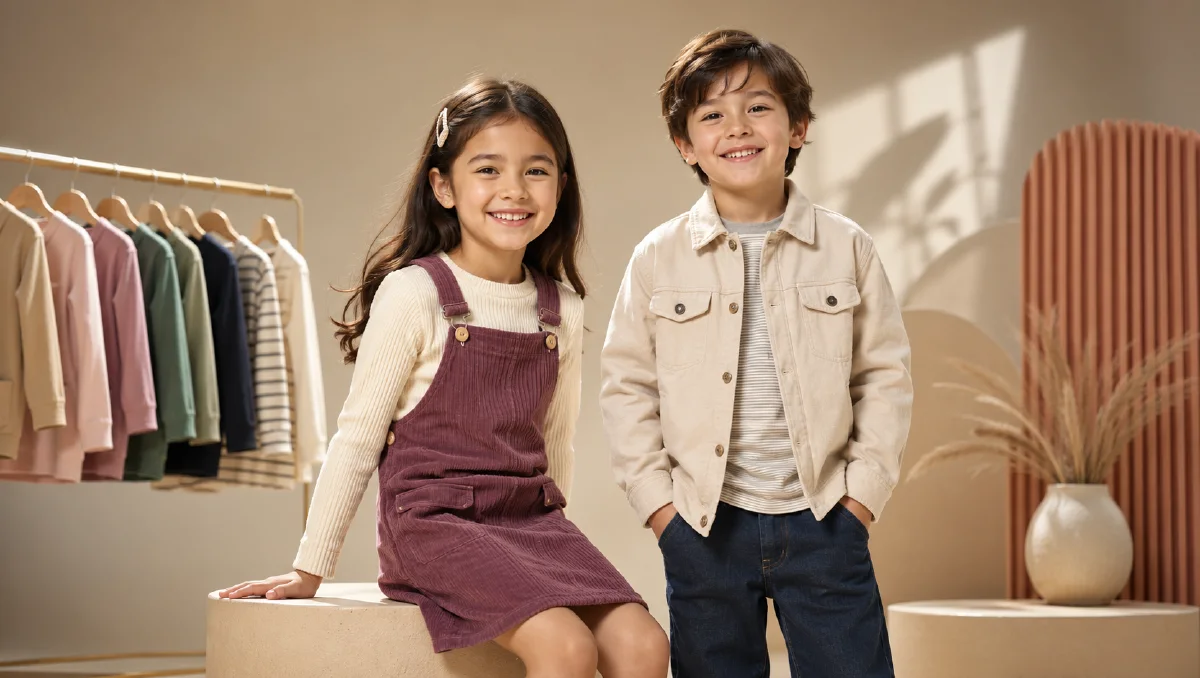
Create respectful AI children apparel model photos for ecommerce catalogs with clear product references, simple poses, and strict image QA.
Try this workflow in Naviya
Use references when identity, product shape, outfit, or style needs to stay consistent.
Try reference to video
AI children apparel model photos can help kidswear teams create catalog images when traditional production is slow, costly, or difficult to schedule. Children grow quickly, shoots require extra coordination, and small product drops may not justify a full studio day. A controlled AI workflow can create clean model imagery for planning, listing support, or merchandising tests.
The standards should be stricter than ordinary fashion generation. The image must be age-appropriate, respectful, product-focused, and commercially honest. Avoid adult styling, exaggerated poses, dramatic beauty language, or anything that turns a children's clothing image into a fashion fantasy. Kidswear ecommerce needs clarity, warmth, comfort, and trust.
Use Naviya AI Image Generator for still image creation, and keep the prompt focused on product display rather than personality performance.
Define the catalog purpose
Before generating, decide which asset the listing needs:
| Asset | Purpose |
|---|---|
| Full-body front view | Shows outfit, length, shoes, proportions |
| Half-body view | Shows shirt, jacket, collar, print |
| Back view | Shows hood, back graphic, hem, seams |
| Detail crop | Shows fabric, buttons, embroidery, cuffs |
| Simple lifestyle frame | Shows comfort and age-appropriate use |
For children apparel, simple is better. A child standing naturally in a bright studio or clean room gives shoppers more useful information than a complex editorial scene.
Create or choose a respectful model base
The model base should be neutral and clearly appropriate:
Create a realistic kidswear ecommerce model photo.
Subject: young child model, age-appropriate appearance, natural smile, relaxed posture.
Pose: standing comfortably, arms relaxed, full outfit visible.
Outfit placeholder: simple light blue short-sleeved shirt, neutral shorts, clean sneakers.
Scene: seamless light studio background, soft even lighting, no props.
Camera: full-body catalog photo, natural proportions, sharp focus.
Constraints: age-appropriate styling, no adult fashion pose, no makeup emphasis, no jewelry focus, no suggestive framing, no distorted hands or feet.
The placeholder outfit can be replaced later. What matters is a calm base image with clear body posture and product visibility.
Prepare the clothing reference
Kidswear often has details that must not drift:
- Cartoon prints.
- Embroidery.
- Color-block sleeves.
- Ribbed cuffs.
- Elastic waist.
- Button placement.
- Hood shape.
- Pocket position.
- Sneaker or sock coordination.
Use a clean product reference whenever possible. If the clothing has a detailed print, include a close-up reference and accept that final print fidelity may still need manual review. AI can suggest a catalog image, but exact graphics may require a retouching pass.
Replace clothing without changing the child
The replacement prompt should be direct:
Replace the placeholder outfit with the provided children's clothing reference.
Preserve the child model's face, hair, body proportions, pose, lighting, and studio background.
Preserve the garment color, print placement, sleeve length, collar, shorts length, socks, and shoe style from the reference.
Fit the clothing naturally and comfortably without changing the child's body.
Keep the result age-appropriate and product-focused.
Do not add accessories, makeup, adult styling, dramatic poses, or unrelated props.
This protects both the product and the tone. Kidswear images should not become over-styled because the prompt used vague words like "cool," "luxury," or "model-like."
Use references carefully
If using multiple references, assign roles:
- Model base for pose and identity.
- Product flat lay for garment details.
- Lifestyle reference for room tone only.
- Detail crop for print or fabric.
The reference image prompting guide helps keep these roles separate. Without role assignment, a model may copy the wrong child's face, borrow an unrelated room, or change the garment to match a mood reference.
Keep lifestyle scenes practical
A kidswear lifestyle image should feel like a real catalog moment. Useful scenes include:
- Bright bedroom with simple furniture.
- School hallway without readable signage.
- Clean playroom with minimal props.
- Outdoor sidewalk with soft daylight.
- Family living room with product clearly visible.
Avoid clutter, unsafe activity, brand signage, and scenes where the child becomes too small to inspect the garment. If the listing image is about a shirt, the shirt should occupy enough of the frame to evaluate.
Make gentle motion only when needed
Children apparel can be turned into simple clips, but motion should be restrained. Use Image to Video for a small step, a natural turn, or a gentle sleeve movement. Avoid fast running, jumping, or complex choreography unless the product is activewear and the still frame is already very stable.
For paid campaigns, AI Video Ads can help create short, product-safe variants, but the creative should stay parent-facing and catalog clear. The product image to video guide is useful for motion planning because it emphasizes preserving the source image rather than reinventing the subject.
For product-page clips, the ecommerce product video AI guide can help decide when motion adds value and when a still image is enough.
A safer kidswear production flow
Children apparel images need a stricter creative bar than adult fashion images. The goal is not to make the child look dramatic or stylized. The goal is to show fit, comfort, movement, scale, and parent-relevant details. Start with a neutral standing pose, then create one gentle action pose such as walking, sitting, holding a backpack strap, or turning slightly. Avoid overly adult fashion posture, heavy makeup language, glamour lighting, or scenes that imply risk.
Build the image set around buying questions. Does the sleeve length look clear? Can a parent see whether the fabric is soft or structured? Is the print visible without distortion? Does the outfit look comfortable for school, play, or an event? If the product has stretch, warmth, waterproofing, or easy-care value, show that through natural context rather than exaggerated effects.
For review, zoom into the face, hands, neckline, hem, and print. Reject any image where the model appears older than intended, the garment changes size between shots, or the environment distracts from the clothing. If a lifestyle scene becomes too busy, return to a simple catalog frame and add only one prop that explains the occasion.
For a full product page, create a small sequence instead of one perfect image. Use a front view for fit, a side or three-quarter view for volume, a seated or walking pose for comfort, and a close-up for fabric or print. If the item is part of a set, show the full outfit once, then isolate the hero garment so the shopper knows what is being sold. This structure keeps the creative useful for parents, merchandisers, and ad teams at the same time.
Save one conservative catalog image as the approval anchor. If later lifestyle images become too stylized, compare them against that anchor and bring pose, light, and garment clarity back toward it.
Try it in Naviya
In Naviya, start with a respectful model base and a clean garment reference. Generate front and detail images first. Add lifestyle context only after the product is accurate. If you animate the result, keep movement calm, age-appropriate, and focused on garment clarity.
QA standards for kidswear
Before publishing, review:
- Age-appropriate pose and styling.
- Accurate garment color and print.
- Natural body proportions.
- Hands, feet, neck, and facial features.
- No adult accessories or beauty styling.
- No unsafe environment cues.
- No readable school, personal, or location information.
- Product remains the focus.
AI children apparel model photos can reduce production friction, but they require discipline. Keep the image respectful, keep the product accurate, and use AI to create clear catalog support rather than overly stylized fashion scenes.