2026-06-12
White Background Product Image to UGC Video: Turn One SKU Photo into Ads
Turn a white background product image into UGC video ads with AI scenes, product-safe animation, creator clips, and ecommerce editing workflows.
Try this workflow in Naviya
Turn a product, hook, or campaign idea into short social-ready ad concepts.
Create video ad variants
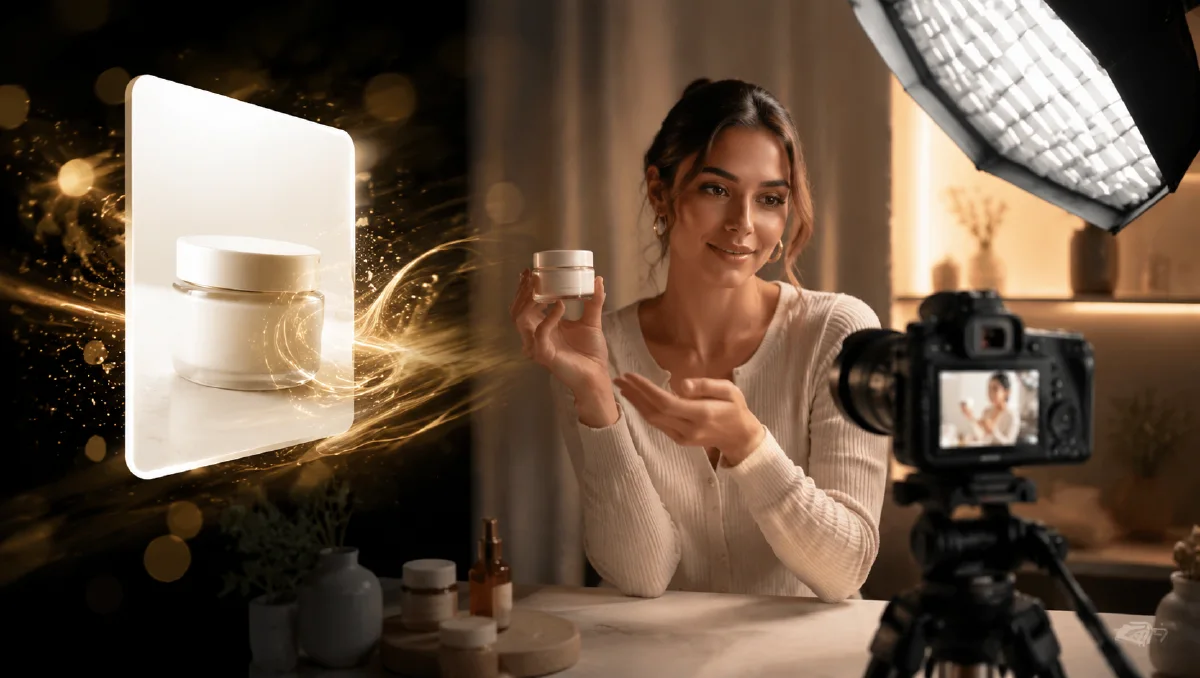
A white background product image is often the only asset an ecommerce team has. It may be a clean SKU photo from a marketplace listing, a supplier pack shot, or a product page image with no model, no lifestyle scene, and no motion. That is enough to start. With the right workflow, one product image can become a set of short UGC-style videos, product hero clips, and social ad variants.
The key is to preserve the product while building a believable world around it. For adjacent workflows, see product image to video guide, ecommerce product video AI, and UGC AI video ad prompts.
What makes a white-background image usable
Not every product image is equally ready. The best input has:
- High resolution.
- Clear product edges.
- No strong shadows that confuse the cutout.
- Front or three-quarter view.
- Visible shape, cap, pump, lid, handle, or texture.
- Minimal tiny text that must be preserved.
If the product has a detailed label, do not expect the model to recreate readable copy. Treat the label area as a visual block and add real text in editing. If the package shape is the main selling point, describe it carefully in the prompt.
Step 1: Create a clean product hero
Before generating UGC, make a product-only clip. This becomes the visual anchor for every ad.
Animate this white-background product image into a 5 second ecommerce hero video.
Scene: product placed on a clean studio surface with soft shadow and subtle reflection.
Camera: slow push-in from front, product centered.
Motion: product stays still while a soft light sweep reveals its shape and material.
Style: polished ecommerce product video.
Constraints: preserve product shape, color, scale, cap, label area, and proportions. No extra objects, no fake readable text.
This clip can open the ad, close the ad, or sit between creator shots. It also lets you check whether the product stays stable before building more ambitious scenes.
Step 2: Place the product in a routine
A routine scene gives shoppers a reason to imagine using the product. Choose a setting that matches the category:
| Category | Routine scene |
|---|---|
| Skincare | Bathroom counter, vanity, travel pouch |
| Supplement | Kitchen counter, water glass, morning light |
| Fashion accessory | Entry table, outfit flat lay, packing scene |
| Home product | Desk, shelf, countertop, living room |
| Fitness product | Gym bag, towel, water bottle |
Prompt example:
Create a 6 second vertical UGC-style product routine video from this product image.
Scene: real bathroom counter with soft morning light, towel, and simple mirror reflection.
Product: the uploaded product stands upright near the front edge of the counter.
Camera: handheld smartphone close-up, slight natural movement.
Motion: a hand enters once and places the product down, then leaves the frame.
Constraints: preserve product shape, color, label area, and scale. Keep hand realistic, no text overlays.
If hands distort the product, remove the hand. A product placed in a real setting is still useful without human interaction.
Step 3: Add a creator clip
UGC does not always require a full talking head. Sometimes the most believable clip is a creator's hand, a product on a counter, or a voiceover-style visual. If you do use a person, keep the product gesture simple.
Create an 8 second vertical creator-style product ad.
Creator: casual beauty creator in a real bathroom, natural expression, looking at phone camera.
Product: uploaded product held near cheek for two seconds, then placed on counter.
Speech idea: "I like keeping this in my morning routine because it feels simple and easy to use."
Camera: handheld smartphone close-up, natural light, no beauty filter.
Constraints: preserve product shape and label area, keep hands realistic, no fake text, leave room for captions.
For supplements, replace the bathroom with a kitchen. For fashion accessories, use a mirror, entryway, or packing table. The structure stays the same.
Step 4: Generate five reusable clips
From one SKU photo, aim for five short clips:
- Product hero on studio surface.
- Product in routine setting.
- Creator holding product.
- Detail shot showing material, cap, texture, or packaging.
- CTA frame with product and negative space.
These clips can make several ads. A 10-second version may use clips 2, 3, and 5. A product page version may use 1, 4, and 5. A retargeting ad may use 3 and 4 with stronger captions.
Keep captions outside the generation
AI video models can make tiny, broken text. Add product names, offer copy, subtitles, and CTA labels in the editor. Prompt for "empty space for captions" instead of asking the video model to create words.
Useful constraint:
Leave clean empty space in the upper third for captions. Do not generate any text, subtitles, logos, UI, or buttons.
This keeps the video professional and lets you localize copy without regenerating the asset.
From product page asset to ad batch
A white-background image is strongest when you treat it as the anchor for a controlled ad batch. Start with one clean product photo, then create several routine scenes that test different buyer contexts without changing the product.
| Variant | Buyer context | Best motion |
|---|---|---|
| Desk routine | productivity, small gadget, drinkware, skincare | hand reaches in, product placed near laptop |
| Bathroom counter | beauty, wellness, grooming | product picked up, cap turn, towel movement |
| Kitchen prep | supplement, food, household item | scoop, pour, shelf placement |
| Bag or travel | accessory, mini device, personal care | product slips into pouch or side pocket |
| Gift or unboxing | premium packaging, seasonal offer | box opens, product reveal |
Keep every variant honest. Do not invent a feature, flavor, size, or result that is not visible or supported by product information. If the pack label is small, preserve the label area as a graphic shape and add readable captions later in editing. If hands distort the product, remove hands and use camera or light movement instead.
For troubleshooting, use image to video troubleshooting. For a broader seeding system, pair the clips with AI UGC seeding videos from product photos. Generate the clean frame in AI Image Generator, animate it in Image to Video, then build paid variations in AI Video Ads.
Try it in Naviya
Upload the SKU photo to Naviya Image to Video to create the first product hero. Use Reference to Video when every variant must preserve the same product shape. Then use AI Video Ads to test UGC hooks, creator routines, and short ad scripts around that product.
For the first pass, make only three clips: hero, routine, and CTA. If the product remains stable, add creator and detail clips next.
Final checklist
- Product shape matches the white-background photo.
- Label area is preserved but not hallucinated as readable text.
- The scene matches the buyer's real use context.
- Human hands are simple or removed.
- Captions are added after generation.
- Every clip can work as part of a product page or ad.
A single white-background product image is not a limitation. It is a clean anchor. The stronger the anchor, the easier it is to build believable UGC and ecommerce video around it.