2026-06-12
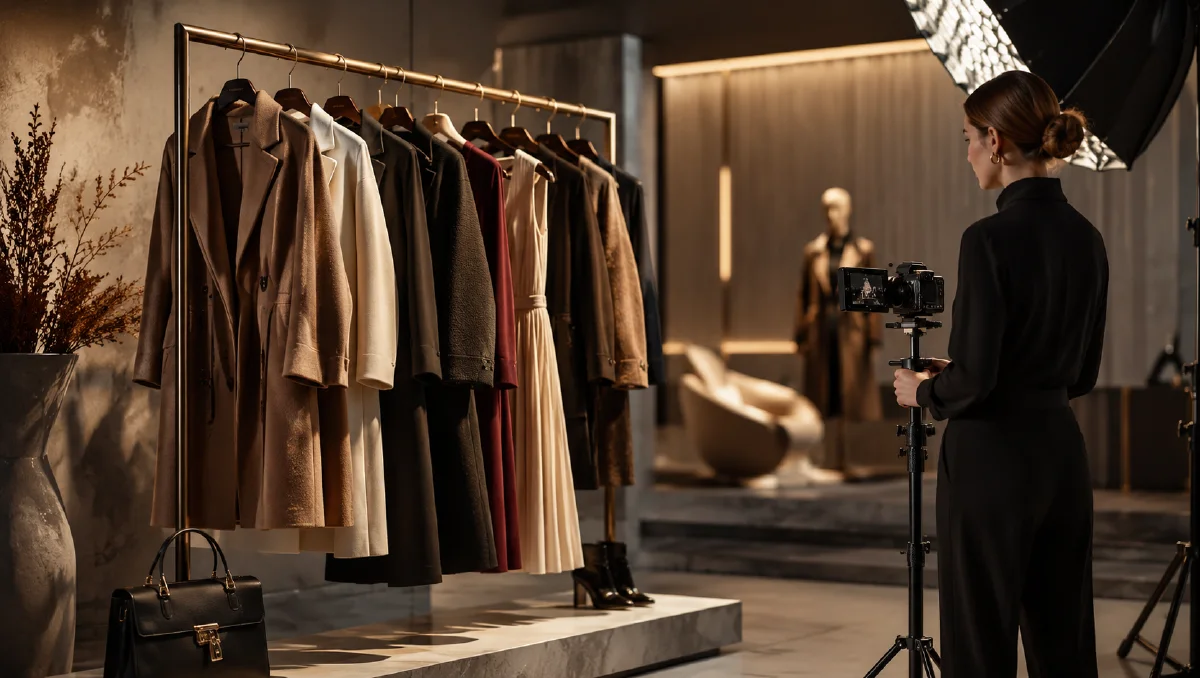
Luxury Apparel Rack Video Workflow with AI
Build a luxury apparel rack video workflow with AI showroom scenes, garment cleanup, product placement, image fusion, and slow styling motion.
Try this workflow in Naviya
Use the guide to shape a still image, then keep it as a first frame or campaign asset.
Open the studio
Luxury apparel videos often look simple: a clean showroom, a gold rack, three garments, soft gloves, slow styling gestures. The simplicity is deceptive. The hard part is making each garment keep its color, shape, and placement while the scene feels elegant rather than empty. AI can generate the showroom and motion, but product placement often needs a hybrid workflow with cleanup, compositing, and careful prompts.
This guide explains how to create a high-fashion apparel rack video for concept campaigns and ecommerce showcases. It avoids implying affiliation with any real fashion house; the focus is on luxury-style presentation. Use it with AI fashion brand video ads, AI fashion runway workflow, Naviya's AI Image Generator, and Image to Video.
Start with the showroom, not the garments
A clean rack scene gives the whole video its tone. Generate the empty environment first:
Minimal luxury showroom interior with a champagne-gold freestanding clothing rack in the center.
Clean beige and champagne color palette, soft diffused lighting, no harsh shadows, no clutter.
High-end boutique or luxury hotel room atmosphere, symmetrical balanced composition, ample negative space.
Eye-level camera with a slight 15-degree top-down angle, refined metal texture, realistic interior photography, no text, no logos.
This frame should work even before clothing is added. If the rack is crooked, too ornate, or crowded by decor, regenerate. Luxury presentation depends on restraint.
Prepare the garments
Before placement, clean each garment image:
- Remove wrinkles that distract from silhouette.
- Keep important texture and seams.
- Cut out the garment cleanly.
- Match approximate lighting direction.
- Decide garment order on the rack.
If AI confuses colors when multiple garments are added at once, place fewer items first. A common method is to let AI handle the rack and one or two garments, then manually place the remaining garment in a design tool. Use perspective, skew, warp, and layer order to make it hang naturally.
Garment cleanup prompt:
Neaten the uploaded garment photo.
Reduce distracting wrinkles while preserving fabric texture, seams, buttons, sleeve shape, and original color.
Keep the garment realistic, not overly smooth, clean product presentation.
Place garments onto the rack
Use direct instructions:
Place the uploaded garments on the champagne-gold clothing rack in the showroom image.
Keep each garment's original color, shape, sleeve length, pattern, and fabric texture.
The garments should hang naturally on separate hangers with correct spacing.
Do not merge colors or change garment designs.
Keep the showroom background, lighting, and rack unchanged.
If the model merges garments, split the operation:
Place only garment 1 on the left side of the rack.
Preserve the rack, lighting, and background.
Leave space for two additional garments.
Then add garment 2 and garment 3 in separate passes or composite them manually. After manual placement, use a gentle fusion step:
Blend the placed garments naturally into the showroom scene.
Match shadows, hanger contact points, fabric edge lighting, and perspective.
Preserve every garment's color, pattern, shape, and details.
Create luxury styling motion
The final video should move slowly. White gloves or hands can adjust collars, smooth fabric, or arrange sleeves. Keep each motion precise and modest.
Video prompt:
Generate a high-fashion video in a minimalist beige showroom.
A pair of elegant white gloves performs slow, precise styling gestures on the garments hanging from a champagne-gold rack.
The gloves neaten a collar, smooth a pocket, and arrange a sleeve one by one.
Medium shot, delicate hand movement, soft luxury lighting, refined and unhurried mood.
Keep garment colors, patterns, and positions stable. No text, no logos.
If hands distort, use less motion:
Subtle luxury apparel video from the uploaded showroom image.
Camera slowly pushes in, garments sway gently, soft light moves across the fabric.
No complex hand action, garment details remain stable and accurate.
Shot list for a 15-second apparel rack ad
| Time | Shot |
|---|---|
| 0-3s | Empty showroom rack or rack reveal. |
| 3-6s | Full rack with garments, slow push-in. |
| 6-9s | Gloved hand adjusts collar or sleeve. |
| 9-12s | Fabric close-up, pattern or texture detail. |
| 12-15s | Final wide rack shot with clean CTA space. |
Do not over-edit. Luxury pacing should feel deliberate. Use quiet music, soft fabric sound, and minimal transitions.
Practical compositing notes
When garments need manual placement, keep a shadow layer for every item. A dress hanging on a rack should cast a tiny shadow on the hanger, another soft shadow on the garment behind it, and a faint contact shadow near any overlap. If the product appears to float, the scene loses its premium feeling. Also check hanger spacing. Luxury apparel shots usually breathe; garments should not collide unless the concept is intentionally crowded.
For patterned pieces, generate a still first and zoom in before animating. Motion can make repeated motifs flicker, especially on sleeves and collars. If the pattern is critical, use a slower camera push and fewer hand movements. The viewer should notice material quality, not model instability.
QA checklist
- Rack remains straight and stable.
- Garment colors do not merge or shift.
- Patterns stay consistent across motion.
- Gloves or hands do not hide important product details.
- Lighting is soft with believable shadows under garments.
- Background remains clean enough for copy.
- No real brand marks appear unless approved for your own campaign.
If the scene looks expensive but the garment is inaccurate, reject it. Apparel shoppers care about what they will receive.
Art direction for premium rack scenes
Luxury rack visuals depend on restraint. The scene should feel expensive because of spacing, light, fabric, and handling, not because it is crowded with props. Use a narrow palette, one premium material in the environment, and a camera move that lets garments breathe. Brushed metal, dark wood, stone, soft carpet, or a muted showroom wall can support the clothing without competing with it.
Plan the rack order before generating. Put the hero garment where the eye lands first, then arrange supporting pieces by length, color, or texture. Avoid placing two similar dark garments together if the silhouette matters. If a hand enters the frame, it should perform one clear task such as sliding a hanger, touching a sleeve, or opening space around the hero piece.
The best motion is often minimal: a slow lateral glide, a soft fabric sway, or a hand revealing one garment. If the camera moves too much, the rack can bend, hangers can multiply, and garments can merge. Premium fashion clips usually win by looking calm and controlled.
For a collection launch, make one strict rack template and use it across color stories. That lets the audience compare fabrics and silhouettes without relearning the scene every time. Variation can come from garment order, sleeve movement, or a subtle light change.
If the scene will become a paid ad, reserve clean space on one side of the rack. Premium layouts often need less text, but they still need room for a product name, drop date, or offer.
Try it in Naviya
Generate an empty showroom and garment placement options in Naviya's AI Image Generator. Once the rack scene is clean, animate it with Image to Video or build a short fashion ad in AI Video Ads. Use Reference to Video when you want the same showroom tone across multiple apparel clips.