2026-06-12
Consistent AI Video Characters: Build Stable Identity Across Shots
Learn how to keep AI video characters consistent by separating identity references, still-frame design, shot length, motion, and prompt constraints.
Try this workflow in Naviya
Use references when identity, product shape, outfit, or style needs to stay consistent.
Try reference to video
Consistent AI video characters are not created by asking a model to "keep the same person" and hoping it understands. A single image can help, but it is only a weak constraint. Once the clip starts moving, the model has to reinterpret the face, outfit, lighting, pose, and scene across every frame.
That is why identity drift often appears in the third or fourth second. The face becomes softer, the outfit changes, the hairstyle shifts, or the character looks like a related person instead of the same person.
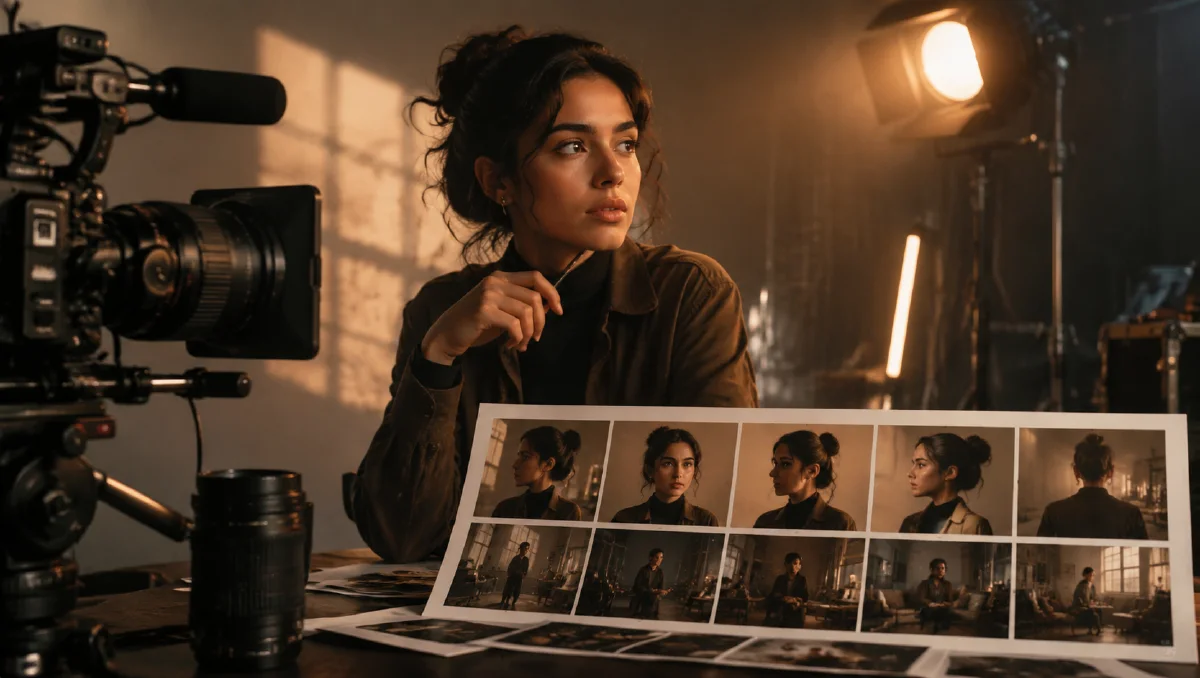
The fix is to separate the problem into identity, space, and time. Use Reference to Video to protect the character, use a strong still-frame workflow from the image to video guide, and keep motion simple enough for the model to preserve the details that matter.
Why one pretty image is not enough
A polished character image gives the model a starting point, but it does not fully explain the character's structure. If the image only shows a front-facing portrait, the model has to guess the side profile, body proportions, back view, clothing details, and how the face should look under new lighting.
That guess becomes risky when the prompt also asks for a complex scene:
A woman with silver hair runs through a crowded train station, turns toward camera, smiles, and jumps onto a moving train.
The model is solving too many variables at once: identity, crowd, architecture, motion, camera, lighting, and facial performance. Consistency usually loses.
Build an identity packet
Before generating a video series, create a small set of character assets. They do not need to be perfect production sheets, but they should answer the questions the model would otherwise invent.
Useful assets:
- Front portrait with clear face and hairstyle.
- Side view or three-quarter view.
- Full-body outfit view.
- Close-up of signature details such as glasses, jacket, jewelry, scars, or hair shape.
- Neutral expression and one subtle performance expression.
If your tool supports multiple references, assign each image a role. For example:
Use reference one for the face and hairstyle. Use reference two for the full outfit and silhouette. Use reference three for the color palette and lighting mood.
This is stronger than uploading several images without explanation. The model needs to know what each reference protects.
Separate the character from the scene
One common mistake is generating the character, environment, and action all at once. The environment can contaminate the identity. Strong colored light may change the skin tone. Background texture may merge with clothing. Motion blur may erase facial structure.
A safer workflow:
- Create or select the character in a clean frame.
- Build the target scene as a separate visual direction.
- Combine the character and scene in a still image.
- Animate the finished still with conservative motion.
This approach is especially useful for image to video. The video model does not need to design the character or location from scratch. It only needs to move a frame that already works.
Design the still frame before animation
Video consistency improves when the first frame already contains the final composition, lighting, pose, and costume. Do not ask the video step to fix a weak image.
Check the still frame:
- Is the face clear at the final crop size?
- Is the outfit readable and stable?
- Does the lighting support the face instead of hiding it?
- Are the hands cropped safely or rendered well?
- Is the pose plausible for the motion you want?
- Does the background support the subject instead of competing with it?
If the still frame fails these checks, improve the image first. The reference to video guide covers how to protect identity, product shape, and style during this step.
Keep each shot atomic
AI video models are strongest when each short clip has one main job. A character can blink, turn slightly, walk slowly, or react subtly. Asking for a long continuous scene with several actions gives the model too much time to drift.
Instead of:
The character enters the cafe, waves to a friend, orders coffee, sits down, reads a message, and laughs.
Break it into shots:
- Shot one: exterior push-in, character enters the cafe door.
- Shot two: medium close-up, character notices a friend and gives a small wave.
- Shot three: close-up, character looks down at a phone and smiles faintly.
Each shot can be two to four seconds. The edit will feel more directed, and identity will hold better.
Write constraints that protect visible details
Generic constraints are less useful than specific ones. "Keep consistent" is a goal. A practical constraint names what must remain stable.
Use:
Keep the same face shape, eye color, silver bob haircut, black cropped jacket, and small crescent earring. No outfit change, no extra people, no hairstyle change.
Avoid:
Make sure she stays the same.
For a recurring character, save a reusable identity block and paste it into every shot prompt. Combine it with one camera line and one motion line from the AI video prompt guide.
Prompt template
Use the references to preserve the same character identity.
Protected identity: [face shape, hairstyle, outfit, colors, signature details].
Scene: [where the character is, lighting, atmosphere].
Camera: [one movement or locked shot].
Motion: [one primary action plus subtle secondary motion].
Performance: [small expression or gaze change].
Constraints: no face drift, no outfit change, no new hairstyle, no extra people, keep composition stable.
Example:
Use the references to preserve the same young woman with a silver bob haircut, soft oval face, black cropped jacket, and crescent earring. Scene: rainy city rooftop at night with violet rim light and wet reflections. Camera: slow push-in from medium portrait to close-up. Motion: she turns her head slightly toward camera, blinks once, hair moves in light wind. Performance: calm focus, only a faint softening around the eyes. Constraints: keep identity, hairstyle, outfit, and earring stable. No extra people, no sudden scene change.
Consistency checklist
After each generation, review the clip before changing the prompt:
- Is the face still recognizable in the last frame?
- Did the hairstyle or outfit change?
- Did the camera move make the face too small?
- Did the action exceed what the reference could support?
- Is the scene lighting changing the character's core colors?
- Would a shorter shot solve the problem?
If identity changes, reduce action first. Then strengthen protected details. Switching models too early can hide the real issue: the shot may simply be asking for too much.
Build a character bible
For any recurring character, write a short character bible before generating more clips. Include face shape, hairstyle, eye color, outfit, accessories, color palette, usual camera distance, and emotional range. Keep it compact enough to paste into prompts, but specific enough to catch drift. "Same woman in a black jacket" is weak. "Same young woman with silver bob haircut, crescent earring, black cropped jacket, calm focused expression" is stronger.
Use the bible to decide what can change. Background, camera distance, and lighting can vary more than face, hair, and signature outfit details. When a scene needs a costume change, preserve two other anchors such as hairstyle and accessory. This gives the model room to create a new moment without losing the audience's sense of continuity.
Try it in Naviya
Use Naviya Reference to Video when the same person, avatar, outfit, or character design must survive across shots. Use Image to Video when you already have the perfect first frame. For broader motion exploration, start with Naviya Video, then move promising characters into a reference workflow.
Consistent character work is less about one magic prompt and more about controlled production. Lock the identity, design the still, shorten the shot, and let the edit carry the story.