2026-06-12
Clothing UGC Video Replication Workflow
Replicate a high-performing clothing UGC format with visual analysis, model prompt refinement, virtual try-on, action transfer, and product detail shots.
Try this workflow in Naviya
Turn a product, hook, or campaign idea into short social-ready ad concepts.
Create video ad variants
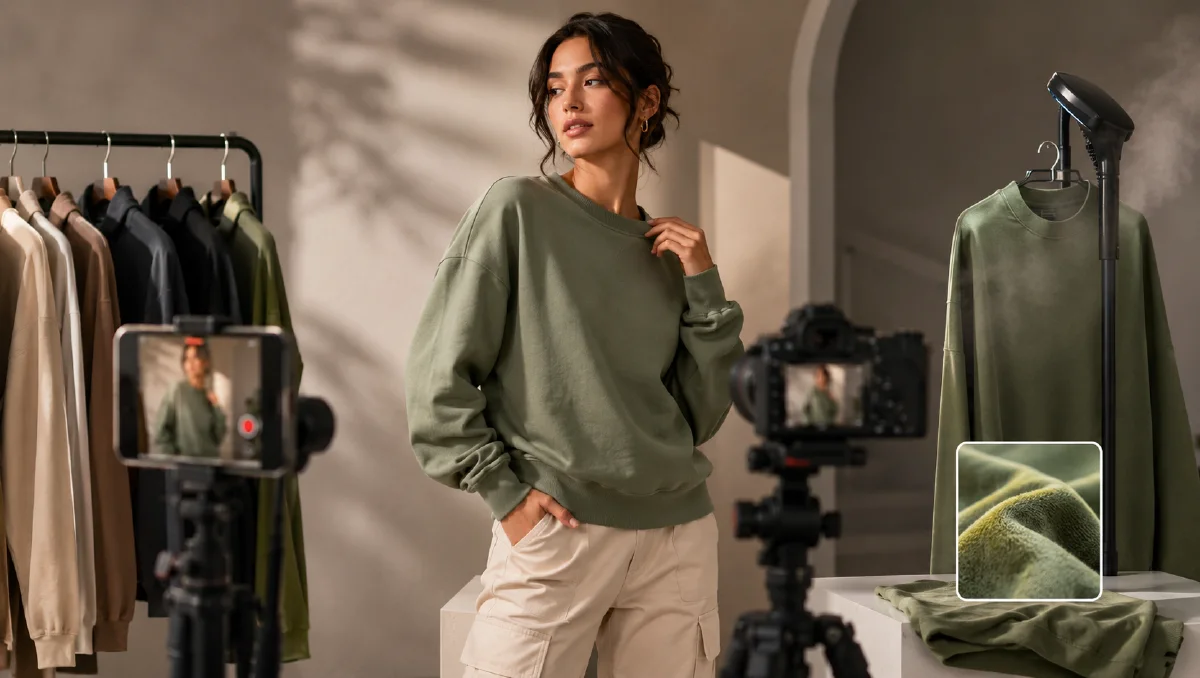
High-performing clothing UGC usually has a repeatable structure: a confident creator, a simple room, direct body language, quick product handling, and close-ups that prove fit and fabric. AI can reproduce that structure without copying a specific person or clip when you break the reference into reusable visual rules.
This workflow shows how to analyze a clothing video format, build a new creator look, apply a product through virtual try-on, create multiple view frames, animate them, and finish with a social edit. For adjacent UGC systems, read UGC AI video ad prompts, one-take talking UGC fashion video, and AI fashion runway workflow.
What should you replicate?
Replicate structure, not identity. A strong UGC format can be described as:
- Camera distance.
- Room type.
- Pose rhythm.
- Product handling.
- Detail sequence.
- Lighting style.
- Edit tempo.
- Caption approach.
Do not copy a creator's face, private environment, or personal brand cues. Build your own model identity and use the reference only to understand why the video works.
Step 1: Deconstruct the reference frame
Upload a still from the reference format and ask for a visual breakdown:
Analyze this clothing UGC frame. Describe the model appearance, pose, camera
distance, background, lighting, outfit type, product placement, mood, and social
video style. Then turn the analysis into a reusable prompt for a new creator
and a new clothing product.
Review the output and refine it. Useful refinements:
Make the styling more natural and less heavily retouched.
Make the hairstyle more current and casual.
Adjust the model to a confident athletic short-form creator with realistic body
proportions and relaxed expression.
The goal is a base prompt that gives you the energy of the format without depending on the reference person.
Step 2: Build the model base
Prompt:
Full-body smartphone photo of a young fashion creator standing in a simple
indoor room with white walls, wood floor, and natural daylight. She has a
confident relaxed expression, current short layered hairstyle, natural polished
makeup, athletic healthy body proportions, one hand on hip, the other hand
gesturing toward the camera. Social commerce video style, realistic phone photo,
full body visible, no text.
Generate the base in Naviya image generator. Do not proceed until the body, face, room, and camera distance are right.
Step 3: Apply the product with virtual try-on
Upload the target clothing reference and use a preservation prompt:
Dress the model in the clothing product from the reference. Preserve the garment
color, waistband shape, seam lines, fabric texture, logo position, and silhouette.
Keep the same model, same room, same lighting, and full-body smartphone framing.
The product should look naturally worn, not pasted on.
Then generate the supporting frames:
| Frame | Purpose |
|---|---|
| Full-body wearing product | Main proof |
| Model holding product | Product before try-on |
| Back or side view | Fit and shape |
| Low waist-down frame | Leg or pant detail |
| Floor product POV | Pre-try-on authenticity |
| Close-up cuff or hem | Fabric and finish |
Prompt examples:
Same model and room, holding the pants in front of the camera with both hands,
showing waistband and fabric drape. Natural social commerce pose, realistic
smartphone framing, product details sharp.
Low camera angle from waist down, model wearing the pants, one foot slightly
forward, showing fit, fabric fall, and hem stacking. Same room and natural light.
Step 4: Animate product actions
Use Naviya image-to-video to animate approved frames. Keep each motion short and specific.
Action prompts:
The model turns slightly, opens both hands in a relaxed "what do you think?"
gesture, and smiles naturally. Handheld phone video feel, same room, same outfit.
The camera slowly moves from the waistband down to the hem, showing the pants
fit and fabric drape. Natural handheld movement, product details remain sharp.
The model steps one foot forward to show the pant leg, then shifts weight back.
Realistic body movement, no scene change, no text.
Close-up of the hem and cuff stacking as the model bends the knee slightly.
Fabric folds move naturally, same lighting.
If the clip needs a reference motion, use the reference for action rhythm only, not for identity.
Step 5: Edit for social conversion
Suggested sequence:
- Hook frame: model in outfit, direct gesture.
- Product hold-up: show the item before or during try-on.
- Fit proof: front and side view.
- Detail proof: waistband, fabric, hem.
- Movement proof: step, turn, crouch, or hair adjustment.
- Final full-body frame.
Add a warm filter, subtle grain, or natural light layer only if it helps reduce over-sharpness. Keep captions short:
- "Fit check."
- "Waist detail."
- "Fabric has weight."
- "Full look."
For ad variants, use Naviya AI video ads.
Common mistakes
| Mistake | Better choice |
|---|---|
| Copying a person too closely | Reuse the format, build a new creator |
| Too many camera moves | One action per clip |
| Product changes between frames | Add product preservation rules everywhere |
| Over-styled room | Simple room, clear product |
| No detail shots | Include waistband, fabric, hem, logo, or stitching |
Build a reusable UGC shot library
After one successful clothing clip, save the shots as a small library. This lets a seller create future videos with the same structure and a new product.
Core shots:
- Full-body front fit.
- Full-body side turn.
- Product held toward camera.
- Waistband or collar close-up.
- Fabric pinch or stretch detail.
- Floor or hanger product setup.
- Movement proof: step, crouch, turn, or pocket gesture.
For each shot, write down the camera distance, pose, room, and product rule. A reusable shot library helps avoid a common AI problem: every new item starts from zero. Instead, the creator, room, and camera style become your repeatable storefront.
Product-proof prompt add-ons
Different clothing categories need different proof:
| Category | Add this proof |
|---|---|
| Pants | Waist, hip fit, hem stacking, side profile |
| Hoodie | Hood volume, drawstrings, cuff, embroidery |
| Jacket | Collar, zipper, sleeve, pocket, layering |
| Dress | Drape, movement, waist shape, fabric flow |
| Shirt | Collar, shoulder seam, sleeve length, tuck |
Add the relevant proof to both still and video prompts. Product proof is what separates a pretty fashion clip from a selling clip.
Approval criteria before animation
Do not animate a weak still. Approve the still frame first with three checks. First, the product must be accurate enough that a shopper would recognize it. Second, the model pose must support the intended motion. Third, the frame must already look like a native social clip. If any of those fail, video generation will usually amplify the issue.
This is especially important for pants and shoes, where small shape errors are obvious during movement. A stable full-body frame, a clean detail frame, and a consistent room are worth more than a dramatic but inaccurate action prompt.
Try it in Naviya
Create the creator base and product frames in Naviya image generator, then animate each approved frame with image-to-video. For stricter consistency across the outfit and model, use reference-to-video with the approved stills.
Final checklist
- The video opens with the product on body.
- The model identity is new and consistent.
- Product details stay accurate across all frames.
- Motion feels handheld and native to social.
- The edit includes both full fit and close-up proof.
- The final clip can sell without a long caption.
Good UGC replication is format analysis plus fresh execution. The viewer should recognize the buying logic, not the specific reference.