2026-06-12
AI Shirt Ad Video Workflow: Floating Product Films That Sell
Create AI shirt ad videos with floating product frames, style references, clean 3D motion, and product-preserving image-to-video prompts.
Try this workflow in Naviya
Use references when identity, product shape, outfit, or style needs to stay consistent.
Try reference to video
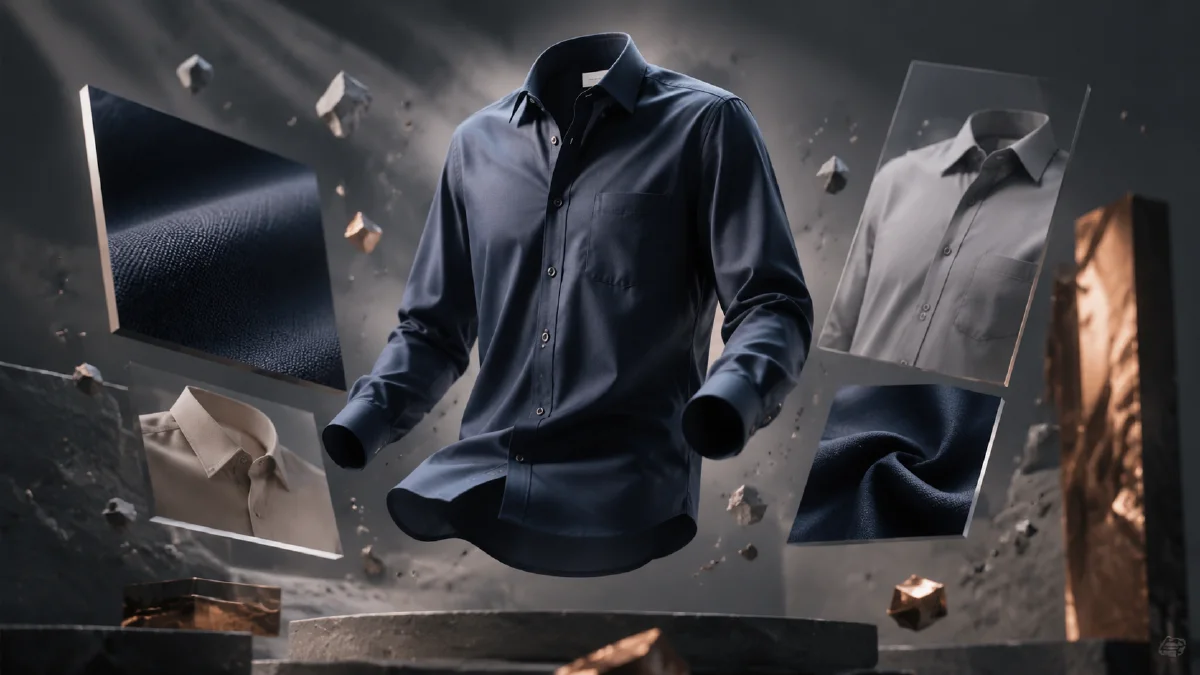
A shirt ad does not always need a model. Sometimes the cleanest way to sell fit, color, and design is to treat the shirt itself as the performer. Floating product videos work especially well for ecommerce, collection launches, and minimalist fashion brands because they keep the garment front and center. The trick is to make the floating motion feel deliberate rather than weightless in a cheap way.
Use Naviya AI Video Generator to create the visual concept, Naviya Image to Video to animate selected shirt frames, and Naviya AI Video Ads for performance-ready variants. For related product-first workflows, use the product image to video guide and the AI video camera movement prompts.
Why floating shirt ads work
Floating product films remove the distractions that often weaken apparel ads: awkward model poses, busy sets, inconsistent body shapes, and unclear product detail. A row of shirts in a clean 3D space can communicate collection, color range, fabric weight, and brand minimalism in seconds. It also gives you a flexible base for ecommerce banners and social videos.
The visual language should feel like a premium product render: simple geometry, controlled perspective, realistic fabric, and clean lighting. If the shirts look like flat paper cutouts, the video loses value. If they deform too much during motion, the viewer stops trusting the product.
Create the hero floating frame
Start with one strong first frame. Place the shirts in a row, but avoid making the layout too symmetrical if the brand should feel casual. A slightly relaxed arrangement can make the frame look designed rather than mechanical.
Prompt:
Create a minimalist shirt product campaign keyframe.
Subject: five shirts floating in a row in the air, casually positioned, clean and realistic.
Scene: simple white geometric background with subtle depth.
Style: realistic rendering, simple 3D product render, C4D-like lighting, flat perspective, standard lens.
Composition: shirts centered, enough space around each garment, 16:9 frame.
Quality: crisp fabric folds, visible collar and sleeves, premium ecommerce campaign.
Constraints: no bodies, no hangers, no fake text, no extra sleeves, no warped collars.
This frame can become the opening of the video. It also becomes the style reference for follow-up frames.
Generate variations from the same visual system
After the five-shirt frame works, create variations using the same style. For example, generate three shirts instead of five, one shirt in a hero close-up, or a color change sequence. Keep the same background, perspective, light direction, and render quality. This allows the edit to feel like one product film.
Variation prompt:
Create a second shirt campaign keyframe in the same visual style.
Subject: three shirts floating in a row, casually positioned with realistic fabric folds.
Scene: simple white geometric background, subtle shadows and depth.
Style: clean 3D render, realistic textile, flat perspective, premium minimal ecommerce.
Composition: centered, balanced spacing, room for camera movement.
Constraints: stable collars, sleeves, hems, and garment proportions.
The safest approach is to build a small set of keyframes before animation. One frame shows the collection. One shows the hero shirt. One shows detail. One provides a closing layout.
Animate with clean product motion
Floating shirt videos should use precise movement. A slow orbit, slight vertical hover, or smooth spacing shift can look premium. Fast spins and dramatic transformations often make the fabric unstable.
Motion prompt:
Animate this floating shirt keyframe into a 6 second product ad.
Camera: slow push-in with a subtle left-to-right glide.
Motion: shirts hover gently and rotate only a few degrees, fabric edges move softly.
Lighting: clean studio highlight moves across collars and sleeves.
Mood: minimalist, premium, calm, product-focused.
Constraints: preserve shirt count, collar shape, sleeve length, color, and fabric folds.
For a detail shot:
Animate this shirt close-up into a 5 second ecommerce clip.
Camera: slow glide from collar to sleeve.
Motion: fabric breathes subtly with a soft light sweep.
Constraints: keep seams, collar, buttons, and fabric texture stable.
Keep the product stable enough that a shopper can inspect it.
Add a collection story
Even a minimalist product film needs a story. The story can be simple: collection reveal, hero shirt, fabric detail, final lineup. This sequence works because it moves from range to quality to memory.
Suggested edit:
| Shot | Purpose | Duration |
|---|---|---|
| Five-shirt lineup | Show collection | 2 seconds |
| Three-shirt variation | Create rhythm | 2 seconds |
| Collar or fabric detail | Add quality proof | 2 seconds |
| Hero shirt centered | End with product focus | 2 seconds |
For vertical ads, crop around one shirt or stack the lineup diagonally. Do not crush five shirts into a narrow frame unless the silhouettes remain readable.
Avoid common shirt-video issues
Watch for collar drift, sleeve duplication, buttons appearing and disappearing, and fabric texture changing between clips. If the shirt has a print, logo, or pattern, preserve it with a reference image or add the graphic in post. AI-generated text on apparel is usually unreliable and can make the product look fake.
Also check shadows. Floating products need contact logic even without a surface. Subtle cast shadows or ambient occlusion help the shirts feel present in space. A completely shadowless shirt may look like a sticker.
Collection testing grid
Floating shirt ads work best when they make a collection feel organized. Instead of generating one clip at a time, build a grid that tests layout, color, and motion separately.
| Test | What changes | What stays fixed |
|---|---|---|
| Color story | neutral, bright, seasonal, monochrome | shirt count, lighting, camera distance |
| Layout | straight row, arc, layered stack, hanging rack | shirt colors and proportions |
| Motion | slow push-in, gentle float, fabric ripple, snap transition | product shape and collar detail |
| End frame | single hero, full lineup, detail crop | background, palette, brand mood |
This grid makes review easier because the team can see whether performance comes from the product, the arrangement, or the motion. If the collars mutate, reduce the number of shirts and use a larger hero item. If sleeve length changes between frames, lock the garment block and remove extra fabric adjectives. If the video feels too empty, add light movement before adding props.
For a broader apparel campaign, use AI apparel design pattern workflow to define the product language first, then build model or detail frames in AI Image Generator. Animate only the strongest lineup in Image to Video, and reserve high-energy cuts for AI Video Ads. The shirt should always read as a real product before it reads as a visual effect.
Try it in Naviya
In Naviya, create a hero lineup frame first, then animate it with a slow push-in. Build two follow-up frames in the same style: a smaller lineup and a detail close-up. Use video ads to create alternate first seconds for ecommerce retargeting: full collection opener, hero shirt opener, or fabric detail opener.
If the goal is a product page, keep the motion slow and stable. If the goal is paid social, make the first second more active but keep the shirt shape protected.
Final checklist
Before publishing, confirm that the shirt count stays consistent, collars and sleeves remain natural, and the product is visible in every frame. A good AI shirt ad feels like a controlled product film, not a trick shot. When the motion is restrained and the visual system is consistent, a simple floating shirt can carry a surprisingly premium campaign.