2026-06-12
AI Fashion Runway Workflow: From Static Outfit to Product Video
Build an AI fashion runway workflow that creates a consistent model, swaps outfits, and turns approved apparel stills into short ecommerce videos.
Try this workflow in Naviya
Use references when identity, product shape, outfit, or style needs to stay consistent.
Try reference to video
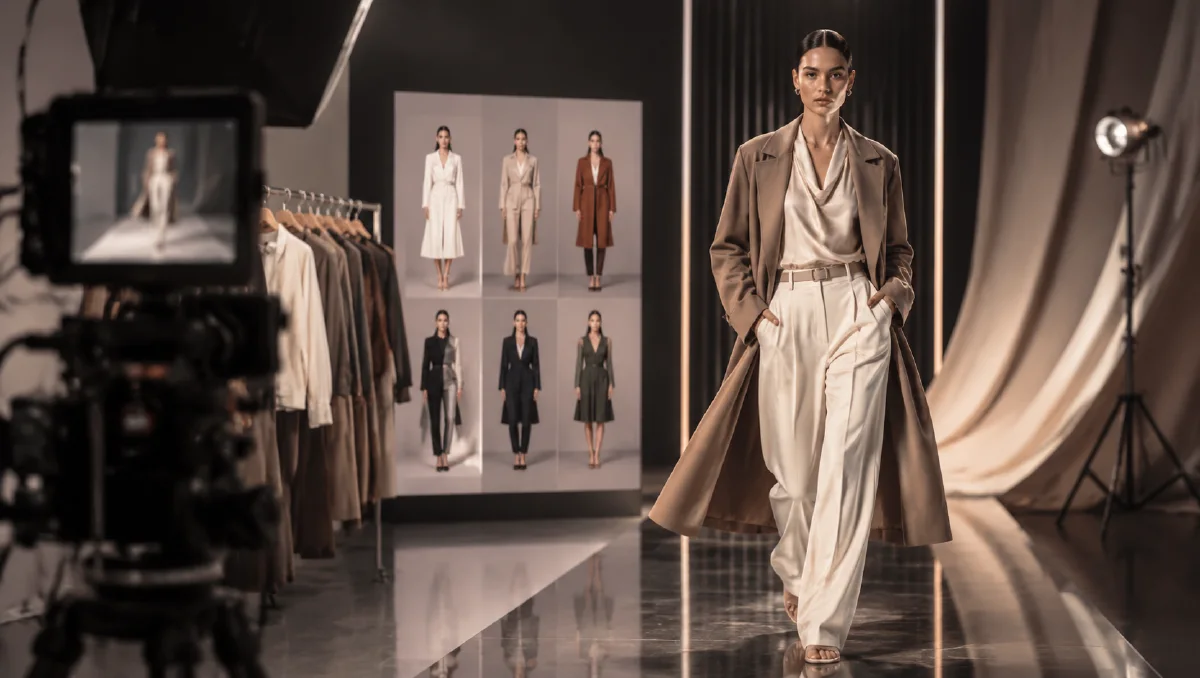
An AI fashion runway workflow can turn static outfit images into short product videos for ecommerce, social ads, and merchandising tests. The promise is simple: create a consistent model, place different outfits on that model, and animate the approved stills into walk, turn, or styling clips. The practical reality is more disciplined. If the model identity, garment fit, and pose are not stable in the still stage, the video stage will magnify every problem.
This workflow is strongest for quick apparel content: new arrivals, styling bundles, seasonal drops, and campaign concepts. It should not be used to hide product uncertainty. A video of clothing moving on a model creates stronger buyer expectations than a flat lay, so product accuracy matters.
Start with Naviya AI Image Generator to create a clean model base or outfit still. Then move only approved frames into motion.
Create a dedicated model base
The model base is the anchor. It should be full-body, evenly lit, front-facing or slight three-quarter, and simple enough to accept multiple outfits.
Good base prompt structure:
Create a realistic full-body ecommerce fashion model photo.
Model: young adult woman, natural clean beauty look, soft brown hair with light bangs, calm expression, slim but realistic body proportions.
Pose: standing upright, feet shoulder-width apart, body slightly angled 5 degrees toward camera, arms naturally relaxed.
Outfit: simple fitted white short-sleeve dress as a temporary base garment.
Background: seamless white studio, softbox front lighting, no hard shadows, no props.
Quality: realistic skin, natural hands, clear hair detail, professional ecommerce catalog style.
Constraints: no extra accessories, no distorted fingers, no exaggerated body proportions.
The temporary outfit is not the product. It simply gives the model a body surface for later garment replacement.
Extract or prepare the target outfit
The outfit reference should show enough information to recreate the clothing:
- Main garment shape.
- Color and fabric.
- Sleeve length.
- Collar or neckline.
- Waist and hem.
- Accessories that are part of the look.
- Shoes if they are included in the product story.
If the outfit comes from an influencer or street-style image, first turn it into a cleaner product reference. Ask for a flat-lay interpretation or isolate the clothing details, then use that as the garment reference. This reduces the chance that the model copies the original person's face, room, pose, or unrelated styling.
Swap clothing in a controlled pass
The outfit replacement prompt should keep the model base stable:
Dress the model in the outfit from the provided clothing reference.
Preserve the model face, hairstyle, body proportions, pose, studio background, and lighting.
Preserve the outfit's garment shapes, fabric color, accessories, sleeve length, waistline, and hem.
Fit the outfit naturally to the model without changing the model's body.
Do not copy the original clothing reference person's face, background, camera angle, or unrelated objects.
If you need a side view, generate it after the front view is approved. Do not ask for front, side, detail, and runway video in one step.
Prepare the video frame
The still frame used for video should be clean:
- Full body visible.
- Feet not cropped.
- Hands natural.
- Garment edges clear.
- Background simple.
- No busy patterns behind the body.
- No text that must remain readable.
For a walking clip, the model should start in a balanced pose. Extreme contrapposto, crossed legs, or hands gripping fabric may look good in a still but can break during motion.
Use Image to Video after the outfit still is approved. The first motion prompt should be conservative.
Animate this ecommerce fashion model image into a 5 second runway-style clip.
Motion: model takes one slow natural step forward, slight shoulder movement, garment moves subtly with the body.
Camera: locked front camera with a very slow push-in.
Style: realistic ecommerce fashion video, clean studio, polished but not dramatic.
Constraints: preserve model face, hairstyle, body proportions, outfit color, fabric, logo area, and garment shape. No outfit morphing, no extra accessories, no background change.
Choose motion by sales purpose
Not every apparel video needs a runway walk. Match motion to the selling point.
| Selling point | Better motion |
|---|---|
| Dress drape | slow turn or half-step |
| Jacket structure | slight shoulder turn |
| Knit softness | hand adjusting cuff |
| Sportswear comfort | relaxed walking motion |
| Detail or logo | slow push-in toward upper body |
| Styling bundle | simple pose change, no fast movement |
Fast runway motion can look exciting, but it also increases the risk of fabric and body drift. Ecommerce clips should let the shopper inspect the product.
Use video ads after product truth
Once the runway-style clip is stable, adapt it for campaign use in AI Video Ads. Paid creative can add headline rhythm, cuts, hooks, and offer framing, but the visual base should still be accurate.
For apparel teams that are turning product images into campaign motion, the ai product photography to video guide explains how to preserve shape and material while adding movement. The ecommerce product video AI guide is useful when deciding whether a clip belongs on a product page, social ad, or launch post.
Build the runway as a repeatable set
A runway workflow becomes more useful when it behaves like a controlled set rather than a one-off fashion fantasy. Define the runway length, light color, camera height, model pace, and backdrop once. Then only change the garment. This lets a brand compare five outfits without wondering whether the stronger image won because of the clothing or because the lighting was better.
For each garment, create three approved stills before motion: front walk, three-quarter walk, and detail crop. The front walk sells silhouette. The three-quarter view adds body and drape. The detail crop supports fabric, fastening, collar, or sleeve construction. When those stills are stable, animate the best one with a short camera move and restrained fabric motion.
Failure modes are predictable. If the model identity changes, shorten the clip and reduce the walk. If the garment mutates, remove dramatic turns. If the runway steals attention, lower contrast and simplify the audience or background. The best output should feel like an editorial runway moment, but the product still has to be readable in a mobile feed.
For seasonal drops, keep one runway template and rotate fabric weight, styling, and color palette. That makes the campaign feel like a collection rather than separate AI experiments.
If the collection has multiple silhouettes, group them by movement. Flowing dresses can support fabric motion, structured jackets need slower camera work, and tailored trousers need clearer full-body framing.
Try it in Naviya
Use Naviya in three passes: create the dedicated model base, apply one outfit accurately, then animate only the best approved still. Save the model base and prompt contract so each new garment starts from the same identity and lighting.
Runway workflow QA
Before publishing, review both still and video:
| Check | Still image | Video |
|---|---|---|
| Model consistency | same face and body | no face drift |
| Outfit fidelity | correct color and shape | no morphing during motion |
| Fabric behavior | plausible drape | movement matches material |
| Hands and feet | natural anatomy | no sudden warping |
| Background | clean and stable | no changing studio |
| Commercial fit | shows product clearly | product visible immediately |
The best AI fashion runway workflow is not about generating endless outfits. It is about building a repeatable production line: stable model, accurate garment, controlled motion, and clear product value in every frame.