2026-06-12
Reference to Video AI Guide: Keep People, Products, and Style Consistent
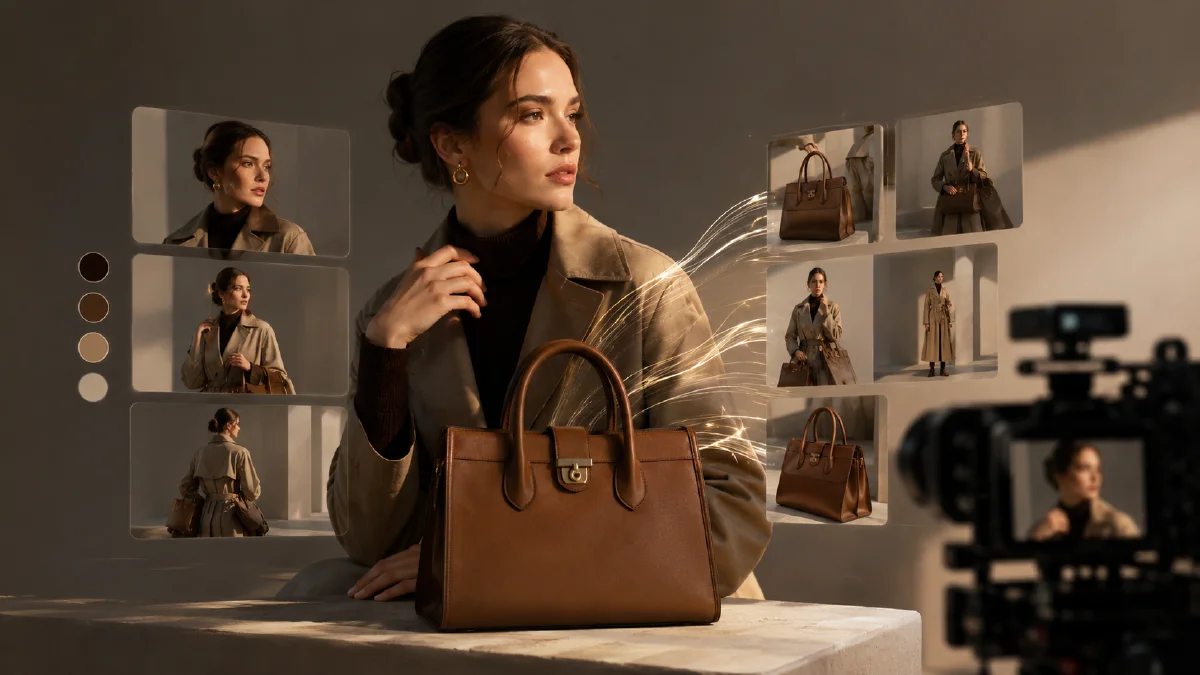
Use reference to video AI workflows to preserve identity, product shape, outfits, style, and visual consistency across generated clips.
Try this workflow in Naviya
Use references when identity, product shape, outfit, or style needs to stay consistent.
Try reference to video
Reference to video AI is useful when a generated clip needs to preserve a person, product, outfit, object, or style. The reference gives the model something to hold onto. The prompt then explains what should move and what should stay stable.
Use Naviya Reference to Video when identity or product consistency matters more than pure exploration.
When to use reference to video
| Need | Use references? |
|---|---|
| Preserve a face | Yes |
| Keep a product shape stable | Yes |
| Maintain outfit or character design | Yes |
| Build a series with the same style | Yes |
| Explore a totally new scene | Not always |
| Generate a generic idea | Text to video may be enough |
Reference prompt template
Use the reference image to preserve [identity/product/style].
Create a [duration] second video.
Camera: [one movement].
Motion: [one subject or scene movement].
Scene: [setting and lighting].
Constraints: keep [face/product/outfit/style] consistent with the reference. Avoid [specific failure].
Person reference prompt
Use the reference image to preserve the same person, face, hairstyle, and outfit.
Create a 6 second vertical creator clip.
Camera: slow push-in from medium portrait to close-up.
Motion: natural blink, slight head turn, hair moving gently.
Scene: neon city rooftop at night with soft violet rim light.
Constraints: keep identity, outfit, and face consistent. No extra people or sudden scene changes.
Product reference prompt
Use the reference image to preserve the product shape, material, and label area.
Create a 6 second product reveal video.
Camera: slow orbit from front-left to center.
Motion: product remains stable while highlights move across the surface.
Scene: dark studio, reflective table, faint smoke.
Constraints: keep product proportions and color stable. No morphing, no extra objects, no fake readable text.
Style reference prompt
Use the reference image to preserve the same anime style, line quality, and color palette.
Create a 5 second motion poster.
Camera: locked shot with a gentle push-in.
Motion: hair moves in wind, particles drift, background light pulses softly.
Constraints: keep character design, outfit, art style, and composition stable.
Reference quality checklist
Good references are:
- Clear.
- Well-lit.
- Not too cropped.
- Focused on one subject.
- Free from clutter.
- Similar to the final composition you want.
Weak references make consistency harder. If the product or face is unclear in the reference, the video will not magically become more stable.
Match the reference to the risk
Different references solve different problems. Before writing the prompt, decide what the reference is supposed to control.
| Reference type | Use it to preserve | Prompt focus |
|---|---|---|
| Face or portrait | Identity, hairstyle, expression range | Subtle facial motion and camera control |
| Full-body character | Outfit, silhouette, pose, proportions | Small pose shifts, fabric, background motion |
| Product image | Shape, material, color, label area | Light sweep, reflection, safe camera movement |
| Style frame | Palette, art direction, line quality | Matching style without copying the exact scene |
| Environment reference | Location mood, lighting, set design | Atmosphere and camera language |
If the risk is identity drift, protect the face and outfit first. If the risk is product warping, protect silhouette and material first. If the risk is generic style, protect color palette, lens, lighting, and art direction.
Use reference sets carefully
More references are not always better. A clean single reference is often stronger than three conflicting images. Use multiple references only when each one has a clear role.
Good reference set:
- One face reference.
- One outfit or product reference.
- One style or environment reference.
Weak reference set:
- Three different faces.
- Multiple products with different shapes.
- Two unrelated art styles.
- A final prompt that asks for a new scene unrelated to any reference.
When using several references, name the job of each one in plain language. For example: "Use reference one for the person's face, reference two for the jacket design, and reference three for the neon lighting style." This keeps the prompt from treating every image as equal.
Reference prompt examples by asset
Consistent spokesperson clip
Use the reference image to preserve the same spokesperson, hairstyle, face shape, and outfit.
Create a 6 second vertical intro clip.
Camera: handheld slow push-in from medium close-up to close-up.
Motion: natural blink, slight smile, gentle head turn toward camera.
Scene: clean creator studio with soft violet background light.
Constraints: keep identity stable, no outfit change, no extra people, leave room for captions.
Consistent product campaign
Use the reference image to preserve the product shape, material, color, and front label area.
Create a 5 second campaign teaser.
Camera: locked hero shot with a subtle push-in.
Motion: light travels from left to right across the product surface, background particles drift slowly.
Scene: premium dark studio with controlled reflection.
Constraints: keep product unchanged, no new props, no fake readable text.
Consistent anime series
Use the reference image to preserve the same anime character design, hair shape, outfit, and line style.
Create a 6 second character loop.
Camera: slow push-in, stable composition.
Motion: eyes blink once, hair moves in light wind, neon background reflections ripple.
Scene: rainy city night.
Constraints: keep face, eye color, outfit, and palette consistent. No new character.
Mistakes to avoid
- Asking the reference character to perform a large action not shown in the source.
- Using a product reference and requesting a full unseen backside view.
- Combining a realistic face reference with a heavily stylized final scene without explaining the style transfer.
- Asking for readable generated text when the reference label is small.
- Letting the background reference override the person or product reference.
The safest first generation is conservative. Once the reference holds, increase atmosphere, camera movement, or scene complexity in the next pass.
Evaluation checklist
After generation, score the result before changing the prompt:
- Is the protected identity or product still recognizable?
- Did the model follow the camera instruction?
- Did the reference style stay consistent?
- Did the motion improve the clip without changing the subject?
- Is the result usable after normal editing and captions?
If only the camera is wrong, change the camera line. If only the product shape is wrong, reduce product motion. If identity changes, make the action smaller and strengthen the protected details.
Reference to video vs image to video
Use image to video when the first frame itself should become the video. Use reference to video when the reference guides identity, product, or style but the final scene may differ.
In practice:
- Image to video preserves one frame.
- Reference to video preserves identity or style across a generated scene.
- Text to video explores without strict identity control.
Workflow
- Choose a clean reference.
- Decide what must stay consistent.
- Write one camera move.
- Write one motion idea.
- Add constraints that name the protected details.
- Generate conservative versions first.
- Increase scene complexity after consistency holds.
For general first-frame animation, use image to video prompts. For troubleshooting consistency issues, use image to video troubleshooting.
Business use cases
Reference to video is especially useful when one asset needs to appear across a campaign. A beauty brand can keep the same bottle and bathroom style while testing hooks. A fashion team can keep a model, outfit, and studio tone consistent across several clips. A game or anime creator can preserve character design while changing weather, camera distance, or background motion. A retail team can keep a hero product stable while creating platform-specific cuts.
The workflow is also useful for approvals. When the reference is clear, reviewers can judge whether the output respected the asset instead of debating style from scratch. That shortens feedback: "keep the face, reduce the camera move" is more actionable than "make it more like the brand."
Try it in Naviya
Start with Naviya Reference to Video when identity, product shape, outfit, or style is the main requirement. Use Image to Video for a single approved first frame, or Naviya AI Video Generator when you are still exploring concepts before locking references.