2026-06-12
AI Product Photography to Video: Animate Product Shots Safely
Turn AI product photography into video with stable product motion, safe prompts, lighting changes, and ecommerce-ready workflows.
Try this workflow in Naviya
Turn a product, hook, or campaign idea into short social-ready ad concepts.
Create video ad variants
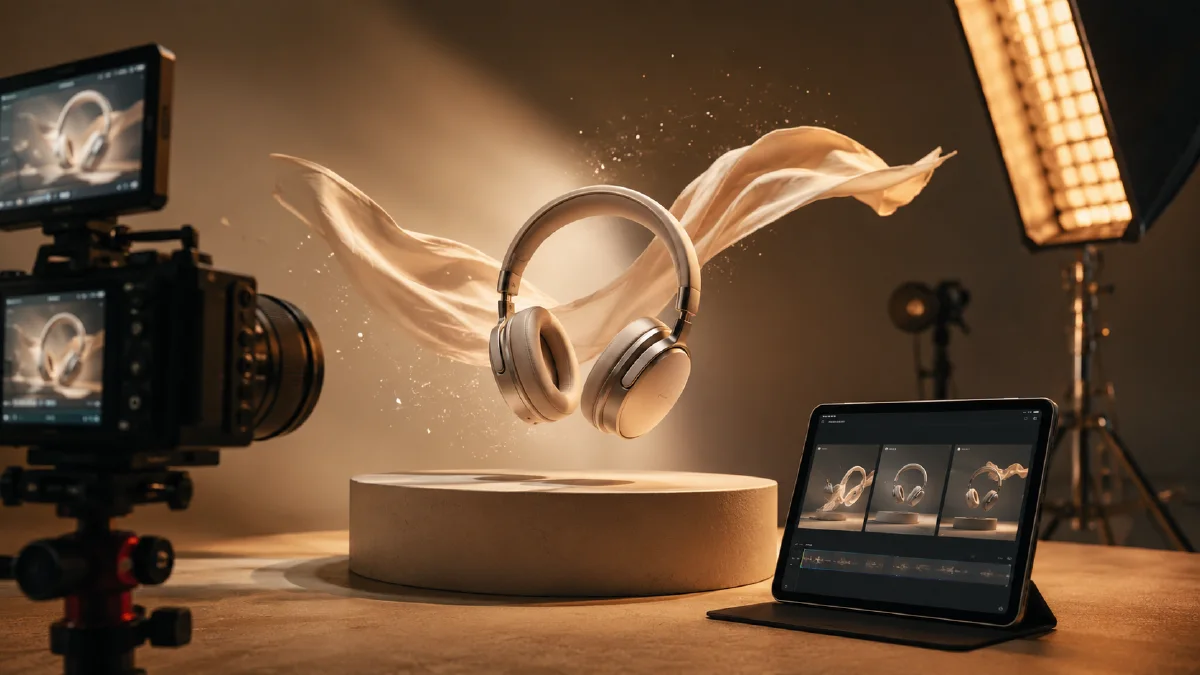
AI product photography to video is a practical workflow: create or upload a strong product shot, then animate it with controlled motion. The first frame handles composition and product identity. The video prompt handles light, camera, atmosphere, and timing.
Start with AI Image Generator if you need the product-style still. Start with Image to Video if the still already exists.
Product photo qualities that animate well
| Quality | Why it matters |
|---|---|
| Clear silhouette | The model can preserve shape |
| Simple background | Less drift and fewer extra objects |
| Visible hero angle | The product reads immediately |
| Margin around object | Camera movement has space |
| Controlled lighting | Light animation looks intentional |
Safe animation prompt
Animate this product photography image into a 6 second video.
Camera: slow push-in with a steady lens.
Lighting: soft highlight moves across the product surface.
Atmosphere: premium studio, clean shadows, subtle background particles.
Product motion: product stays stable and centered.
Constraints: preserve shape, proportions, color, material, and label area. No extra objects.
Premium launch prompt
Animate this AI product photo into a launch teaser.
Camera: slow orbit from front-left to center.
Lighting: violet rim light reveals the product edge in the first second.
Atmosphere: dark studio, reflective table, faint smoke.
Product motion: platform rotates slightly under the product.
Constraints: keep the product unchanged, avoid fake text, no full 360 turn.
Lifestyle product prompt
Animate this product photo into a lifestyle video.
Camera: slow side pan.
Lighting: warm window light shifts softly across the scene.
Atmosphere: clean home setting, minimal background, realistic shadows.
Product motion: product remains stable while the environment feels alive.
Constraints: preserve product shape and color, no extra props entering the frame.
Mistakes to avoid
- Asking for full rotation from a single front image.
- Asking hands to use the product when no hands are present.
- Asking labels to become readable if they are tiny.
- Adding too many props during animation.
- Changing camera, light, and product action all at once.
If the product changes shape, reduce the motion first. Do not keep adding constraints to a prompt that is asking for impossible motion.
Shot ideas by product category
| Product | Safer motion | Best format |
|---|---|---|
| Beauty bottle | Macro push-in, droplet shimmer | 4:5 or 9:16 |
| Sneaker | Low angle push-in, platform turn | 9:16 |
| Tech accessory | Light sweep, reflection movement | 1:1 or 16:9 |
| Food package | Steam or sunlight movement | 4:5 |
| Home object | Lifestyle pan, soft shadow shift | 16:9 or 4:5 |
Use the category to choose motion. A beauty bottle can handle macro highlights. A sneaker can handle a little platform rotation. A food package often looks better with atmosphere than with object movement.
Product-page clip vs campaign clip
The same product image can support different video jobs. Do not use the most dramatic version everywhere.
| Job | Better motion | What to avoid |
|---|---|---|
| Product detail page | Slow push-in, light sweep, accurate material | Heavy smoke, fast camera, extreme color shifts |
| Marketplace listing | Centered product, clean background, square crop | New props, dramatic reveal, fake text |
| Paid social ad | Strong first-second hook, vertical framing | Hiding the product too long |
| Launch teaser | Shadow reveal, rim light, premium atmosphere | Changing the product shape for drama |
| Email hero | Polished motion, calm loop, readable product | Chaotic edits or unclear benefit |
Product-page videos build trust. Campaign clips capture attention. Both matter, but they need different levels of motion.
Prompt upgrades by failure
When a product video fails, change the line that caused the failure.
| Problem | Prompt upgrade |
|---|---|
| Product bends or melts | "The product remains completely stable; only light and reflection move." |
| Label becomes fake text | "Preserve label area as a visual shape; do not invent readable text." |
| Background becomes cluttered | "Minimal studio background with no new props entering frame." |
| Camera crops product | "Keep entire product inside frame with margin on all sides." |
| Motion feels too flat | "Add a visible highlight sweep and soft background particle movement." |
This is faster than rewriting the whole prompt. Keep the successful parts and adjust only the weak line.
Safe product animation recipes
Beauty and skincare
Camera: locked macro shot with a gentle push-in.
Lighting: soft beauty highlight moves across the glass.
Motion: tiny droplets shimmer; background stays calm.
Constraints: preserve bottle, cap, label area, and color.
Consumer tech
Camera: slow low-angle push-in.
Lighting: clean edge light reveals the product silhouette.
Motion: reflection moves across the table surface.
Constraints: keep ports, buttons, proportions, and material stable.
Food and beverage
Camera: locked close-up.
Lighting: warm sunlight moves softly across the package.
Motion: steam rises or condensation glows subtly.
Constraints: preserve packaging shape and avoid fake readable text.
Fashion accessory
Camera: slow orbit under 20 degrees.
Lighting: controlled rim light catches material texture.
Motion: strap or fabric detail moves slightly if already visible.
Constraints: preserve silhouette, color, and material texture.
Build reusable product prompt blocks
Once a product clip works, save it as blocks rather than one long prompt:
- Product protection line.
- Camera line.
- Lighting line.
- Atmosphere line.
- Platform framing line.
- Failure prevention line.
Reusable blocks help a brand keep a consistent video style across a product family. You can change the product and hook while keeping the same premium lighting, centered crop, and safety constraints.
Quality checklist
Before using the video, check:
- The product still looks like the original shot.
- The main feature is visible at phone size.
- Motion supports the product category.
- There is no fake important text.
- The clip works without sound.
- The background does not steal attention from the product.
If a clip fails only in one detail, fix that detail first. If the whole product changes, return to safer motion.
Workflow
- Generate or select the product photograph.
- Check product silhouette and margin.
- Choose product-page, ad, or social format.
- Start with safe motion.
- Increase style only after stability holds.
- Save working light and camera phrases.
For ecommerce-focused output, use ecommerce product video AI. For ad prompts, use AI video ads prompts.
Try it in Naviya
Open the product photo in Naviya Image to Video and start with the safest motion that fits the product category. For a clean product page, use a locked frame, slow push-in, and light sweep. For a launch ad, create one stronger hook in AI Video Ads after the product-stability test passes. If the original photo needs a cleaner first frame, rebuild it first in AI Image Generator before adding motion.
Choose motion by business objective
The same product photo can become different videos depending on where it will live. A product-page clip should reduce uncertainty: show scale, texture, material, and the hero angle. A paid social clip should create a reason to stop: reflection sweep, satisfying macro reveal, or a quick before-after context. A marketplace clip should stay conservative because thumbnails, compression, and listing rules punish excessive movement.
Use this decision rule:
| Objective | Best motion | Avoid |
|---|---|---|
| Product page | slow push-in, focus pull, reflection sweep | dramatic transformation |
| Paid social | hook reveal, light sweep, quick macro cut | hiding the product until the end |
| Brand launch | orbit, atmosphere, premium hero hold | changing product proportions |
| Retargeting | feature close-up, texture movement | broad lifestyle scene with unclear SKU |
If the first motion pass changes the product, do not make the prompt longer. Make it narrower. Protect the exact silhouette, reduce camera movement, and remove extra props. Once the product remains stable, increase style one step at a time.