2026-06-12
Psychedelic Photography AI Prompts: Prism Light, Color Trails, and Dream Portraits
Create psychedelic photography AI prompts with prism refraction, neon glow, liquid texture, multiple exposure, and controlled portrait composition.
Try this workflow in Naviya
Use the guide to shape a still image, then keep it as a first frame or campaign asset.
Open the studio
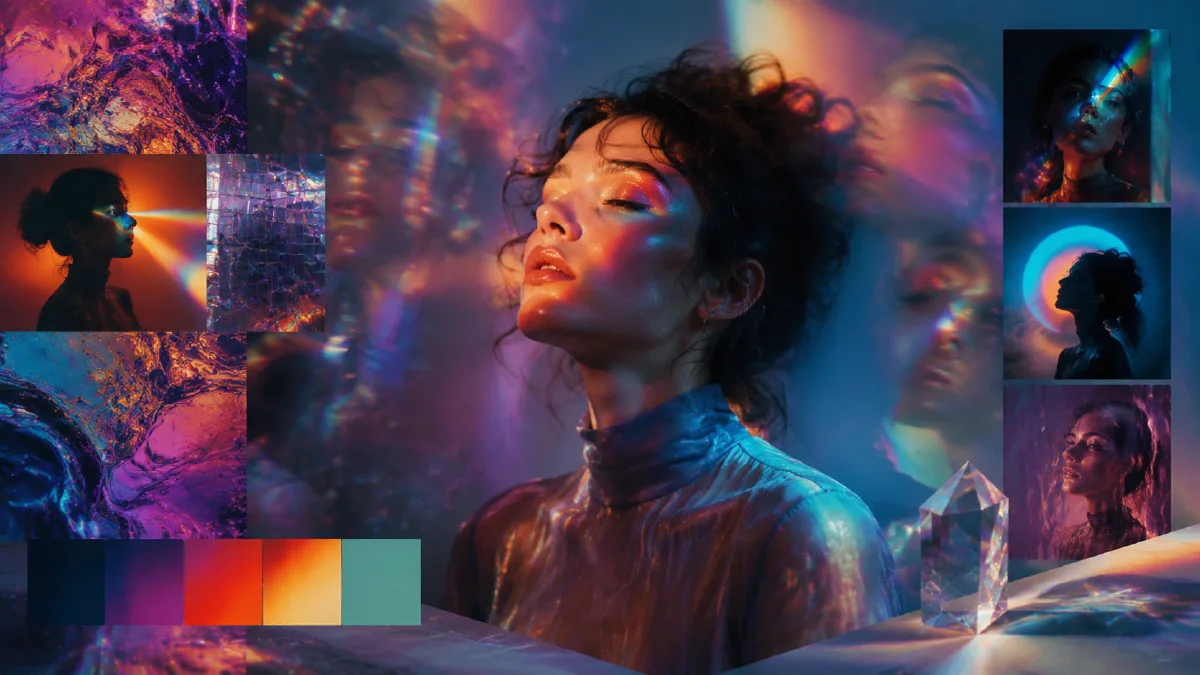
Psychedelic photography AI prompts are different from general psychedelic style prompts. The image should still feel photographed. The surreal quality comes from optical effects, light behavior, color refraction, exposure, texture, and lens choices rather than a completely rebuilt fantasy world.
Think of prism light across a face, rainbow flare bending through glass, liquid color reflected on skin, smoke trails catching neon, or multiple exposures merging a portrait with abstract pattern. The subject can be strange, but the camera should feel real.
Use this guide with psychedelic style AI prompts, AI lighting prompts, and cinematic atmosphere AI prompts when you want a still or clip that feels optically surreal.
Start with a photographic base
Before adding psychedelic effects, define the photograph. Is it a close portrait, full-body fashion shot, still life, concert image, macro detail, or editorial product photo? What lens is implied? What is the light source? What is sharp?
Example base:
Close-up portrait, 85mm lens, shallow depth of field, critical focus on the eyes, dark studio background, subject turned slightly toward camera.
Now add the psychedelic layer:
Prism refraction casts rainbow bands across the face, magenta and cyan neon glow in the background, faint liquid texture projected onto the skin, subtle film grain, realistic photographic lighting.
The base keeps the image from becoming an abstract poster. The effect gives it the psychedelic character.
Use optical effects instead of random decoration
Good psychedelic photography often feels like something happened in front of the lens. It can be heightened, but it should have a physical explanation.
Useful optical effects:
- prism refraction
- chromatic aberration
- kaleidoscope lighting
- rainbow flare
- colored gels
- projection patterns
- smoke and haze catching light
- multiple exposure
- reflective glass
- liquid texture projected on skin
Attach the effect to the scene:
Rainbow prism bands cross the cheek and forehead from camera right, while the eyes remain sharp and natural.
Kaleidoscope reflections appear only in the background glass, not over the entire face.
Liquid magenta and blue projections move across a white dress, studio floor stays dark.
This avoids the common problem where the whole image receives the same filter.
Control color intensity
Psychedelic photography often uses high saturation, but premium results need contrast and restraint. Dark shadows, neutral skin, or a simple background can make the color feel more powerful.
Use a color hierarchy:
Dominant colors are electric blue and hot pink, small yellow highlights in the prism flare, skin remains natural and not orange, black background absorbs excess color.
Or:
Iridescent rainbow highlights only on the glass and smoke, muted violet shadow base, no full-frame rainbow wash.
If you want a dreamier version, reduce contrast and use pastel refraction. If you want a nightlife version, use hard flash, deep black, and saturated neon.
Portrait prompts need protected facial structure
Psychedelic portrait prompts can easily deform faces. The model may treat light streaks and liquid textures as permission to blur eyes, melt features, or overpaint skin. Protect facial structure when it matters.
Add constraints:
- "natural facial anatomy"
- "eyes remain sharp and clear"
- "no face melting"
- "skin texture remains photographic"
- "light effects pass across the face without changing facial structure"
Example:
Editorial close portrait of a musician in a dark studio, sharp natural facial anatomy, eyes in crisp focus, cyan and magenta prism light crossing the cheeks, smoke behind the subject catching rainbow highlights, shallow depth of field, realistic skin texture, no face melting, no plastic skin.
For more abstract work, you can loosen those constraints, but decide intentionally.
Use multiple exposure with a concept
Multiple exposure is powerful when the two layers relate. A dancer can merge with stage lights. A singer can merge with waveforms. A product can merge with reflective city lights. If the layers are unrelated, the effect becomes decorative.
Prompt structure:
Primary subject + secondary exposure layer + how they merge + what remains sharp + color system.
Example:
Double exposure photograph of a fashion model, the silhouette filled with swirling neon smoke and city traffic trails, face contour remains readable, eyes softly visible, deep violet and cyan palette, black background, fine film grain.
The image stays photographic because it uses exposure language, not fantasy language.
From still to motion
Psychedelic photography can animate beautifully if the effect moves more than the subject. Keep the camera or face stable while light, smoke, liquid texture, or reflection changes.
Video prompt:
The subject holds a calm pose. Prism light slowly shifts across the face from left to right, smoke behind the subject drifts gently, camera remains locked, eyes stay sharp, no facial deformation.
Another:
Liquid projection ripples across the white fabric, magenta and blue colors pulse softly, the model turns the head only slightly, shallow depth of field remains stable.
This is ideal for image-to-video because the first frame can lock the face, light, and palette before motion begins.
Common mistakes
The first mistake is turning the entire image into a rainbow overlay. Strong psychedelic photography usually has zones: sharp face, dark shadow, colored refraction, soft haze.
The second mistake is ignoring lens and focus. Without camera language, the output may look like digital art instead of photography.
The third mistake is mixing too many optical effects. Prism, kaleidoscope, smoke, liquid, chromatic aberration, and double exposure can all work, but not always in one frame.
The fourth mistake is overprocessing skin. Add "natural skin texture" and "no plastic retouching" if realism matters.
Try it in Naviya
Use Naviya AI Image Generator to create a photographic base first: subject, lens, crop, and focus. Then add one optical psychedelic effect and one color system. When the still works, move to Naviya Image to Video and animate the light, smoke, or projection while preserving the subject.
Optical effect QA
Psychedelic photography should feel like an optical event, not a random pile of colors. Review the image by asking where the effect comes from.
Useful physical explanations include:
- Prism held near the lens.
- Projected light hitting the face or wall.
- Slow shutter color trails.
- Reflective foil, glass, or water near the subject.
- Double exposure with one clear primary silhouette.
If the image cannot explain its own effect, simplify it. Reduce the color palette, choose one lens trick, and protect the subject's face, product edge, or pose. For portraits, keep eyes and mouth stable. For product work, keep logo area and silhouette clean. For motion, animate the optical layer rather than changing the subject. A prism reflection can drift. A projection can move across a wall. Smoke can pass through colored light.
When you want a more structured system, combine this guide with AI color grading prompts so the surreal color has rules. When the result becomes too busy, trim it with negative prompts for AI image quality.
The final test is readability: the viewer should notice the subject first and the psychedelic treatment second.
A compact prompt block:
Photographic base, lens and focus, one optical effect, color hierarchy, protected facial or product structure, realistic texture, avoid full-frame filter.
Psychedelic photography is strongest when the viewer believes the image was created through light, glass, exposure, and camera decisions, not simply painted over afterward.