2026-06-12
Cross-Stitch Animation AI Workflow
Transform flat illustrations, text layouts, and logos into realistic cross-stitch images and embroidery-process animations with reference style control.
Try this workflow in Naviya
Use references when identity, product shape, outfit, or style needs to stay consistent.
Try reference to video
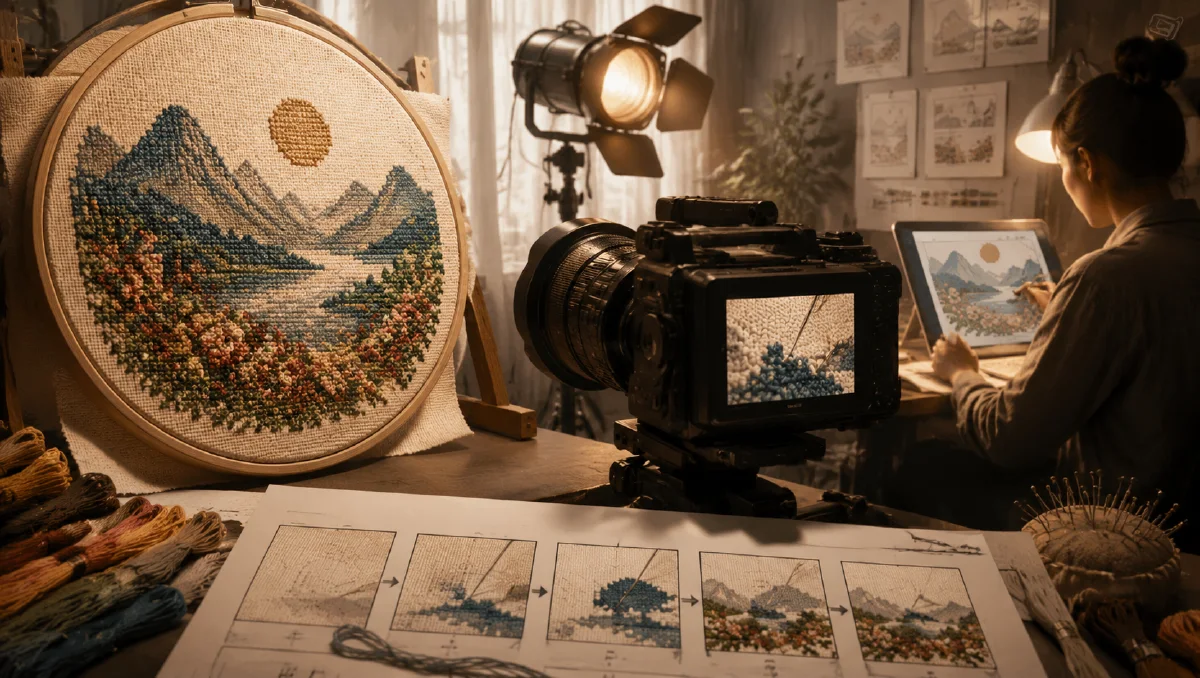
Cross-stitch has a visual texture that AI can make surprisingly useful for brands: grid fabric, X-shaped thread, tactile color blocks, and a handmade rhythm that feels nostalgic without being old-fashioned. When animated, a flat illustration, text layout, or logo can appear to stitch itself into existence.
This workflow turns flat visuals into realistic cross-stitch images and then into embroidery-process videos. It works for creator graphics, brand logos, social posts, product packaging teasers, and artful campaign assets. For related texture workflows, see tactile illustration AI prompts, paper cutout clip art AI prompts, and AI logo motion homepage brand guide.
What is a cross-stitch animation workflow?
A cross-stitch animation workflow has three steps:
- Convert the flat visual into a finished stitched image.
- Create or infer a blank fabric starting frame.
- Animate from blank fabric to completed embroidery.
The formula:
Input visual + cross-stitch style reference = finished stitched image
Finished stitched image + blank fabric frame = stitching process video
The reference style matters. Without it, the model may create generic embroidery, knitted texture, pixel art, or fabric print. Cross-stitch specifically needs a visible grid and X-shaped stitches.
Use case 1: Illustration to cross-stitch
Best for:
- Mascots.
- Simple characters.
- Hand-drawn icons.
- Art prints.
- Creator stickers.
Prompt:
Transform the provided illustration into a realistic cross-stitch embroidery
image. Preserve the main silhouette, color zones, and character expression.
Rebuild the artwork using dense X-shaped thread stitches on visible grid fabric.
Thread has soft cotton volume, slight shadows, and tactile texture. Handmade
but clean, colorful, high-resolution, no printed ink effect.
Good illustration inputs have clear shapes. Tiny details may need simplification before stitching.
Use case 2: Text layout to cross-stitch
Best for:
- Quotes.
- Poster phrases.
- Social greetings.
- Event graphics.
- Merchandise tests.
Prompt:
Convert this text layout into realistic cross-stitch embroidery. Preserve the
letter structure, line breaks, and color relationships. The letters are formed
from neat X-shaped thread stitches on grid fabric. Use visible cotton thread
volume, subtle shadows, and handmade texture. Keep the composition clean and
legible.
If exact words matter, create the stitched texture separately and add final text manually in a design tool. AI may produce convincing but imperfect typography.
Use case 3: Logo to cross-stitch
Best for:
- Brand social assets.
- Launch teasers.
- Homepage motion.
- Packaging visuals.
- Seasonal campaigns.
Prompt:
Turn the provided flat logo into a premium cross-stitch embroidery version.
Preserve the logo silhouette, color blocks, and spacing. The logo is built from
clean X-shaped cotton stitches on a natural grid fabric. Thread has realistic
volume and slight shadow. Handmade tactile brand aesthetic, polished and simple,
no extra decoration.
Simple logos work best. Detailed gradients and tiny text should be simplified.
Step 1: Prepare the input visual
Use:
- High-contrast shapes.
- Clean edges.
- Limited colors.
- Clear figure-ground separation.
- Minimal tiny text.
Avoid:
- Very small details.
- Photoreal portraits.
- Complex gradients.
- Thin strokes that cannot become stitches.
If needed, use Naviya image generator to simplify the visual into a flat icon or poster first.
Step 2: Generate the finished embroidery image
The finished image is the end frame. It should be beautiful as a still before you animate.
Quality checklist:
- X-shaped stitches are visible.
- Grid fabric is visible but not distracting.
- Thread has thickness and shadows.
- Colors match the input visual.
- Edges feel stitched, not printed.
- The design is still readable at mobile size.
If the result looks like pixel art, add:
Each color block is made of individual X-shaped cotton thread stitches, with
raised thread texture and diagonal stitch crossing, not square pixels.
If it looks like knitted fabric, add:
Use cross-stitch embroidery on grid cloth, not knitting, crochet, or woven
pattern.
Step 3: Create a blank starting frame
The starting frame should match the final fabric:
Blank cross-stitch grid fabric, same camera angle and lighting as the finished
embroidery image, natural off-white cloth, visible grid holes, no design yet,
soft shadows, clean handmade craft surface.
This frame gives the video model a stable beginning.
Step 4: Animate the stitching process
Use Naviya image-to-video with blank fabric as the first frame and finished embroidery as the ending target.
Video prompt:
Animate the cross-stitch design appearing gradually on the blank fabric. Colored
threads form neat X-shaped stitches one area at a time, following the final
embroidery design. The camera stays steady, fabric texture remains consistent,
stitches grow naturally like a handmade embroidery process. No hands, no text,
no extra objects.
Alternative with a needle:
A subtle embroidery needle and thread stitch the design into the grid fabric.
The motion is calm and precise. Stitches appear in small clusters, building the
final design. Keep the camera fixed and the fabric stable.
Needle animation can be charming, but it may introduce hand or tool artifacts. The no-hand version is often cleaner for brand loops.
Step 5: Use the animation commercially
Cross-stitch animation works well in:
| Asset | Use |
|---|---|
| Logo loop | Homepage, social intro, brand bumper |
| Poster phrase | Short-form caption background |
| Mascot animation | Sticker-style reveal |
| Product teaser | Handmade or craft brand campaign |
| Seasonal greeting | Holiday post with tactile warmth |
For ad variants, bring the final loop into Naviya AI video ads. For brand motion, compare with AI brand video workflow.
Style controls that matter
Small prompt choices decide whether the result reads as embroidery.
| Control | Strong wording |
|---|---|
| Stitch shape | X-shaped cotton thread stitches |
| Surface | visible grid fabric or Aida cloth |
| Texture | raised thread volume with soft shadows |
| Edges | stitched color blocks, not printed edges |
| Camera | steady macro or straight-on craft view |
| Motion | stitches appear one cluster at a time |
Avoid asking for "fabric style" alone. That phrase is too broad. Cross-stitch has a specific geometry, and the geometry should appear in both the still and the animation.
Loop design tips
For social loops, keep the animation short:
- Blank fabric for half a second.
- First stitches appear in the center or top-left.
- Main shape fills in.
- Final details complete.
- Hold the finished design for one second.
This gives viewers a satisfying build and a readable final frame before the loop repeats.
Brand fit
Cross-stitch is not only for craft brands. It can work whenever a campaign wants warmth, nostalgia, patience, or handmade care. A software brand might use it for a playful launch bumper. A cafe can use it for seasonal menu art. A children's product can use it for a gentle logo reveal. A fashion label can use it as a tactile contrast to glossy product photography.
The key is to connect the texture to the message. If the product is about speed, chrome, and precision, cross-stitch may feel off unless the contrast is intentional. If the product is about comfort, memory, home, or care, the stitch language can make the brand feel more human.
Try it in Naviya
Create the stitched still and blank fabric frame in Naviya image generator, then animate the build process in image-to-video. If the logo or illustration must stay exact, use reference-to-video with the approved finished stitch frame.
Final checklist
- The input visual is simple enough to stitch.
- The finished frame reads as cross-stitch, not pixel art.
- The blank fabric matches the final frame.
- The animation builds the design gradually.
- The camera stays steady.
- The final loop works without explanatory text.
Cross-stitch animation is a texture workflow. Once the stitch language is stable, it can turn simple brand visuals into tactile, memorable motion.