2026-06-12
AI Speaker CG Video Workflow for Product Ads
Create commercial speaker CG videos with keyframes, product-preserving prompts, camera movements, close-ups, light effects, and edit structure.
Try this workflow in Naviya
Turn a product, hook, or campaign idea into short social-ready ad concepts.
Create video ad variants
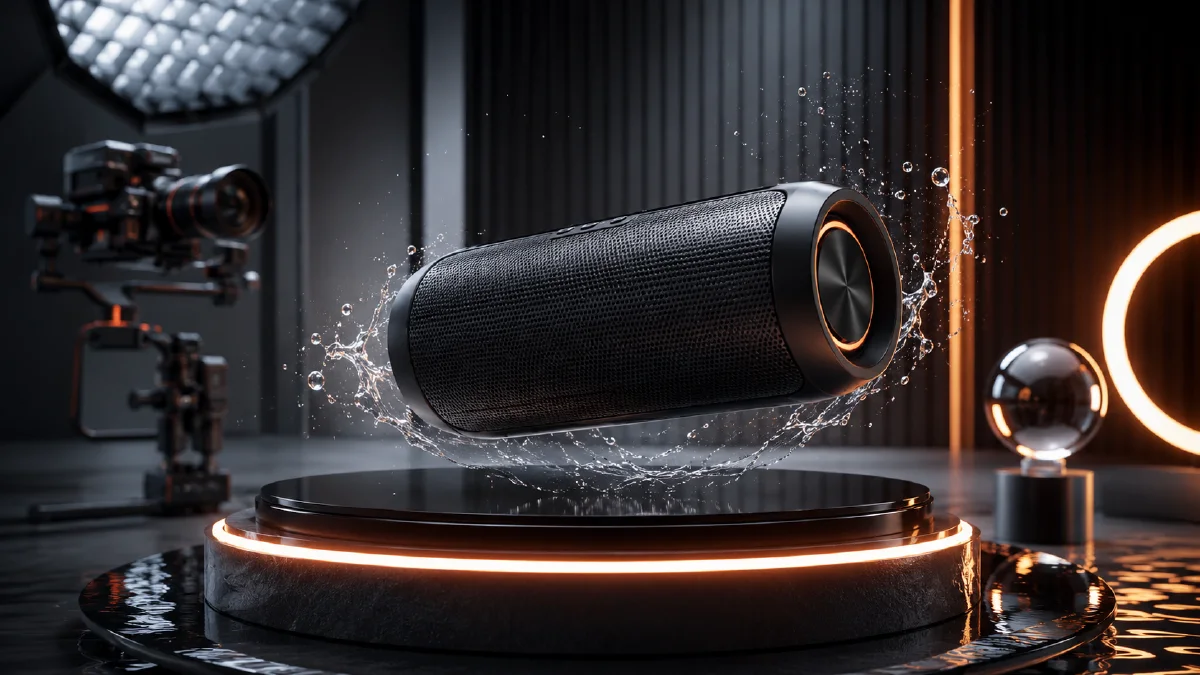
Commercial speaker videos are a good fit for AI because they combine product geometry, material detail, atmosphere, and controlled camera movement. You do not need full 3D modeling to create a polished concept, but you do need a keyframe workflow. The speaker must stay stable while the scene changes around it: desktop lifestyle, living room, picnic, macro grille, floating product, glowing sound tunnel, final packshot.
This guide explains how to build a speaker CG video with AI images and image-to-video clips. It works for Bluetooth speakers, retro audio products, smart speakers, and 3C ecommerce campaigns. Use it with AI speaker product visuals, AI video camera movement prompts, Naviya's AI Image Generator, and AI Video Generator.
Use the product CG formula
Keep prompts structured:
| Part | Rule |
|---|---|
| Subject | Core product plus no more than three supporting props. |
| Scene | One main color tone, one light direction, one style word. |
| Composition | Shot size, camera angle, foreground and background layers. |
| Rendering | High-resolution CG, material terms, realistic light, texture details. |
For speakers, useful material terms include grille texture, metal buttons, leather strap, wood grain, rubber base, fabric weave, LED glow, and brushed hardware.
Plan the keyframes
A strong 15-second speaker CG ad can use these stills:
- Retro desktop medium shot with props.
- Wide living room scene.
- Outdoor picnic lifestyle scene.
- Dutch-angle tabletop scene.
- Grille macro.
- Button or knob macro.
- Floating product with small objects.
- Centered product on warm gradient.
- Sound tunnel or glowing ring effect.
- Final product packshot.
Generate the strongest keyframes first, then use them as video start or end frames. This creates control over both product and camera path.
Keyframe prompt examples
Retro desktop:
Portable Bluetooth speaker on a tabletop, front-facing and centered.
Props: bottle opener, cork, small berries, delicate white flower branch, soft blurred plant leaves in the foreground.
Warm low-saturation interior with wood texture wall, deep green sofa, red furniture, plants, soft ambient light and gentle shadows.
Retro lifestyle product CG render, medium shot, shallow depth of field, layered foreground and background.
Low-saturation warm palette with muted orange, warm yellow, deep green, and soft brown.
High-resolution commercial render, realistic grille texture and metal details.
Living room wide shot:
Wide retro-modern living room scene with a compact speaker on a green round coffee table.
Red modular sofa, brown chair, rattan screen, warm pendant lights, books, rug, and plants.
Large window with warm light, balanced symmetrical layout, deep interior perspective.
Refined lifestyle product CG rendering, warm orange and muted green palette, high detail, realistic shadows.
Grille macro:
Macro close-up of the speaker grille texture and small logo area.
Warm orange gradient background, shallow depth of field, realistic woven fabric texture, metal edge detail.
High-end product render, sharp material detail, natural highlights, no text.
Button macro:
Close-up of the speaker's metal button and surrounding grille texture.
Soft green gradient background, slight top-down angle, macro lens, realistic metal reflection and fabric weave.
Premium 3C product detail render, high-resolution, no text.
Create camera movements by shot
Match movement to the frame:
| Shot | Motion prompt |
|---|---|
| Desktop scene | Camera moves from upper right toward the front of the speaker, then pushes in slowly. |
| Living room | Light shifts gently, camera glides forward with speaker centered. |
| Picnic | Camera pulls back to reveal environment. |
| Floating product | Speaker floats slightly while camera moves closer. |
| Grille macro | Slow zoom into texture. |
| Sound tunnel | Camera enters glowing concentric rounded rectangles. |
Example:
Short product CG video from the uploaded speaker keyframe.
Camera starts from the speaker's upper-right front angle and slowly glides toward the front.
Warm light shifts gently across the grille and buttons.
The speaker remains stable and accurate, props stay subtle, premium audio product ad style.
For a sound tunnel:
Transform the center grille area into layered glowing rounded-rectangle rings in red, orange, and warm white.
Camera moves forward into the glowing tunnel with a sense of depth.
Keep the effect centered, refined, and commercial, no chaotic distortion.
Edit the ad sequence
Use the product as the anchor. A possible edit:
| Time | Shot |
|---|---|
| 0-2s | Macro grille or button hook. |
| 2-5s | Desktop hero scene. |
| 5-7s | Living room wide reveal. |
| 7-9s | Floating or light-sweep product shot. |
| 9-11s | Sound tunnel transition. |
| 11-15s | Final packshot with clean CTA space. |
Music should match the product positioning: ambient for premium, upbeat for lifestyle, synth for tech. Add sound effects sparingly: button click, soft bass pulse, or room tone.
Keep one "accuracy master" still beside the timeline. During editing, compare every clip back to that master for grille shape, button count, product color, and logo area. If a clip looks exciting but changes the product, use it only as an abstract transition or remove it. Product CG succeeds when spectacle and accuracy stay balanced.
Shot approval criteria
Approve speaker shots in layers. Start with product geometry before judging mood. The grille pattern, button positions, rounded edges, rubber feet, ports, and logo area should match the reference closely enough that a shopper would recognize the same device. Then check material: fabric weave should not become metal mesh unless that is the product, plastic should not become glass, and soft silicone should not turn into chrome.
After product accuracy, review the scene:
| Shot type | Must pass | Common fix |
|---|---|---|
| Desktop hero | speaker scale fits the desk | specify laptop, mug, and speaker proportions |
| Living room | product remains the visual anchor | reduce props and background contrast |
| Picnic | lifestyle feels believable | keep the speaker on a stable surface |
| Floating CG | silhouette stays exact | use a locked product orientation |
| Macro | detail matches the main product | mention the same grille and button design |
For audio-inspired effects, keep abstraction attached to the product. Light pulses can come from the grille, a tunnel can begin in the speaker face, and bass waves can reflect on nearby surfaces. Avoid random neon backgrounds that could apply to any tech product. The best CG speaker video makes sound feel visible while still selling the exact object.
If you need multiple ad variants, keep the same hero shot and change only the opening: macro button click, sound-wave tunnel, living-room lifestyle, or desktop setup. This lets you test hook style without rebuilding the whole visual system.
Also decide whether the speaker is being sold as home decor, portable lifestyle gear, or performance audio. Home decor needs room styling and material harmony. Portable lifestyle needs scale, handleability, and outdoor context. Performance audio needs grille detail, bass cues, and controlled energy. Naming the commercial angle keeps the CG effects from becoming impressive but disconnected from the buyer's reason to care.
QA checklist
- Speaker shape, grille, buttons, and logo area remain consistent.
- Props do not hide the product.
- Camera motion does not melt edges or duplicate buttons.
- Macro shots still match the main product.
- Light effects feel connected to audio, not random decoration.
- Final packshot has enough space for product name and CTA.
- Video can be cropped vertical and horizontal if needed.
Try it in Naviya
Create speaker keyframes in Naviya's AI Image Generator, then animate the best frames in AI Video Generator. Use Image to Video for subtle camera moves and AI Video Ads to assemble a full social product cut.