2026-06-12
AI 3D Parkour Video Workflow for High-Speed Anime Action
Build high-energy AI 3D parkour and downhill action videos with dynamic first frames, low camera angles, color-zoned environments, and image-to-video motion prompts.
Try this workflow in Naviya
Start from a finished image when the subject, style, or composition should stay stable.
Animate a still image
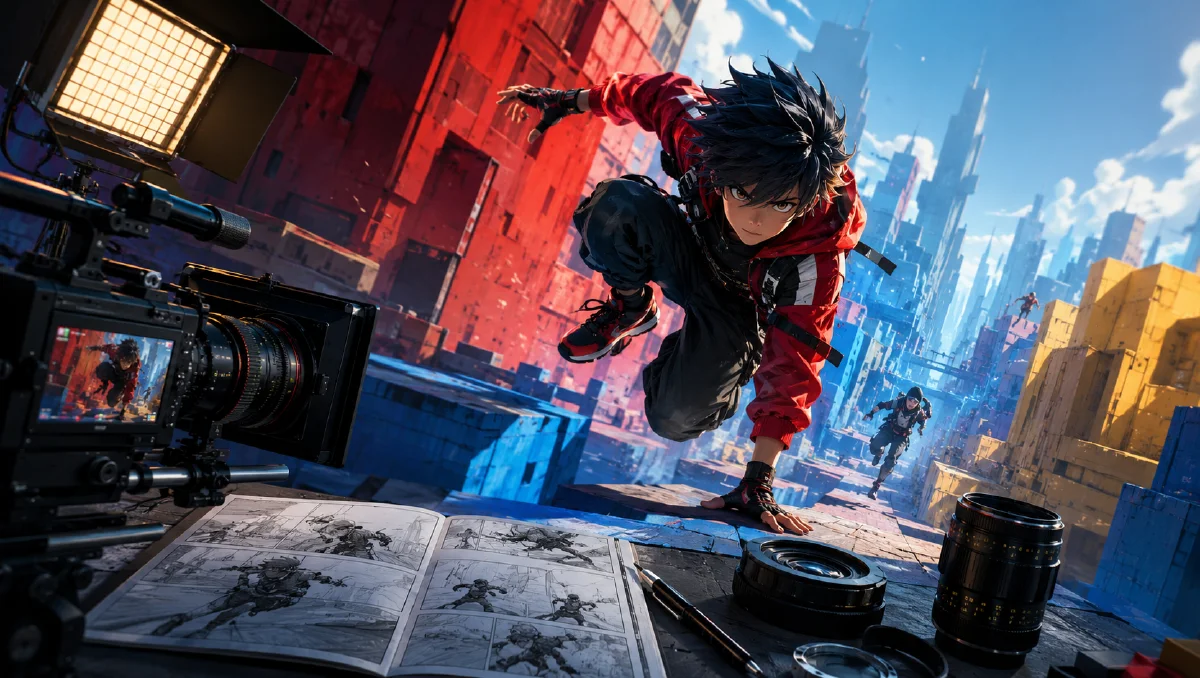
AI 3D parkour videos are built on one principle: the still frame must already feel like it is moving. A video model can add motion, but it cannot fully rescue a flat starting image. If the first frame has a low chase angle, strong diagonal composition, foreground speed cues, and a clear environment, the final clip can feel fast, satisfying, and shareable.
This workflow is useful for 3D anime downhill rides, cliffside skateboard runs, broom-flight shots, stylized racing clips, and short action loops for social feeds. Start with Naviya AI Image Generator, then use Image to Video or AI Video Generator to add the chase camera. For more control, combine this guide with AI video camera movement prompts, AI video prompt guide, and anime image to video guide.
What makes a parkour image video-ready?
A video-ready parkour frame has visible kinetic tension. The subject should be positioned as if the camera is chasing them or about to be passed by them. The terrain should show depth. The background should include a destination, drop, curve, cliff, road, ocean bay, village, or mountain pass. Motion blur should point in the same direction as the intended movement.
Use this first-frame formula:
3D anime subject + extreme speed action + very low rear or rear-right
chase perspective + steep colorful environment + strong radial motion blur
+ cinematic lighting + ultra-detailed finish.
The camera is the real star. A normal front portrait of a skateboarder is not enough. A low rear chase view makes the viewer feel pulled into the road.
Step 1: generate a high-tension first frame
The first frame should define subject, action, camera, terrain, and color contrast. Do not rely on generic words like "dynamic." Describe the physical layout of the frame.
Longboard girl prompt:
3D anime style girl, pink long hair flowing, red sports bra,
blue leggings, knee pads, elbow pads, red and white sneakers,
extreme speed longboarding, rear perspective down a steep coastal road.
Dynamic wide angle, exaggerated perspective of speed and terrain.
Left side: steep cliffs with vibrant orange-red foliage.
Right side: deep blue sea, rocky coast, distant beach and coastal village.
Blazing sun, clear blue sky with clouds, intense radial motion blur,
cinematic lighting, ultra-high detail.
This prompt works because it divides the environment. The left side is cliff and orange foliage. The right side is sea and blue depth. That gives the model a spatial plan instead of a vague "coastal road."
Step 2: use quadrant composition for extreme shots
For more cinematic results, describe the image by quadrants. This is especially useful when the subject should sit in one corner and the environment should sweep across the frame.
Flight prompt:
A dynamic close-up 3D animated illustration from a rear-right
perspective. The main character and the rear bristles of a broomstick
occupy the bottom-right corner as the detailed foreground element.
The camera is very low from the far right, looking across the character
and upward toward the left. The character turns her head left, looking
over a vast deep-blue ocean. Spectacular coastal cliffs covered in
red-orange autumn foliage sweep diagonally from the far-left edge
toward the center top. The open ocean and distant horizon dominate
the upper-left quadrant. Bright clear blue sky, dynamic light streaks,
speed blur moving from bottom-right toward upper-left.
The diagonal sweep gives the video model a direction for motion. The bottom-right subject placement creates foreground scale. The upper-left horizon gives the eye somewhere to travel.
Step 3: create simpler variants
Not every shot needs a complex quadrant brief. A cleaner version can work when the terrain already has perspective.
Fresh summer downhill prompt:
3D anime style girl, dark pigtails flying, white t-shirt,
denim shorts, knee pads, sneakers, riding a red skateboard downhill,
rear-right perspective. Steep winding asphalt road, lush green rolling
mountains, distant turquoise ocean bay. Bright sunny day, blue sky,
fluffy clouds, intense radial motion blur, dynamic wide angle,
clear summer anime feeling.
Use simpler prompts when you need more generations quickly. Use quadrant prompts when the composition must be precise.
Step 4: animate with an aggressive chase prompt
Once the first frame is strong, import it into Image to Video. The video prompt should describe camera behavior, subject motion, environment speed, and physical secondary motion.
Longboard video prompt:
Aggressive FPV drone chase shot rapidly tracking behind the longboard
girl. Extreme roller-coaster movement with sudden descents and steep
climbs along a dramatic winding coastal road. The camera shakes slightly
and banks left and right, simulating wind turbulence and high-speed
instability. She descends at extreme speed, performs a small jump over
an obstacle, then carves smoothly through a sharp turn. Heavy radial
motion blur, foreground road texture rushing past the lens, hair and
clothing whipping violently in the wind. Bright sunny day, lens flare,
vivid color, cinematic action, fluid motion.
Cleaner mountain version:
Aggressive FPV drone chase shot following an animated girl riding a
longboard downhill. The camera drops down a steep winding mountain road
toward a turquoise bay. Strong banking, fast turns, wind turbulence,
foreground asphalt and grass rushing past the camera. Her pigtails and
clothes move in the wind. Sunny day, fluffy clouds, vivid anime style,
high-energy cinematic action.
Motion vocabulary that works
| Need | Prompt language |
|---|---|
| Speed | extreme speed, foreground rushing past, radial motion blur |
| Camera force | FPV drone chase, low rear perspective, banking left and right |
| Terrain drama | steep descent, winding coastal road, cliffside drop |
| Character life | hair whipping, clothes fluttering, body leaning into turns |
| Smoothness | thrilling but fluid motion, controlled carve, no teleporting |
Common failure fixes
If the subject melts, reduce the stunt complexity. If the road changes direction randomly, describe one path: "forward along the winding road." If the camera becomes too chaotic, replace "violent shake" with "slight handheld turbulence." If the character turns into a different person, use a reference image and shorter motion.
High-speed clips work best when the output is short. A five or six second video can feel intense without asking the model to invent a long action sequence.
Try it in Naviya
Generate three first-frame options in Naviya AI Image Generator: one low rear chase shot, one diagonal quadrant composition, and one clean downhill road shot. Animate the best frame with Image to Video, then use AI Video Generator to build a fast social cut.
Sound and edit rhythm
Parkour clips feel better when the edit supports speed. Use one wide or high-angle shot to show the drop, then cut into a low chase shot for impact. Add short whooshes, wind pressure, wheel noise, or cloth movement where the camera passes close to the ground. If the video has music, place the sharpest carve or jump on a beat. The picture should feel fast, but the edit should still let the viewer understand the road, the character, and the direction of travel.
Final workflow checklist
- First frame has a very low camera angle.
- Subject is already leaning or moving.
- Environment has left-right or foreground-background structure.
- Color contrast is clear, such as orange cliff against blue sea.
- Motion blur direction matches intended travel.
- Video prompt uses one main camera idea.
- Secondary motion includes hair, clothing, terrain, and light.
- The final edit pairs fast shots with a simple rhythm, not endless chaos.
The core lesson is simple: design motion before generating motion. If the still image contains speed, depth, and camera intent, the video model has something to extend.