2026-06-12
UGC AI Video Ad Prompts: Creator-Style Clips from Products and Ideas
Use UGC AI video ad prompts for product demos, problem-solution hooks, creator intros, review-style clips, and social-first variants.
Try this workflow in Naviya
Turn a product, hook, or campaign idea into short social-ready ad concepts.
Create video ad variants
UGC AI video ads should feel like a clear creator moment, not a full commercial. The best prompt usually describes one person, one product, one setting, and one small motion. If the prompt asks for too many gestures, the result can look artificial.
Use this guide with Naviya AI Video Ads or after preparing a product image with the product image to video guide.
UGC prompt formula
Create a 6 second vertical UGC-style ad.
Creator: [who appears and how they feel].
Product: [what they show].
Hook: [first-second gesture or reveal].
Scene: [realistic setting].
Camera: handheld [shot type].
Motion: [one human or product movement].
Constraints: keep hands realistic, product stable, and leave space for captions.
UGC product demo
Create a 6 second vertical UGC-style product demo.
Creator: casual home-office creator with a friendly expression.
Product: compact desk humidifier.
Hook: creator places the product on the desk and mist appears immediately.
Scene: cozy desk setup with keyboard, lamp, and soft violet background light.
Camera: handheld medium close-up.
Motion: mist rises while the creator keeps one hand near the product.
Constraints: keep hands realistic, product centered, and leave room for captions.
Problem-solution ad
Create a 6 second UGC-style problem-solution ad.
Creator: remote worker showing a messy desk.
Product: cable organizer.
Hook: cables move from messy to clean in the first two seconds.
Scene: realistic home office, warm lamp, laptop closed.
Camera: handheld overhead angle.
Motion: creator points once, cables settle neatly into place.
Constraints: no readable private screen text, avoid distorted hands, keep product visible.
Review-style clip
Create a 5 second vertical review-style ad.
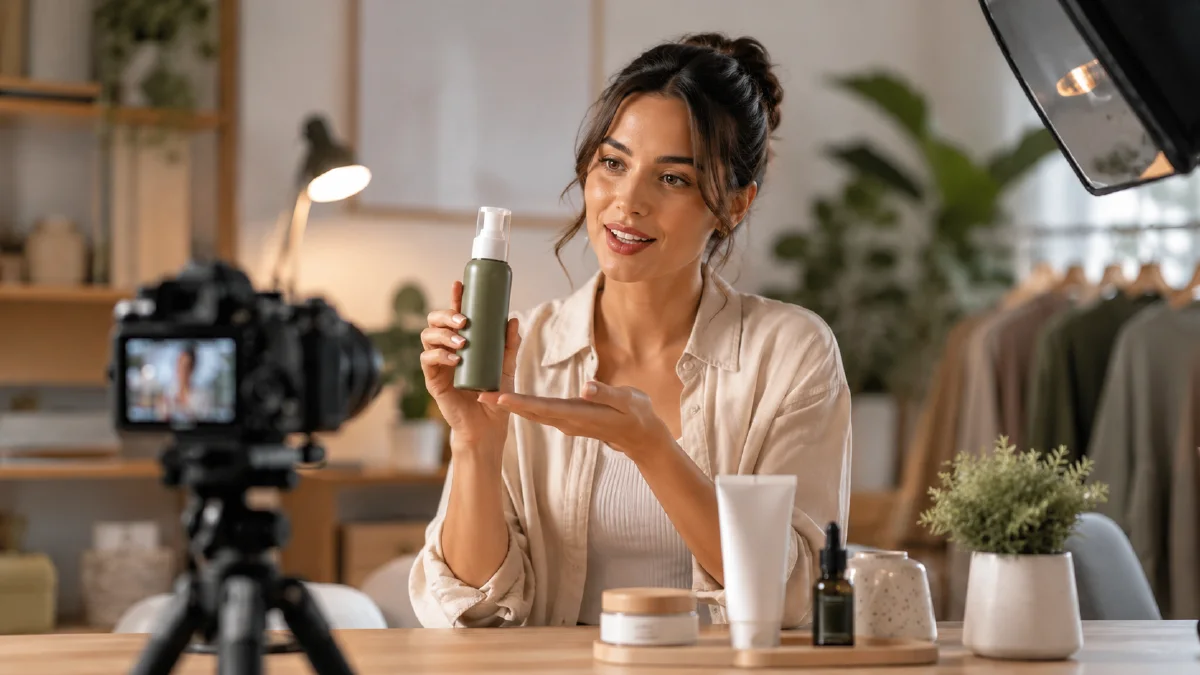
Creator: skincare creator holding a serum bottle.
Product: glass serum bottle with silver cap.
Hook: creator lifts the bottle close to camera as light catches the glass.
Scene: clean bathroom counter, soft morning light.
Camera: handheld close-up.
Motion: small wrist movement, bottle remains steady, background stays calm.
Constraints: preserve product shape, avoid fake label text, keep face natural.
UGC prompt checklist
Before generating, check:
- Is the creator doing one simple thing?
- Is the product visible in the first second?
- Does the setting feel believable?
- Are hands necessary?
- Is there room for subtitles?
- Can the clip work without sound?
If the answer is no, simplify the prompt. UGC style depends on believability.
UGC angles to test
| Angle | Best visual |
|---|---|
| Demo | Creator places or lifts the product |
| Review | Creator holds product near camera |
| Problem-solution | Messy scene becomes clean |
| Routine | Product appears inside a daily habit |
| Unboxing-inspired | Product is revealed on a table, not complex hand opening |
Start with the angle that matches the product. A desk product often works with problem-solution. A beauty product often works with review or routine. A gadget often works with demo.
Caption-safe writing
Most UGC ads need captions, but the video model should not generate tiny text. Leave visual space for captions and add text afterward. Prompt for layout, not for words:
Constraints: leave clear empty space above the product for captions. Do not generate text overlays.
This keeps the video clean and lets the final copy stay readable.
Safer UGC motions
- Lift product into frame.
- Point once to product.
- Place product on desk.
- Hold product near camera.
- Show a before-after surface.
- Smile or nod subtly.
- Turn slightly toward camera.
Avoid complex hand actions such as assembling, pouring, typing, tying, or opening tiny packaging unless the source image already supports it.
Practical workflow
- Decide the UGC angle: demo, review, problem-solution, routine, or before-after.
- Use one vertical prompt.
- Generate a conservative motion pass.
- Check hands and product stability.
- Make hook variants.
- Add captions outside the generation model.
For more ad formats, use AI video ads prompts. For hook ideas, use AI video hook examples.
Batch three UGC variants
A practical UGC test should compare angles without changing every variable.
| Variant | What changes | What stays fixed |
|---|---|---|
| Demo | creator places product into frame | product, format, caption space |
| Review | creator holds product close to camera | product, setting, vertical crop |
| Problem-solution | scene changes from messy to clean | product, audience, camera angle |
Keep the product and audience stable. Change only the hook and action. This makes the result useful for creative decisions instead of simply producing three unrelated videos.
When to use image to video
Use Image to Video when the product photo already looks strong and must stay accurate. Use AI Video Ads when you want to explore campaign concepts, hooks, and UGC-style variants from an idea.
If hands keep breaking, remove hand action first. A creator holding the product steady often looks better than a complex unboxing gesture that distorts fingers or packaging.
Failure modes and fixes
UGC-style clips usually fail in predictable ways. If hands look distorted, reduce the task to holding, pointing, or placing the product. If the creator's face changes, use shorter clips, less head movement, and a more stable camera. If the room feels fake, remove decorative props and define one believable light source. If the product label becomes unreadable, keep the product farther from complex hand motion and add any exact text later in editing.
For ad testing, do not compare a polished studio reveal against a casual creator clip and call the winner the best prompt. Compare one angle at a time. Test three hooks for the same product, then test three settings, then test three caption lines. This makes the results useful for decisions rather than just content volume.
Use a simple approval score: clear first frame, believable creator, stable product, readable crop, and one specific benefit. A video that earns all five is usually ready for editing even if it is not perfect.
Write the spoken or caption idea before generation, even if the model will not render text. A line like "I use this before every commute" creates a different visual than "my desk finally looks clean." The prompt should match that intent through room, action, product angle, and energy. This keeps the clip from looking like generic lifestyle footage with a product pasted in.
For regulated or sensitive products, keep the UGC concept grounded in experience rather than extreme claims. Show routine, texture, convenience, comfort, or setup. Avoid miracle language, medical certainty, or unrealistic before-after changes. A believable five-second clip usually outperforms an overpromised one because the viewer can imagine the product fitting into real life.
Plan the edit before generation. Decide where captions will sit, where the product enters, where the viewer sees the benefit, and where the clip can cut. If the prompt already protects those moments, the final video will need fewer repairs in the editor.
Keep the first test short. Five seconds is enough to learn whether the hook, creator framing, and product visibility work.
Try it in Naviya
Start with Naviya AI Video Ads for UGC concepts, then move strong product stills into Image to Video when shape and label stability matter.
Final rule
A UGC-style clip should feel easy to understand before it feels polished. If the product is not visible in the first second, simplify the creator action. If the hands look wrong, remove the hand task. If the setting feels fake, reduce props and use a familiar room with one believable light source.