2026-06-12
AI Shapewear TikTok Video Workflow
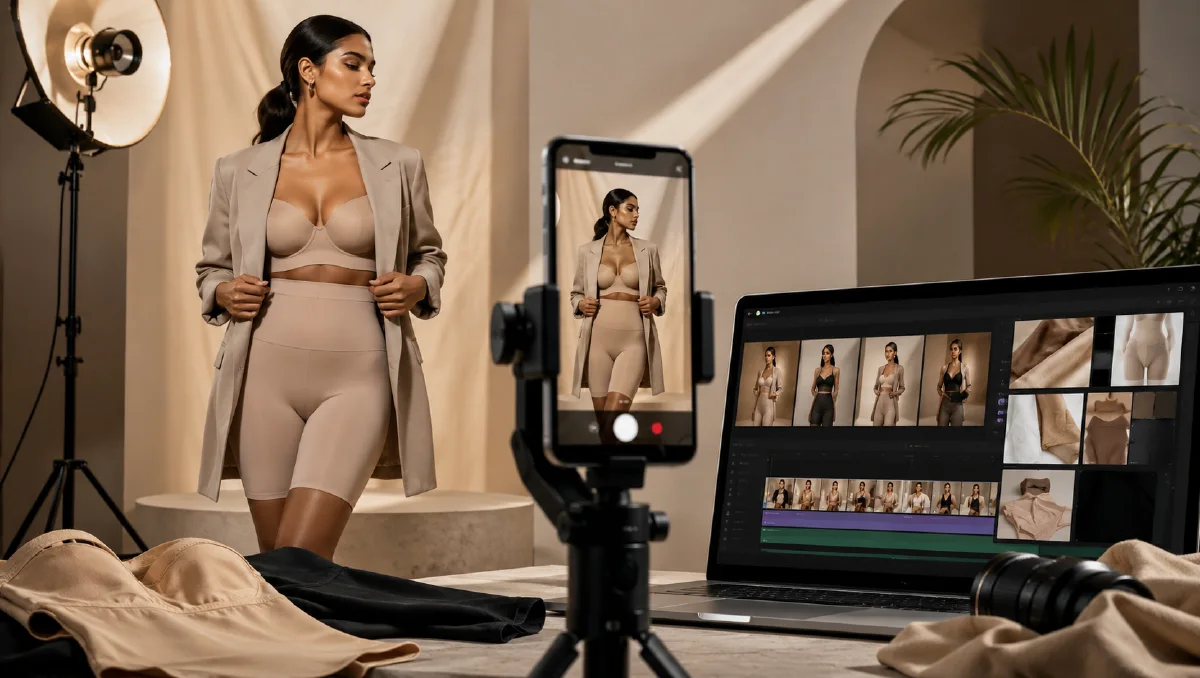
Plan a localized shapewear TikTok video from static model photos using AI storyboards, region-aware styling, short motion prompts, and clean editing.
Try this workflow in Naviya
Turn a product, hook, or campaign idea into short social-ready ad concepts.
Create video ad variants
Shapewear ads need to show fit, confidence, comfort, and movement quickly. A static model photo can show the garment, but TikTok-style creative needs rhythm: a confident walk, a mirror check, a close-up of the waistband, a before-and-after posture moment, and a local visual style that feels natural to the target market. AI video tools can turn a limited photo set into multiple short-form concepts when the workflow is planned around audience, scene, and motion.
This guide focuses on a practical shapewear video workflow for ecommerce teams working from static product or model photos. Use it with image to video for TikTok and Reels, talking fashion creator AI videos, Naviya's Reference to Video, and AI Video Ads when you need fast social variants.
Define the market before the prompt
Short-form apparel ads perform best when the scene feels familiar to the viewer. Before writing a prompt, define:
| Decision | Example |
|---|---|
| Region | Southeast Asia, Latin America, Gulf markets, North America, or Europe. |
| Use case | Daily commute, office outfit, post-partum support, gym warm-up, evening dress fit. |
| Mood | Confident, warm, energetic, elegant, practical, or premium. |
| Format | 9:16 vertical, 10 to 15 seconds, fast but readable cuts. |
| Proof | Waist smoothing, posture support, breathable fabric, no rolling, invisible under clothes. |
The goal is not to stereotype a market. The goal is to avoid a generic global ad that feels like stock footage. For example, a Southeast Asia-focused concept might use bright apartment interiors, busy street context, warm daylight, and upbeat rhythm. A premium office concept might use neutral wardrobe styling, elevator mirrors, and polished city interiors.
Build the core video idea
Start with one sentence:
A vertical short-form shapewear ad that conveys vitality, confidence, body-smoothing support, and a premium everyday atmosphere.
Then specify scenes:
- Model adjusts waistband in a clean mirror shot.
- Close-up shows smooth fabric under a fitted dress.
- Model walks confidently through a bright city or indoor corridor.
- Final pose shows the silhouette clearly without exaggerated transformation.
For shapewear, avoid unrealistic body-changing language. Do not ask the model to shrink a waist dramatically or show medical-style before-and-after claims. Better prompts emphasize fit, posture, comfort, and confidence.
Generate still storyboards first
Even if your final goal is video, generate still storyboard frames before making motion. This gives you control over garment accuracy and local style. Use the strongest existing model photo as the reference, then create a set of frames:
| Frame | Visual goal | Prompt cue |
|---|---|---|
| Hook | Stop the scroll | Confident mirror adjustment, clear garment silhouette. |
| Fit proof | Show benefit | Smooth waistline under fitted outfit, natural posture. |
| Lifestyle | Create aspiration | Walking through bright local street, office, or apartment. |
| Detail | Build trust | Waistband, seams, fabric stretch, close-up hands. |
| Closing | Product memory | Clean pose, product name area, soft CTA space. |
Use consistent model age, outfit, hair, and lighting across frames. If one frame has dramatic studio lighting and another uses outdoor harsh sun, the final edit may feel inconsistent.
Prompt template for the first concept
Use a prompt like this for the initial vertical ad:
Create a 10-second vertical short-form ecommerce video concept for shapewear.
Audience: [target market].
Mood: confident, energetic, warm, premium everyday style.
The same adult model wears the shapewear under a fitted outfit.
Scene 1: mirror adjustment, natural smile, bright apartment light.
Scene 2: close-up of smooth waistband and fabric stretch, no exaggerated body change.
Scene 3: model walks confidently through [local scene], handheld camera, upbeat social rhythm.
Scene 4: final clean pose with space for product text.
Realistic apparel fit, natural body proportions, no third-party logos, vertical 9:16.
For a Southeast Asia street style version:
Vertical 10-second shapewear ad with a warm Southeast Asian city lifestyle mood.
Adult model in a fitted neutral dress walks through a bright apartment hallway and a lively street entrance.
Fast handheld camera, confident movement, soft daylight, close-ups of waistband and smooth silhouette.
The product feels breathable, supportive, and easy for daily wear.
Natural body proportions, realistic garment texture, no dramatic transformation, upbeat social ad style.
If the video model gives too much camera shake, change "fast handheld camera" to "light handheld camera with stable subject." If the garment changes between shots, reduce the number of outfit changes and use the original still as a stronger reference.
Edit for TikTok clarity
AI clips often become stronger after a simple edit. Use this 15-second structure:
| Time | Content |
|---|---|
| 0-2s | Hook: mirror adjustment or confident walk-in. |
| 2-5s | Fit proof: close-up of waistband or dress silhouette. |
| 5-9s | Lifestyle: movement in a localized scene. |
| 9-12s | Detail: fabric stretch, seams, comfort cue. |
| 12-15s | Product frame and CTA. |
Add subtitles in the language of the target market, but keep them short. A shapewear ad should be understood without sound. Use music for rhythm, not as the only emotional driver. Crop out any malformed hands, flickering garment edges, or inconsistent face details. A clean 8-second ad beats a messy 15-second ad.
QA checklist
- Garment remains the same color, length, and shape across shots.
- Body proportions stay realistic.
- Claims are about fit, support, comfort, and confidence, not impossible transformation.
- The setting matches the intended audience without feeling forced.
- Close-ups show fabric and construction clearly.
- The final crop works on mobile with captions.
- No unlicensed logos or recognizable private locations appear.
Localized review board
Shapewear creative needs careful review because the product is intimate, fit-focused, and often sold across markets with different styling expectations. Build a review board before publishing.
Check:
| Review area | What to look for |
|---|---|
| Fit claim | The visual supports smoothing, support, or comfort without exaggeration |
| Model styling | Outfit, pose, and framing feel appropriate for the target market |
| Product accuracy | Waistline, straps, seams, compression zones, and fabric weight stay stable |
| Hook clarity | The first second communicates the benefit without sound |
| Platform safety | Crop and movement avoid awkward or overly revealing framing |
| Edit usability | Captions, price, or offer can be added without covering the product |
Generate a calm product-truth version before a more expressive social hook. If the calm version cannot preserve garment shape, the faster TikTok version will usually distort more. When using Reference to Video, keep the model pose and garment anchor clear. When using AI Video Ads, test the same hook with different captions instead of changing both caption and video at once.
For ecommerce support, save one clean still from each approved clip. That still can be reused in product pages, email, or retargeting creative.
Keep the review language practical. Instead of judging whether a clip feels "viral," ask whether the fit benefit is visible, whether the garment remains stable, and whether the first second can be understood without sound. Those questions make the creative easier to improve.
If a reviewer cannot clearly name the benefit from the muted first second, rebuild the hook before testing captions.
Try it in Naviya
Upload your best model still to Naviya's Reference to Video and generate two or three localized variants. Use AI Video Ads for short social structures, then compare hooks against your product page visuals. For still frames, build clean model references in AI Image Generator before moving into motion.