2026-06-12
AI Tennis Concept Video Workflow
Design high-energy AI tennis videos with macro ball shots, multi-angle storyboards, first-to-last-frame motion, and rhythm-based editing.
Try this workflow in Naviya
Apply the prompt structure directly inside Naviya video generation workflows.
Plan a video prompt
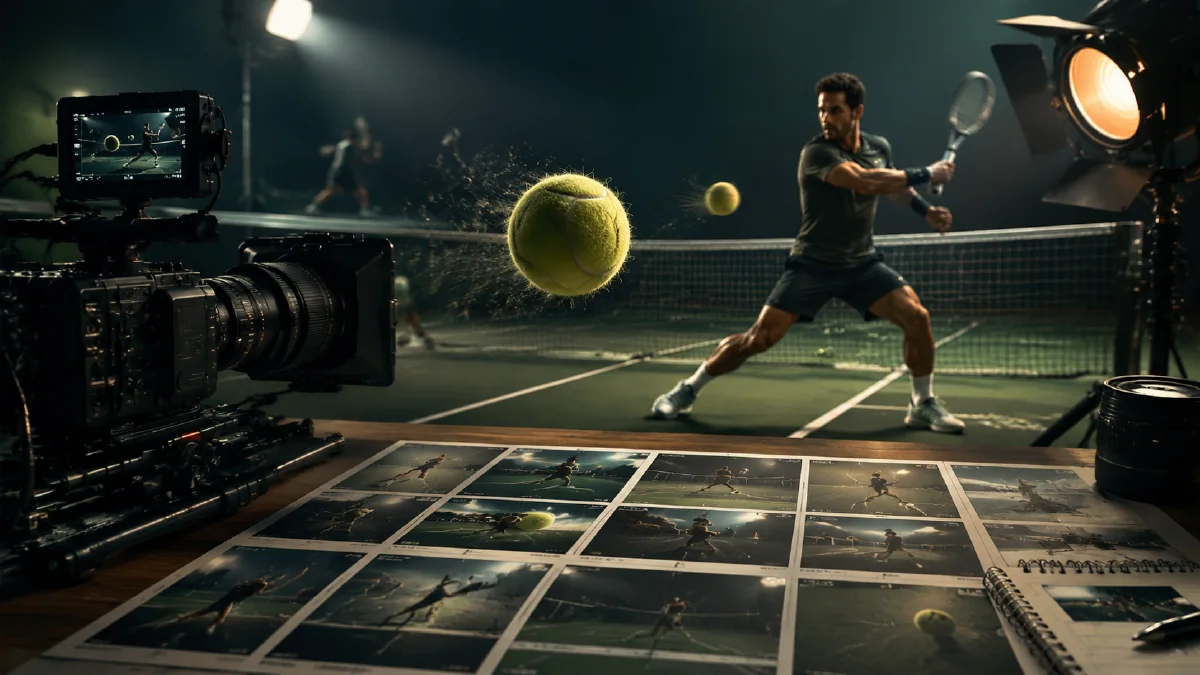
Tennis gives AI video a strong visual object to follow: the ball. A yellow-green ball can become the hook, the transition, the motion cue, and the final impact point. The challenge is making the video feel fast without turning the ball into a blur or the racket into a strange shape. A reliable tennis concept workflow starts with high-impact stills, expands into multiple angles, then uses first-to-last-frame style motion to create seamless transitions.
This guide is for sports campaigns, social videos, apparel drops, tournament concepts, and training brand creative. Use it with AI video camera movement prompts, shot emotion AI prompts, Naviya's AI Video Generator, and Image to Video.
Start with a macro hook
The first frame should be visually unmistakable. A tennis ball close-up works because it has color, texture, motion, and sport context in one object.
Prompt:
Extreme close-up cinematic sports photograph of a yellow-green tennis ball centered in sharp focus.
Behind it, a tennis player in a blue shirt is visible from the lower face and torso, with stadium lights in the background.
Dramatic cool-blue lighting, realistic texture on the ball, deep focus enough to reveal the player context.
Strict symmetrical composition, high contrast, 4K realistic sports advertising style.
Breakdown:
| Prompt part | Function |
|---|---|
| Extreme close-up | Creates a scroll-stopping object. |
| Ball centered | Provides a transition anchor. |
| Player behind | Establishes the sport without distracting. |
| Cool-blue lighting | Contrasts with the ball's yellow-green color. |
| High detail | Keeps felt texture readable. |
Generate several versions. Choose the one with the cleanest ball shape and believable player.
Build a multi-angle storyboard
A tennis video should move through perspective:
- Ball macro in hand or near racket.
- Low net-level shot as the ball flies forward.
- Player preparing to return.
- Racket impact close-up.
- Stadium or court wide shot.
- Final hero pose or product frame.
Prompt for net-level motion still:
Ultra-close wide-angle tennis photograph from the front of the net.
A yellow-green tennis ball rushes through the lower center of the frame, partially cropped by the bottom edge.
Strong motion blur around the ball edges, but the felt texture remains visible.
In the background, a player in white prepares to return the shot, court and net lines visible.
Cinematic sports advertising style, cool blue stadium light, high energy.
For a racket impact frame:
Cinematic close-up of a tennis racket striking a yellow-green ball.
The ball compresses slightly at impact, strings sharp, player's arm dynamic, stadium lights behind.
High-speed sports photography look, controlled motion blur, cool blue and yellow contrast, realistic detail.
Use first-to-last-frame motion
First-to-last-frame generation is useful when you want one shot to connect to the next. Pair stills in order:
| Clip | First frame | Last frame | Motion idea |
|---|---|---|---|
| 1 | Ball macro | Net-level ball | Camera dives toward ball. |
| 2 | Net-level ball | Return player | Ball flies across net. |
| 3 | Return player | Impact close-up | Player swings into strike. |
| 4 | Impact close-up | Wide court | Energy releases into stadium. |
| 5 | Wide court | Final hero | Camera pulls back or rises. |
Motion prompt:
Connect the first tennis frame to the second frame in one smooth cinematic motion.
The camera rushes forward with the ball, preserving the ball's round shape and yellow-green texture.
Fast sports energy, controlled motion blur at the edges, realistic court and player movement.
For impact:
Create a seamless tennis action shot from preparation to racket impact.
The player swings naturally, the ball travels into the strings, motion blur follows the racket path.
Keep the ball round before impact and slightly compressed at contact, realistic sports physics, dramatic stadium light.
If the ball breaks or changes color, simplify the shot and shorten the motion.
Edit for rhythm
Tennis concept videos need sharp rhythm. Start with the sound of a ball bounce or racket hit, then cut on impact moments. Use speed ramps only when the ball remains readable. A possible 12-second structure:
| Time | Shot |
|---|---|
| 0-1.5s | Macro ball hook. |
| 1.5-3s | Ball rushes over net. |
| 3-5s | Player return preparation. |
| 5-6s | Racket impact. |
| 6-8s | Wide court energy. |
| 8-12s | Final hero or campaign frame. |
Add sound design: ball bounce, string hit, shoe slide, crowd swell. Keep typography minimal and away from the ball path.
When an action clip looks almost right, trim for the cleanest contact point. The viewer does not need to see every frame of the swing. A macro ball hook, one believable impact, and a strong court reveal can feel faster than a long clip with broken body mechanics. Let editing create speed while the generated shots stay controlled.
Failure modes and fixes
Sports motion exposes weak prompts quickly. A tennis clip can look impressive at first glance but fail because the ball changes size, the racket strings smear, or the player swings through an impossible body angle. Review the clip frame by frame around the impact moment. The impact is the truth test.
Use these fixes:
| Problem | Prompt repair |
|---|---|
| Ball becomes oval too early | "ball remains round until the exact contact frame" |
| Racket strings vanish | "sharp visible racket strings at impact, realistic tension" |
| Body twists unnaturally | "athletic but simple swing, no extreme contortion" |
| Court lines bend | "preserve court geometry and net orientation" |
| Motion blur hides everything | "controlled edge motion blur, subject and ball readable" |
If the action is still unstable, divide it into shorter clips. Use one macro ball shot, one player preparation shot, one impact close-up, and one wide court reveal. Editing can create energy between controlled shots. The model does not need to solve a complete rally in one generation.
For brand work, decide whether the video is about equipment, athletic emotion, or event atmosphere. Equipment needs ball, racket, shoe, or apparel detail. Emotion needs face, breath, posture, and sound design. Atmosphere needs court, lights, crowd, and rhythm. A clear priority makes the prompt more reliable and the final video easier to judge.
You can also design tennis clips around product placement. A racket brand should keep the frame close enough to read the head shape, string bed, and grip. A shoe brand should use low court angles, split steps, and clean sole contact. Apparel needs sleeve, skirt, short, or fabric movement without turning the player into a blur. A tournament-style concept should focus on stadium scale, court lines, and anticipation before impact. Write the product priority into the shot list so the edit does not become generic sports energy.
When testing, generate one still for each priority before animating. If the shoe frame works but the racket frame fails, repair only the racket prompt. This saves time and keeps the final sequence balanced.
QA checklist
- Tennis ball remains round and yellow-green.
- Racket strings and hand grip look believable.
- Player body movement is athletic but not distorted.
- Court lines and net orientation make sense.
- Motion blur supports speed without hiding the product or subject.
- The edit has clear impact moments.
- No team, tournament, or athlete likeness is implied unless approved.
Try it in Naviya
Generate tennis hook frames in Naviya's AI Image Generator, then animate the best shot with AI Video Generator. Use Image to Video for short motion clips, and Reference to Video when you want the ball and lighting style to remain consistent across the whole sequence.