2026-06-12
AI Surreal Product Transformation Ad: Storyboard a Box-to-Apparel Spot
Plan a surreal AI product transformation ad with storyboard images, image-to-video clips, controlled motion prompts, and a clean edit.
Try this workflow in Naviya
Start from a finished image when the subject, style, or composition should stay stable.
Animate a still image
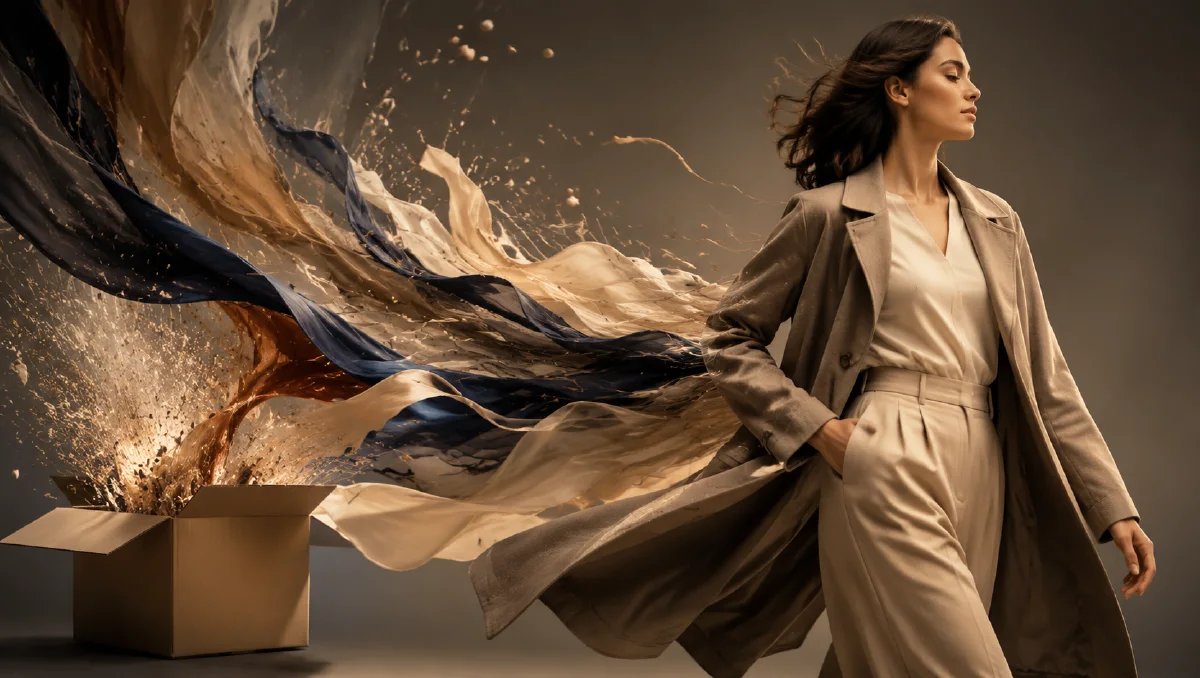
A surreal product transformation ad is a short commercial where a familiar object changes into a new product through a surprising visual event. A sneaker box might burst open, release a flock of white birds, and resolve into a hoodie floating under studio light. The idea is simple enough to understand in one sentence, but cinematic enough to stop a scrolling viewer.
This format works well with AI because the most expensive parts of the idea are not logistics. They are imagination, storyboard control, and visual consistency. Instead of renting a studio, building a prop rig, or simulating particles in a visual effects package, you can design the key frames as still images, animate each frame with Image to Video, and assemble the finished spot for AI Video Ads.
If you are new to motion prompts, start with the structure in AI video prompt guide. If the campaign begins from product photography, pair this workflow with product image to video and AI video camera movement prompts.
What the workflow creates
The finished asset is a 10 to 20 second creative ad built from short AI-generated clips. Each clip has a specific job: introduce the product container, trigger the transformation, reveal the new product, and end on a clean commercial hero frame.
The key is not to ask one model for the entire commercial in one prompt. That usually creates confusing continuity. Instead, work like a director:
- Define the transformation concept.
- Break it into four to six storyboard beats.
- Generate still frames for each beat.
- Animate each frame with one clear motion instruction.
- Edit the clips with sound, timing, and a final product hold.
This turns a strange idea into a controlled production system.
Storyboard map
Use this structure before generating images:
| Beat | Visual goal | Motion idea | Risk to control |
|---|---|---|---|
| 1. The box | A product box held in frame | Slow push-in, hands steady | Logo or shape distortion |
| 2. The rupture | The box opens with energy | Lid snaps open, paper bursts outward | Chaotic fragments hiding the product |
| 3. The release | White birds or fabric shapes fly out | Particles move upward and outward | Birds becoming random objects |
| 4. The morph | The released forms become apparel | Cloth folds gather into the hoodie | Product silhouette changing too much |
| 5. The hero | Final hoodie or apparel item | Slow orbit, light sweep | Unreadable details, warped sleeves |
This table is also a useful creative brief for the edit. Every shot should earn its place. If two shots do the same job, keep the cleaner one.
Generate the key images
Use AI Image Generator to make the key frames. The still image stage decides whether the spot feels premium or messy, so do not rush it. For each beat, describe the subject, composition, lighting, material detail, and product constraint.
Template:
Create a cinematic commercial storyboard frame.
Subject: [product box, apparel item, or transformation moment]
Composition: [close-up, centered hero frame, low angle, macro detail]
Lighting: dark studio, controlled rim light, soft haze, crisp highlights
Action frozen in frame: [box opening, white birds emerging, fabric forming]
Brand feel: premium sportswear, modern, energetic, surreal but realistic
Constraints: preserve product color, shape, label area, and proportions. No extra logos, no unreadable text, no distorted apparel.
For the first frame, keep the box calm and readable. For the second, let the energy happen but avoid filling the whole frame with debris. For the morph frame, ask for a clear connection between the birds, fabric, and final garment. The viewer should feel the transformation, not wonder what happened.
Animate each frame
The video stage needs fewer words than the image stage. One strong motion is better than a pile of effects. Feed each chosen key frame into Image to Video or Reference to Video and describe the motion in plain language.
Example prompts:
Animate this commercial frame into a 4 second product ad clip.
Camera: slow push-in toward the product box.
Motion: the box stays stable in the hands while the studio light sweeps softly across the surface.
Style: premium sportswear commercial, realistic materials, cinematic contrast.
Constraints: preserve the box shape and printed areas. No extra objects.
Animate this frame into a surreal reveal.
Camera: locked close-up with a slight handheld energy.
Motion: the lid opens suddenly and white paper fragments burst upward, followed by soft white bird shapes.
Style: controlled commercial VFX, elegant rather than chaotic.
Constraints: keep the box visible, avoid smoke covering the subject, no warped hands.
Create a 5 second transformation clip.
Camera: gentle orbit around the floating form.
Motion: white birds dissolve into fabric folds that gather into a clean hoodie silhouette.
Style: dreamlike sportswear ad, studio lighting, realistic cloth behavior.
Constraints: final apparel shape must be clear, sleeves and hood remain believable.
If the morph is unstable, split it into two clips: birds become fabric, then fabric becomes the garment. Shorter transitions are easier to control.
Edit for impact
The edit is where the spot becomes an ad rather than a collection of clips. Use quick pacing for the rupture, slower pacing for the hero reveal, and a final hold long enough for the viewer to read the product.
Suggested timeline:
| Time | Shot |
|---|---|
| 0:00-0:03 | Box close-up, slow push-in |
| 0:03-0:05 | Lid opens, burst begins |
| 0:05-0:08 | Birds or fabric shapes fly through frame |
| 0:08-0:12 | Transformation into apparel |
| 0:12-0:15 | Hero product shot and end card |
Sound matters. Add a tight impact for the lid, a soft wing or fabric sweep during the transformation, and a low music rise before the final product hold. Avoid overloading the clip with text. A short line like "Unbox the unexpected" is enough.
Quality checklist
Before publishing, check:
- The product remains recognizable across the spot.
- The transformation has a readable before, during, and after.
- The final frame is clean enough for paid social and landing pages.
- The motion follows one camera idea per clip.
- The ad can be understood with the sound off.
- The product is not hidden by effects at the most important moment.
For more motion control, use the examples in camera-first AI video prompts. For campaign variations, adapt the same storyboard into a vertical cut, a square feed cut, and a silent product-page cut.
Try it in Naviya
Open AI Image Generator to build the storyboard frames, then send the best frames into Image to Video. When the sequence works, use AI Video Ads to create ad-ready variations with different hooks, lengths, and aspect ratios.
Reusable prompt template
Concept: [ordinary product object] transforms into [hero product] through [surreal event].
Audience: [sportswear shoppers, streetwear fans, product launch viewers].
Visual tone: premium commercial, controlled studio light, surreal but believable.
Storyboard beats: calm object, rupture, release, transformation, final hero frame.
Motion rule: one clear motion per clip.
Product rule: preserve shape, color, material, label areas, and final silhouette.
The best surreal ad ideas still need discipline. Keep the concept bold, the storyboard simple, and the product truth protected. That combination gives AI enough room to create surprise without losing the commercial purpose.