2026-06-12
AI Game Controller Product CG Workflow for Images and Video
Build premium AI game controller CG images, color variants, ecommerce scenes, and short product videos with stable prompt structure.
Try this workflow in Naviya
Turn a product, hook, or campaign idea into short social-ready ad concepts.
Create video ad variants
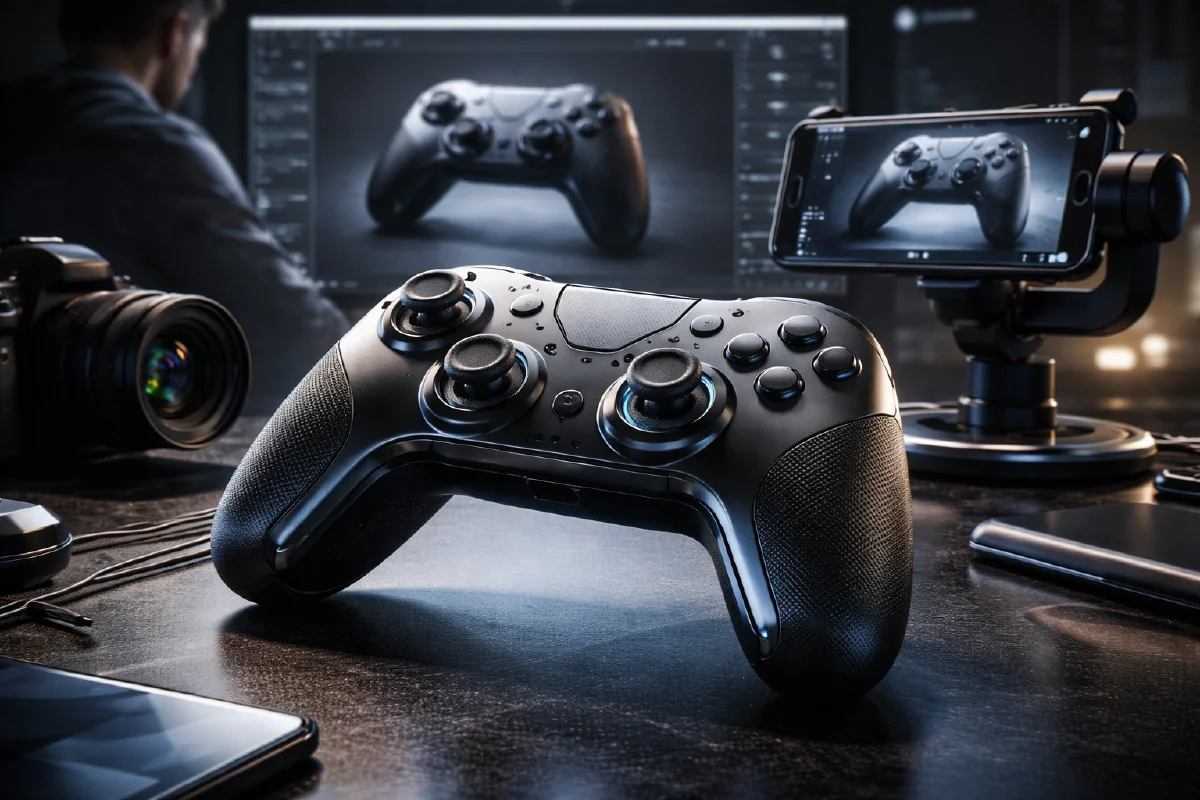
AI game controller product CG works best when the prompt treats the controller as a designed object, not as a generic gaming prop. A controller has a recognizable silhouette, small functional details, glossy and matte materials, and a strong association with speed, precision, comfort, and entertainment. If the image prompt only says "gaming controller, cool lighting," the result may look dramatic, but it often misses the small cues that make the product feel sellable.
The stronger workflow is to build a product system: one detailed hero image, a few clean color variants, an ecommerce promotion angle, and short motion clips that preserve the controller shape. Start with AI Image Generator for the still CG frames, then move into Image to Video when you have a strong first frame. If the final asset needs motion from scratch, use AI Video Generator after you have written the camera and lighting logic.
This guide focuses on a controller campaign, but the method also applies to mice, headphones, keyboards, and other tech accessories. For a broader product animation process, read Product Image to Video and AI Product Photography to Video. For better material control, keep AI lighting prompts close by while writing.
Start with the controller's selling angle
Before writing a prompt, decide what the image needs to sell. A controller can be positioned as premium, competitive, affordable, collectible, or promotional. Each direction changes the composition.
| Selling angle | Best image type | Visual logic |
|---|---|---|
| Precision | Macro close-up | Buttons, sticks, texture, grip material |
| Premium | Minimal hero shot | Clean background, controlled reflections |
| Promo | Multi-angle display | Discount tags, bright color, shopping energy |
| Custom color | Variant lineup | Same shape, different shell color |
| Social teaser | Moving first frame | Light sweep, slow orbit, floating controller |
For a serious launch visual, avoid clutter. For ecommerce promotions, controlled clutter is acceptable if the controller still reads instantly. The product is the subject. Price tags, UI elements, particles, and light streaks are supporting actors.
Prompt formula for controller CG
Use a six-part structure:
Product subject + view angle + material details + environment + lighting + render quality.
A better prompt:
An extreme close-up front view of a matte black gaming controller,
detailed joystick texture, tactile buttons, subtle surface grain,
dark minimal studio background, high contrast black and white lighting,
ultra-realistic 3D product render, sharp material detail, premium product photography.
The phrase "gaming controller" is not enough. Name the joystick texture, button detail, shell finish, and camera position. Those details push the model toward a usable product image instead of a vague gaming scene.
Build the hero image first
The hero frame should have the most stable product identity. For controllers, a front view or three-quarter view is usually safer than a dramatic overhead angle. Front view makes the button layout legible. Three-quarter view adds depth and makes the grip shape feel real.
Use prompts like:
A single premium game controller centered on a clean gradient background,
three-quarter front view, matte shell with glossy button highlights,
soft studio lighting, gentle shadow under the product, high resolution,
minimal commercial product photography, refined technology aesthetic.
If the first result looks too toy-like, add material contrast:
matte polymer shell, satin joystick caps, glossy black face buttons,
subtle seam lines, clean bevels, realistic product manufacturing detail
If it looks too heavy, reduce the drama:
soft even studio light, clean shadow, restrained contrast, no smoke,
no sparks, no aggressive gaming background
Create a macro detail set
Macro images are useful for product pages because they show the craft. Focus on one detail at a time: joystick texture, trigger shape, button gloss, D-pad bevel, grip texture, or charging port.
Prompt example:
Macro product photograph of a game controller joystick and action buttons,
front-right close-up, shallow depth of field, tactile rubber texture,
subtle dust-free surface detail, dark studio background, precise rim light,
ultra-realistic commercial CG, crisp highlights, premium gaming accessory.
Do not ask for every feature in one macro frame. The more small details you request, the more likely the model is to invent impossible buttons. A product CG set feels more professional when each frame has a single reason to exist.
Make color variants without changing the product
Colorway images are valuable for ecommerce, but they are also a common failure point. A prompt that says "make it red" can change the button layout, proportions, or surface material. Treat color replacement as a constrained operation.
Useful color directions:
- "change only the outer shell to crimson red"
- "preserve button layout, joystick shape, proportions, and material"
- "keep all reflections and shadows consistent"
- "same controller design, new colorway"
- "do not add logos, text, or extra buttons"
For a product lineup, start from one approved controller image and generate the variations as a series. The background, camera angle, and lighting should stay the same. This makes the page feel like a real product catalog instead of a folder of unrelated concepts.
Turn the controller image into video
The safest controller video does not rotate the product 360 degrees from a single front image. It uses motion that the still frame can support: push-in, small orbit, light sweep, platform turn, background parallax, or a controlled floating move.
Use this prompt:
Animate this controller product image into a 6 second premium tech video.
Camera: slow push-in with a slight left-to-right orbit.
Lighting: a clean highlight travels across the shell and buttons.
Product motion: the controller remains stable and recognizable.
Atmosphere: dark studio, subtle violet rim light, refined gaming launch film.
Constraints: preserve the exact controller shape, button layout, proportions,
color, and material. No extra buttons, no text distortion, no full rotation.
This kind of prompt gives the model enough motion to feel cinematic while still protecting the product.
Use promotion graphics carefully
For ecommerce promotions, the controller can sit among price tags, discount shapes, or multiple angled views. Keep the promotional elements abstract unless the final text will be added in design software. AI-generated text is often unreliable, so use the model for layout energy and add real copy later.
A safer prompt:
Multiple game controllers displayed at dynamic angles for an ecommerce sale,
bright commercial lighting, energetic composition, clean colored shapes
reserved for price and discount labels, no readable text, crisp product detail,
modern gaming retail style, high resolution product render.
The phrase "reserved for price labels" gives you usable design space without relying on the model to write.
Try it in Naviya
In Naviya, start by generating a clean hero controller frame with AI Image Generator. Choose the strongest still image, then animate it in Image to Video with one controlled camera move. If you need a full social spot, combine the hero shot, macro detail shot, and colorway lineup in AI Video Generator.
Keep one rule: the controller must stay stable. If a clip changes the button layout or grip shape, reduce the camera move before adding more prompt constraints. Product CG is not about maximum motion. It is about making the product feel real, desirable, and repeatable across the campaign.