2026-06-12
AI Basketball Concept Video Workflow
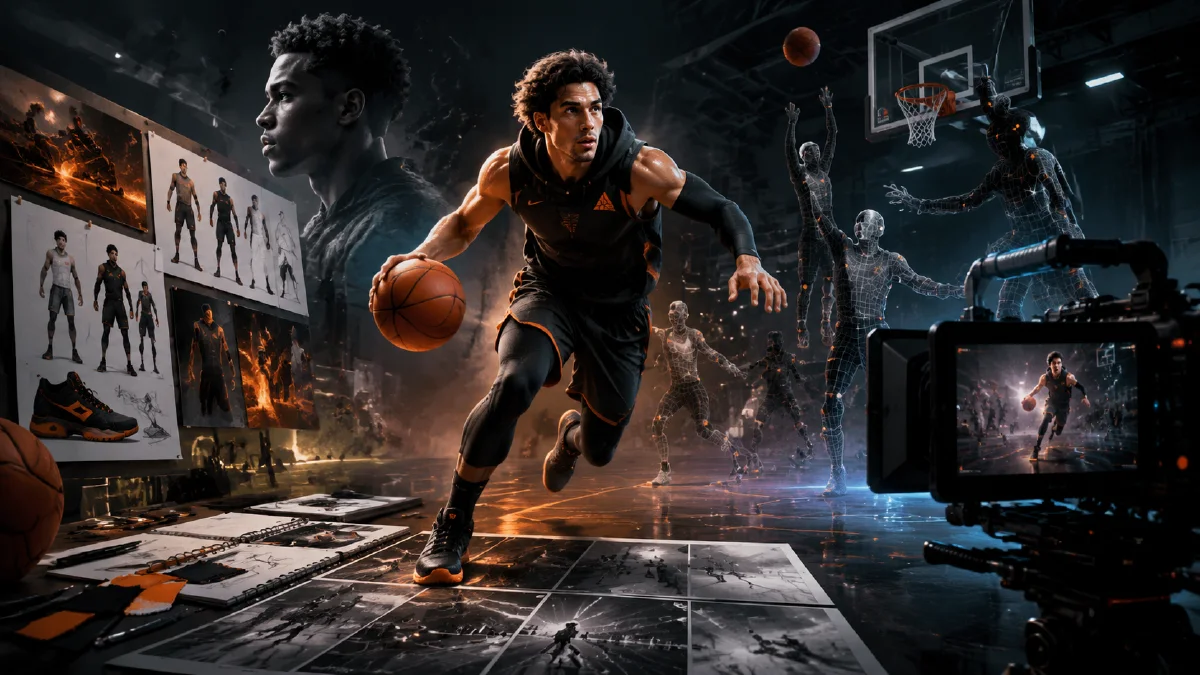
Create cinematic basketball concept videos with AI character design, gear references, dramatic storyboards, multi-model motion, and final editing.
Try this workflow in Naviya
Use references when identity, product shape, outfit, or style needs to stay consistent.
Try reference to video
Basketball is naturally cinematic: spotlight, sweat, speed, crowd energy, and a ball that can carry the viewer from close-up to wide arena shot. A strong AI basketball concept video does not need a full production crew, but it does need planning. If you simply ask for "a cool basketball video," the output may become generic. If you design the athlete, gear, lighting, storyboard, and transitions first, the final edit can feel intentional.
This guide turns a basketball concept into a short AI video workflow for sports brands, training programs, apparel drops, game-day campaigns, and social creative. It connects well with AI video camera movement prompts, AI video state flow prompts, Naviya's AI Video Generator, and Reference to Video.
Build the athlete and gear first
Start by defining the player:
| Element | Prompt decision |
|---|---|
| Body language | Calm focus, explosive jump, low dribble, pre-game stare. |
| Wardrobe | Jersey, shorts, compression sleeve, sneakers, warm-up jacket. |
| Personality | Confident, disciplined, youthful, elite, street-court energy. |
| Scene | Outdoor night court, indoor training gym, stadium tunnel, city court. |
| Visual hook | Ball close-up, spotlight, crowd silhouette, slow-motion jump. |
If the campaign includes real products, use approved references for shoes, jersey, ball, or accessories. If the products are concept-only, describe them as generic style cues and avoid suggesting a relationship with a real team or league.
For a custom concept player, use a clean prompt:
Create a realistic young adult basketball player for a sports advertising concept.
Athletic build, confident expression, short clean haircut, modern black and white jersey, matching shorts and high-top sneakers.
White background, full-body pose, sharp product-friendly lighting, no team logos, no text.
This gives you a controllable character sheet before you move into a dramatic environment.
Use the six-part sports visual prompt
For the main storyboard frame, include:
- Subject and detail: player, ball, jersey, motion, sweat, shoes.
- Environment: outdoor night court, dark crowd, spotlight, wet ground, stadium.
- Style: realistic cinematic sports advertising.
- Composition: vertical hero, wide court, low angle, ball foreground, player small or large.
- Color: cool blue shadows, warm spotlight, high contrast.
- Rendering: sharp high-detail, motion blur only where needed.
Example:
Realistic cinematic sports advertising image of a basketball player dribbling on an outdoor night court.
The player is small in frame to emphasize the large dark court, wearing a clean modern jersey and sneakers, orange basketball sharply visible.
One strong white spotlight from above isolates the player; the surrounding court is nearly black with faint blurred crowd silhouettes.
Vertical 9:16 composition, centered subject, cold blue shadows, extreme light-dark contrast, high-detail realistic rendering.
The "player small in frame" note can make the image feel more cinematic. If the player is too large, the image becomes a catalog pose instead of a dramatic sports scene.
Create a storyboard, not a pile of clips
Plan six shots:
| Shot | Purpose | Visual |
|---|---|---|
| 1 | Hook | Extreme close-up of ball texture in hand. |
| 2 | Atmosphere | Player alone under spotlight on dark court. |
| 3 | Movement | Low dribble, camera tracking backward. |
| 4 | Power | Jump or spin, strong motion blur around limbs. |
| 5 | Transition | Ball fills frame, pupil/spotlight/earth-style pullback, or time-freeze. |
| 6 | Finish | Player lands, looks at camera, product or campaign space. |
Generate still frames first. Then use image-to-video or reference-to-video to animate each shot. Sports clips often fail when the model tries to invent too much body movement, so give each clip one job: dribble, jump, turn, or camera push.
Motion prompt examples
Dribble shot:
The player dribbles once in slow motion while the camera tracks backward at waist height.
The basketball stays round and clear, hand contact looks natural, spotlight follows the player, dark outdoor court, cinematic sports ad mood.
Spotlight push-in:
Slow push-in toward the basketball player standing under a strong overhead spotlight.
The background remains dark with faint crowd silhouettes, jersey moves slightly, the player breathes and focuses before action.
Ball transition:
Camera rapidly pushes toward the spinning basketball until the orange texture fills the frame.
Motion blur at the edges, center remains sharp, dramatic sports transition into the next shot.
Use the shortest motion that communicates the idea. A clean two-second dribble often looks more believable than an eight-second complex play.
Edit the final concept
Sports videos depend on rhythm. Use a track with a strong beat, cut close-ups on impact, and reserve slow motion for the best frame. If a clip has a malformed hand or a ball that changes shape, trim around it. Reverse speed, speed ramps, and dissolves can help transitions, but do not hide broken physics by adding more effects.
An efficient order:
- Put all clips on the timeline without effects.
- Choose the beat points.
- Trim each shot to its cleanest two or three seconds.
- Add transitions only where the visual logic supports them.
- Add subtle sound design: sneaker squeak, ball bounce, crowd swell.
- Export a vertical 9:16 version and a horizontal banner cut if needed.
QA checklist
- Ball stays round and consistent.
- Hands contact the ball believably.
- Gear does not change between shots.
- No team logos or real athlete likenesses appear unless approved.
- Shot order creates a beginning, build, and finish.
- The first two seconds are strong without sound.
- Crops work for mobile platforms.
Production notes for a believable basketball spot
The strongest basketball concept videos feel planned before they feel spectacular. Start by deciding what the clip proves: vertical leap, footwork, shoe grip, team energy, or the emotional pressure of a final possession. That decision should control the camera, the environment, and the edit. A dunk spot can use a low sideline angle and a fast upward tilt. A training spot should use steadier lateral movement so the viewer can read the athlete's mechanics. A product-led sneaker spot needs clean contact moments: sole on hardwood, lace detail, heel compression, and a final full-body silhouette.
Use a three-pass workflow. First, create still frames with the athlete, uniform, court, and lighting locked. Second, animate only the motion that matters: ball spin, jersey movement, a single foot plant, or a short camera push. Third, edit the best results into a sequence with one opening hook, one technical detail, and one emotional finish. If the first generation changes the athlete's body shape or uniform number, do not add more motion yet. Return to the image stage, simplify the pose, and rebuild the frame with clearer identity constraints.
For brand teams, write evaluation notes in plain language: "Can we identify the product in one second?", "Does the move look physically possible?", and "Would this still work as a silent vertical ad?" If the answer is no, cut the shot or regenerate it. Pair this workflow with the image to video prompt examples, the AI video generator, and the image to video generator when you need both control and movement. For broader sports concepts, the creative AI video ideas guide can help you find a stronger visual hook before generating.
Try it in Naviya
Create your hero frames in Naviya's AI Image Generator, then animate each selected frame in AI Video Generator or Reference to Video. For campaign variants, use AI Video Ads to test different hooks: ball close-up, spotlight entrance, or fast court movement.