2026-06-12
Sketch to Product Cinema Workflow for AI Commercial Films
Use rough sketches, product references, AI stills, and image-to-video prompts to create cinematic product film sequences.
Try this workflow in Naviya
Use references when identity, product shape, outfit, or style needs to stay consistent.
Try reference to video
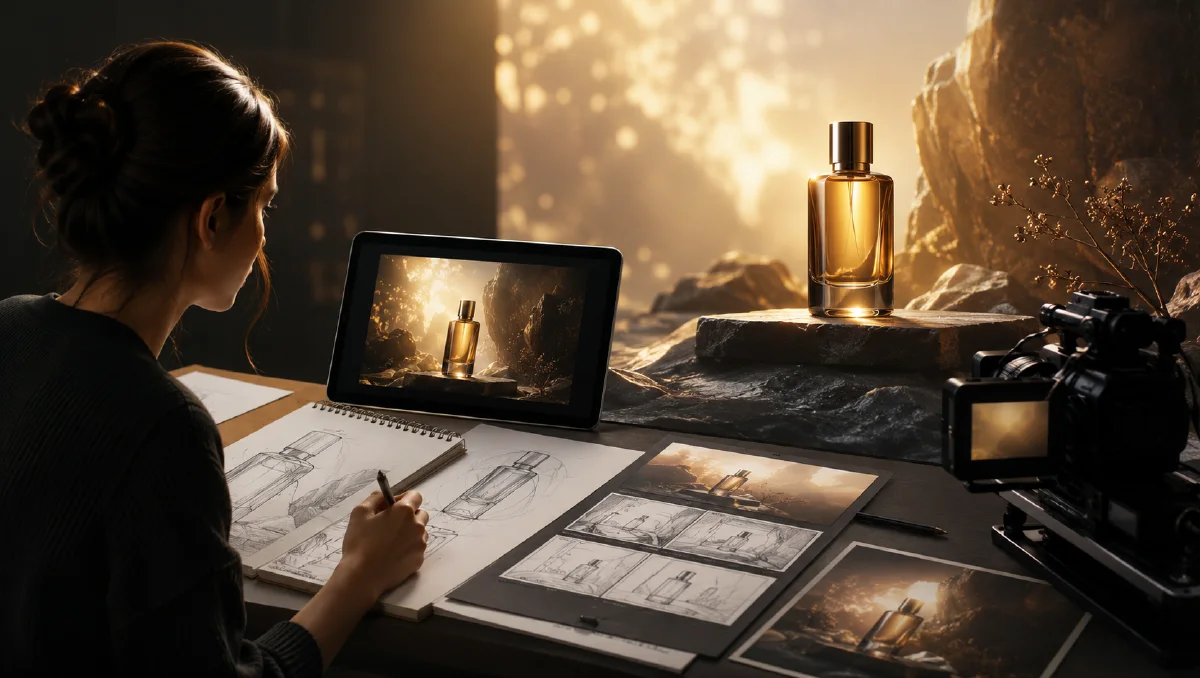
A sketch-to-product cinema workflow turns rough shot ideas into polished commercial film clips. The sketch can be simple: a rectangle for a phone, a circle for a lens, an arrow for camera movement, or a scribble showing where light should travel. The power of the workflow is that the sketch tells the AI how the frame should be composed before the final product image is generated.
This is useful for premium product films where composition matters: phones, headphones, watches, appliances, beauty packaging, cars, and accessories. Instead of asking for "a cool product video," you plan the camera language first, create high-quality still frames, animate them with Image to Video, and edit the sequence into a tight spot.
For related control techniques, see AI video camera movement prompts, camera-first AI video prompts, AI lighting prompts guide, and product image to video guide.
Definition
Sketch-to-product cinema is a production method where a rough composition sketch guides the final product visual. The sketch is not meant to be beautiful. It is a map for framing, perspective, scale, and movement.
The workflow has four stages:
- Storyboard the shots.
- Convert sketches into polished product stills.
- Animate each still with controlled motion.
- Edit and pace the clips into a film.
The method works because it separates creative decisions. The sketch controls the frame. The image prompt controls materials and lighting. The video prompt controls motion.
Step 1: Plan the storyboard
Start with five to ten shots. For a flagship tech product, a useful sequence might include:
| Shot | Purpose | Sketch idea |
|---|---|---|
| Backplate macro | Material quality | A close rectangle with texture line |
| Silhouette | Premium outline | Product edge against darkness |
| Lens or detail | Precision | Circle or component filling frame |
| Diagonal hero | Energy | Product tilted across the canvas |
| Full body | Final reveal | Product centered on glowing platform |
Do not over-plan complicated motion yet. At this stage, decide what each frame must show.
Step 2: Turn simple shots into still images
For simple close-ups, you may only need the product photo and a strong image prompt. For complex perspective, upload both the product image and the sketch. Ask the AI to keep the product accurate while following the sketch composition.
Simple product still prompt:
Create a cinematic macro product still.
Subject: premium smartphone backplate with matte metal and textured leather-like panel.
Composition: extreme close-up, shallow depth of field, material seam visible.
Lighting: dramatic spotlight, dark studio, high contrast, crisp edge highlights.
Rendering feel: commercial CGI, ultra-detailed material texture, premium technology aesthetic.
Constraints: preserve product proportions, camera module placement, material separation, and color.
Sketch-guided prompt:
Use the product image as the product reference and the sketch as the composition guide.
Create a high-end commercial product still.
Composition: match the sketch perspective and diagonal framing.
Lighting: strong rim light, dark background, controlled highlights across metal edges.
Material: detailed brushed metal, glass reflections, matte surfaces.
Constraints: keep the product design accurate. Do not add extra buttons, lenses, logos, or text.
The phrase "match the sketch perspective" is important. It tells the AI that the sketch is not a style reference. It is a layout instruction.
Step 3: Design motion for each shot
Once the stills look strong, animate them. Product cinema usually needs smooth, restrained motion:
- Slow push-in.
- Light sweep.
- Gentle orbit.
- Macro tracking move.
- Focus pull.
- Pull-back reveal.
- Rim light reveal from darkness.
Motion prompt:
Animate this product still into a 5 second commercial clip.
Camera: slow macro tracking move along the product edge.
Motion: a narrow highlight travels across the brushed metal and glass detail.
Style: premium technology ad, dark studio, high contrast, realistic reflections.
Constraints: preserve product shape, material, component placement, and proportions. No new text or extra parts.
For a transition from detail to full product:
Create a smooth cinematic reveal.
Camera: starts in extreme macro near the camera module, then slowly pulls back to show the full product on a glowing platform.
Motion: depth of field shifts from detail to full body, rim light expands across the edges.
Constraints: keep the product stable and accurate, no warping, no changing lens layout.
If the model struggles with a long move, split the move into two clips and connect them in the edit.
Step 4: Edit the product film
The edit should feel like a premium commercial, not a demo reel. Use contrast:
- Macro detail.
- Dark silhouette.
- Moving highlight.
- Diagonal hero angle.
- Full reveal.
Keep most shots between two and four seconds. Use a slightly longer final hold so viewers can understand the product. Add sound design: low hits, subtle mechanical texture, soft whooshes, and a controlled music rise.
How to brief the missing details
A sketch is useful because it gives direction, but it rarely contains enough information for a finished product film. Before generating, write a missing-detail brief. Define material, scale, color, manufacturing finish, environment, camera distance, and the reason the viewer should care. A rough rectangle can become a matte black speaker, a translucent skincare bottle, a polished metal appliance, or a soft wearable device depending on these choices.
Keep the sketch's important decisions and complete only what is absent. If the sketch has a strong silhouette, preserve it. If it only shows a rough idea, choose one hero feature and make that feature visible in every shot. Do not let the model redesign the product between frames. For cinema-style work, continuity matters more than one spectacular image.
Use a four-shot structure for small product films: silhouette reveal, material detail, use-context shot, and final hero. The silhouette reveal answers "what is it?" The material detail answers "what is it made of?" The use-context shot answers "where does it belong?" The final hero answers "why should I remember it?" Generate stills in the AI image generator, animate the selected frames with image to video, and use reference to video when the design must stay consistent across multiple shots. The white background product banner workflow can help when the same concept needs a cleaner retail version.
Try it in Naviya
Sketch the product framing on paper or in any drawing app, then create polished stills with AI Image Generator. Use Image to Video for smooth commercial clips and AI Video Ads when you need short paid-social versions of the same film.
Prompt pack for product cinema
Use these phrases to improve product stills:
- "dramatic side grazing light"
- "dark studio with crisp rim highlights"
- "macro lens, shallow depth of field"
- "commercial CGI product rendering"
- "brushed metal texture, realistic reflections"
- "high contrast premium technology aesthetic"
- "centered hero product on luminous platform"
Use these phrases to improve motion:
- "slow controlled push-in"
- "subtle orbit, no product deformation"
- "narrow light sweep across the material"
- "focus pull from foreground detail to logo-free hero shape"
- "pull back from macro detail to full product reveal"
Quality checklist
Before final export, verify:
- Every shot has a clear role.
- The product design is consistent across clips.
- The motion feels physically possible.
- The final hero frame is readable.
- The edit does not hide the product behind effects.
- The sketch idea is visible in the final composition.
The sketch is not a shortcut. It is the director's instruction. Even a rough drawing can give AI enough structure to create product cinema that feels designed rather than guessed.