2026-06-12
Foundation Product Brand Film with AI: A Three-Step Workflow
Create a foundation product brand film with AI using product stills, silky image-to-video motion, shade and texture cues, and polished editing.
Try this workflow in Naviya
Start from a finished image when the subject, style, or composition should stay stable.
Animate a still image
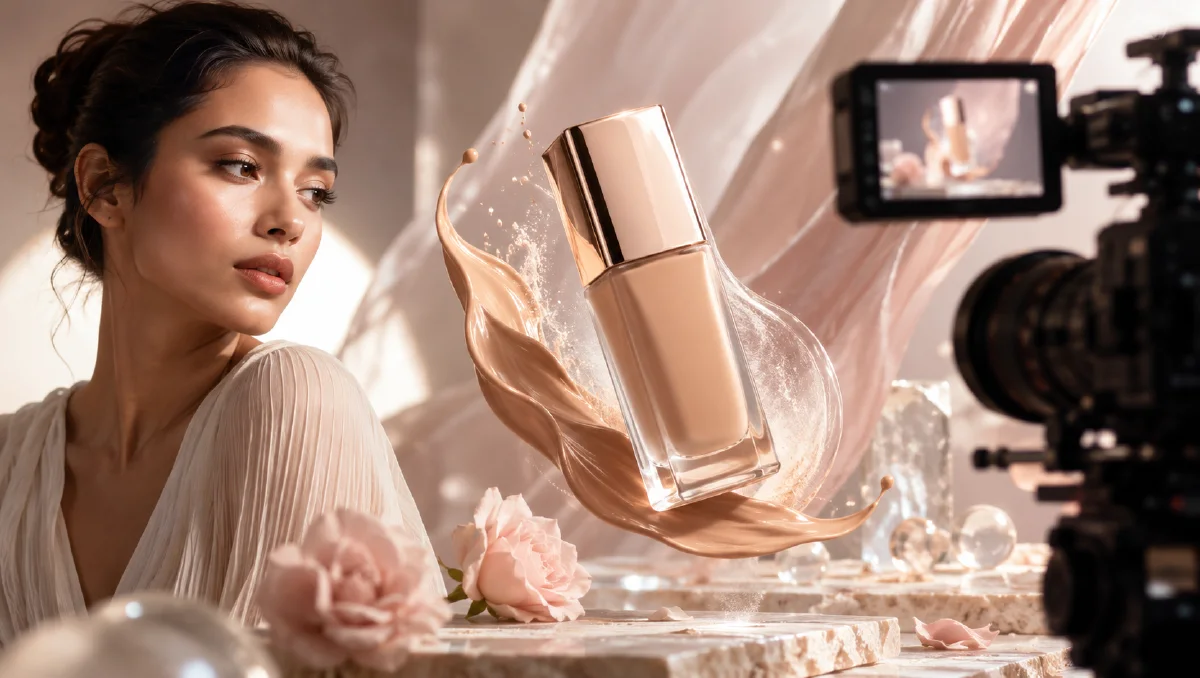
Foundation advertising has a specific visual challenge: the product must look premium, but it also has to communicate shade, texture, coverage, and skin finish. A generic beauty video may show a pretty bottle; a foundation brand film should show why the formula matters.
The practical definition: an AI foundation product brand film is a short promotional video built from foundation bottle or tube stills, texture visuals, application cues, image-to-video clips, and a final edit that communicates finish and confidence. It can support makeup launches, ecommerce pages, paid social, or campaign mood films.
For a general beauty workflow, use viral beauty product video workflow. For product still animation, read AI product photography to video. For short ad structure, pair this with AI video ads prompts.
Three-step workflow
| Step | Goal | Output |
|---|---|---|
| 1. Generate product stills | define bottle, shade, and scene | hero frames |
| 2. Animate with image-to-video | add silky camera and texture motion | clips |
| 3. Edit into brand film | sequence product, texture, use, payoff | final video |
This simple structure works because foundation has a clear set of visual needs: packaging, formula, skin finish, and shade range.
Step 1: generate product stills
Create several still categories:
- Bottle or tube hero.
- Foundation texture smear.
- Shade drops or swatches.
- Application detail.
- Final product and skin-finish mood.
Hero prompt:
Premium foundation bottle hero shot on a warm neutral reflective surface,
glass bottle with soft beige liquid tone, elegant cap, refined shadow,
clean beauty studio background, diffused soft light,
commercial makeup advertising photography, centered composition.
Texture prompt:
Macro close-up of liquid foundation texture spread smoothly across a neutral surface,
silky satin finish, soft beige tone, natural skin-like glow,
controlled beauty lighting, shallow depth of field.
Shade prompt:
Several foundation shade drops arranged in a clean gradient from fair to deep,
soft satin texture, warm neutral background, premium makeup campaign lighting,
minimal composition, no text.
Application prompt:
Close-up beauty application scene with a hand holding a foundation bottle near a clean vanity,
soft morning light, warm neutral palette, calm premium makeup mood,
product visible and stable, natural hand pose.
If the product must match real packaging, use a reference image and avoid invented label text.
Step 2: animate the clips
Hero motion:
Camera slowly pushes in on the foundation bottle.
Soft light moves across the glass and cap.
The bottle remains stable, liquid tone stays consistent, no label distortion.
Texture motion:
The liquid foundation spreads slowly into a smooth satin ribbon.
Highlights glide across the creamy surface.
Motion is silky, elegant, and controlled.
Shade motion:
Foundation shade drops remain arranged in a clean gradient.
Camera glides slowly from fair shades to deeper shades.
Texture stays smooth, no mixing, no messy splashes.
Application motion:
Hand lifts the foundation bottle slightly near the vanity.
Morning light shifts softly across the product.
Movement is natural and slow, product remains clearly visible.
Foundation ads should avoid chaotic splashes unless the campaign is intentionally bold. Smoothness usually communicates quality better.
Step 3: edit the brand film
A 15-second foundation film:
| Time | Shot | Purpose |
|---|---|---|
| 0-2 seconds | silky texture smear | hook |
| 2-5 seconds | bottle hero | product identity |
| 5-8 seconds | shade gradient | inclusivity or range cue |
| 8-12 seconds | application scene | user relevance |
| 12-15 seconds | final bottle plus texture | memory |
For a product page, lead with the bottle. For social, lead with texture or shade movement because it creates instant visual satisfaction.
Show finish responsibly
Foundation visual language often maps to finish:
| Finish | Visual cue |
|---|---|
| Matte | soft powdery surface, low shine, velvet texture |
| Satin | subtle glow, smooth highlight, balanced texture |
| Dewy | luminous reflection, fresh skin-like moisture |
| Full coverage | opaque smooth spread, even tone |
| Lightweight | thin fluid ribbon, translucent edges |
Avoid implying impossible transformation. You can show texture, shade, and finish without making unsupported skin claims.
Add a shade-range moment
Foundation is one of the beauty categories where range matters visually. If the product has multiple shades, include a clean shade moment rather than hiding everything inside one hero bottle. The shot does not need to show every SKU. It can show a respectful gradient of drops, swatches, or bottle tones in a consistent lighting setup.
Prompt example:
Clean premium makeup shot of foundation swatches in a balanced range of skin-tone shades,
arranged in a smooth arc on warm neutral stone,
silky satin texture, soft diffused light, refined beauty campaign composition,
no text, no messy smears.
Use this as a product truth cue, not as decoration. If the brand does not offer a broad range, focus the shot on finish and texture instead.
Skin-finish visuals without faces
You can communicate finish without generating a full face. Use skin-like texture surfaces, arm swatches, product on a sponge, or a brush moving through foundation. These shots are easier to control and reduce the risk of unrealistic facial changes. When you do use a person, keep the movement slow and the claim language grounded.
Build a balanced shot list
A foundation film should not be only texture or only faces. Balance the commercial needs:
| Need | Shot type |
|---|---|
| Recognize the product | bottle or tube hero |
| Understand the formula | texture spread or pump |
| See shade behavior | swatches or drops |
| Imagine use | hand, sponge, brush, or vanity scene |
| Remember the campaign | final hero frame with clean copy space |
This balance is especially important for ecommerce. A viewer may love a silky macro clip, but they still need to know what the package looks like and whether the finish matches their expectations.
Editing for makeup confidence
Keep the pace smooth and assured. Foundation is often about trust, so frantic cuts can work against the message. Use soft transitions between shade, texture, and product. Let the final bottle frame hold slightly longer than the others so the viewer leaves with product recognition.
For launch campaigns, create two versions: a formula-led cut that opens with texture and shade, and a product-led cut that opens with the bottle or tube. The formula-led cut can attract attention on social, while the product-led cut may work better on ecommerce pages where shoppers need clarity first.
Prompt safeguards
| Problem | Add |
|---|---|
| bottle warps | "product shape remains unchanged and stable" |
| shade looks orange | "balanced neutral beige undertone, realistic foundation color" |
| texture looks like paint | "cosmetic liquid foundation, silky satin skin-like finish" |
| hand looks unnatural | "natural hand pose, minimal movement, product not covered" |
| scene feels generic | "warm neutral makeup campaign palette, refined beauty lighting" |
Try it in Naviya
Use Naviya Image Generator to create product, texture, shade, and application stills. Animate them with Naviya Image to Video. Use Naviya Reference to Video for exact packaging, and test short campaign versions in Naviya AI Video Ads.
Final checklist
Before publishing, check:
- Foundation texture looks cosmetic, not like paint.
- Shade cues are realistic and respectful.
- Packaging remains stable.
- Motion is silky and controlled.
- The edit shows product, texture, shade, and use.
- The final frame supports clear campaign copy.
Foundation product films are strongest when they make formula visible. Show the bottle, the texture, the shade behavior, and the usage moment. With a simple three-step AI workflow, you can produce a polished beauty video that feels clear, tactile, and commercially useful.