2026-06-12
AI UGC Mirror Selfie Video Workflow for Realistic Outfit Content
Create realistic AI UGC mirror selfie videos by using phone occlusion, outfit references, scene expansion, and natural image-to-video motion prompts.
Try this workflow in Naviya
Use references when identity, product shape, outfit, or style needs to stay consistent.
Try reference to video
AI UGC videos often fail for a simple reason: the face looks too perfect, too unstable, or slightly wrong. A mirror selfie composition solves much of that problem by letting the phone cover the face. The result feels familiar, casual, and useful for outfit content. Viewers understand the format immediately because it resembles everyday shopping, try-on, and street-style posts.
The mirror selfie workflow is especially strong for apparel brands, creator seeding, marketplace listings, and short social ads. It turns a clothing reference into a believable lifestyle moment: a person standing near glass, holding a phone, showing the outfit, and moving just enough to feel alive. Use Naviya AI Image Generator to build the base frame, Image to Video to add subtle motion, and AI Video Ads when the clip needs a campaign structure. For related ideas, read UGC AI video ad prompts, white background product image to UGC video, and candid AI photo prompts.
What is an AI mirror selfie video?
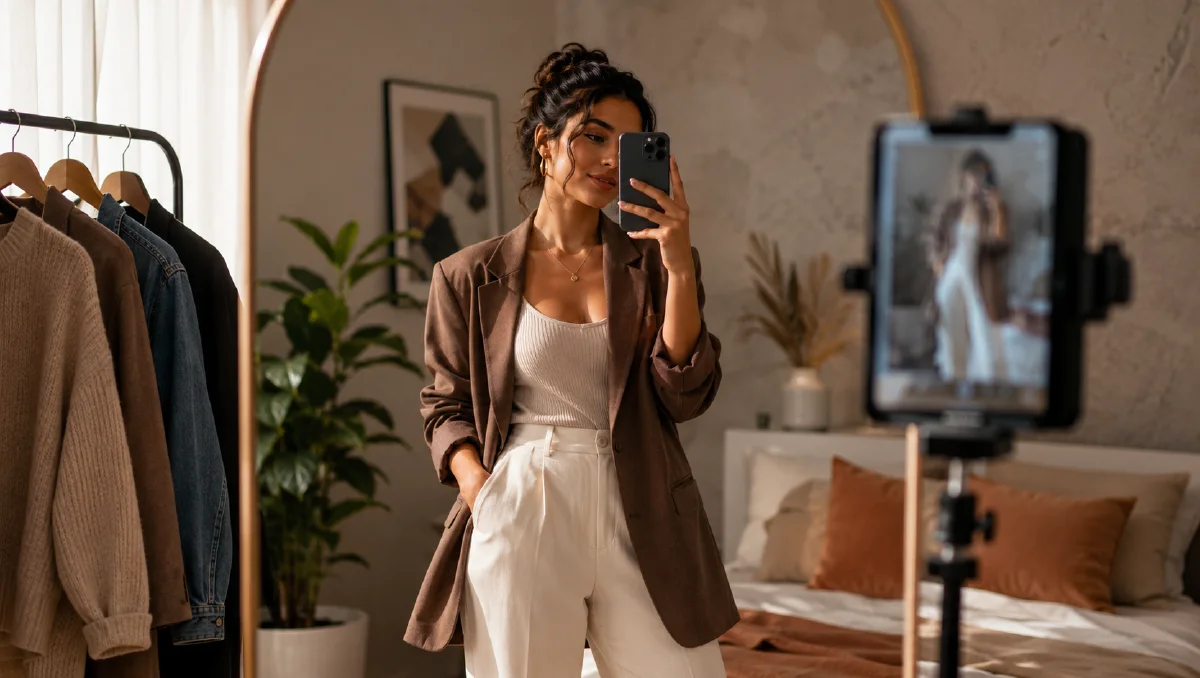
An AI mirror selfie video is a short image-to-video clip where the subject films themselves in a reflective surface, usually with a phone blocking part or all of the face. The format reduces facial distortion risk, keeps attention on the outfit, and creates a casual user-generated feeling.
The important detail is not just "person with phone." The phone must work as a physical occluder. The hand, device, reflection, glass, background, and outfit all need to obey the same space.
Why phone occlusion works
Most AI people look less believable when the camera stares directly at the face. A phone covering the face changes the job. The viewer reads the scene as a real shopping snapshot, while the model only needs to preserve body shape, posture, outfit, hand position, and reflection.
This gives the workflow three advantages:
- It hides the most fragile part of the human image.
- It makes the outfit the main story.
- It gives the video a natural reason for small movement.
The best motion is restrained: a slight shift of weight, a small wrist adjustment, fabric moving, glass reflections changing, a passing car in the background, or sunlight flickering through trees.
Step 1: generate the base selfie frame
Start with a vertical 9:16 image. Upload the outfit material or use a clear clothing description. The composition should include a reflective surface, a phone, one simple gesture, and enough real-world detail to make the scene feel lived in.
Base prompt:
Documentary street-style photo of a long-haired woman taking a mirror
selfie in front of a glass storefront. She wears the same outfit
as the reference image. One hand makes a casual peace sign, while the
other hand holds a light-colored phone in front of her face.
Background: city street, a white electric car parked by the curb,
green trees, sunlight filtering through leaves, soft shadows on the
sidewalk, an older couple walking in the distance.
Style: casual daily life, fresh color, realistic glass reflection,
natural shopping-after-walking atmosphere, 9:16 vertical photo.
Generate several options. Choose the one with the cleanest outfit, believable phone position, and readable reflection. Do not choose a frame where the phone floats, the hand bends oddly, or the glass reflection contradicts the body.
Step 2: create scene variations
Once the base prompt works, keep the phone-covering-face structure and change only the environment and secondary action. This creates a set of clips that feel like the same UGC campaign without repeating one background.
Variation instruction:
Keep the same city street mirror selfie format and the phone covering
the face. Create five new versions by changing only the environment
and the free-hand action. Keep the outfit, casual documentary style,
glass reflection, and realistic daily-life feeling.
Useful variation ideas:
| Environment | Free-hand action | Mood |
|---|---|---|
| Cafe window | adjusting hair | soft lifestyle |
| Shopping mall glass | holding a tote bag | retail-ready |
| Rainy street window | touching the collar | moody fashion |
| Hotel elevator mirror | holding sunglasses | travel UGC |
| Boutique storefront | pointing at the outfit | try-on review |
These variations are useful for ad testing because the product remains stable while the atmosphere changes.
Step 3: extract video motion from the image
After selecting a still image, write a motion prompt that makes the clip breathe without breaking the selfie. The prompt should emphasize small human movement and insist that the phone continues to cover the face.
Motion prompt request:
Create a short image-to-video prompt for this mirror selfie image.
Focus on subtle natural movement. Keep the face covered by the phone.
The motion should feel casual, realistic, and breathable.
Reusable motion prompt:
Create a 5 second vertical UGC mirror selfie video.
The person gently shifts weight from one leg to the other.
The phone stays in front of the face the whole time.
The free hand makes a small natural gesture near the outfit.
Fabric moves slightly with the body. Reflections on the glass change
subtly as the camera breathes. Background pedestrians move softly.
Keep the outfit, body shape, phone position, and reflection stable.
No face reveal, no extra fingers, no sudden camera jump.
Step 4: generate the final video
Use the chosen still as the first frame in Image to Video. Keep the prompt short enough that the model understands the hierarchy:
- Preserve outfit and selfie composition.
- Keep the phone blocking the face.
- Add small natural motion.
- Avoid dramatic action.
If the first result has face drift, strengthen the constraint: "the phone fully covers the face for the entire clip." If the outfit changes, add: "the clothing pattern, fit, color, and seams remain unchanged." If the mirror reflection becomes unstable, use a simpler background and reduce the amount of motion.
What to avoid
| Problem | Better instruction |
|---|---|
| Face becomes visible | phone fully covers the face throughout the clip |
| Outfit changes | preserve exact clothing shape, color, fabric, and fit |
| Fake UGC polish | casual phone video, documentary street-style realism |
| Wild camera motion | slight handheld breathing only |
| Reflection breaks | stable glass reflection, no duplicate body |
Try it in Naviya
Create a base outfit selfie in Naviya AI Image Generator, then animate the strongest frame with Image to Video. If you are making an ad set, build three scene variations first and turn the best performer into a short AI video ad.
Shot list for a three-clip ad set
For a small paid-social test, build three clips from the same outfit. Clip one should be the cleanest storefront selfie, with the phone covering the face and the full outfit visible. Clip two can be a closer crop where the free hand adjusts the collar, sleeve, bag, or waistband. Clip three should change the environment, such as cafe glass or a rainy street window, while preserving the same clothing. This gives the campaign enough variety for testing without asking the model to invent a new identity every time.
Keep each clip short. A realistic mirror selfie ad does not need a complex story. The commercial value comes from the believable try-on moment and the stable outfit detail.
Campaign use cases
Mirror selfie videos work well when the content should look lightweight but still sell the outfit. Use them for new drops, creator-style try-ons, resale listings, styling comparisons, seasonal capsules, and retargeting creatives.
For an apparel brand, one product photo can become a set of vertical UGC clips: street window, cafe glass, elevator mirror, boutique storefront, and rainy sidewalk. The viewer sees the outfit in use, not isolated on a hanger. That is the reason the format works: it turns product display into a casual moment that feels native to social feeds.