2026-06-12
AI Tech Jacket Product Video: Fabric, Function, and Motion
Create AI tech jacket product videos that show waterproof fabric, breathability, layered construction, and premium outerwear brand appeal.
Try this workflow in Naviya
Apply the prompt structure directly inside Naviya video generation workflows.
Plan a video prompt
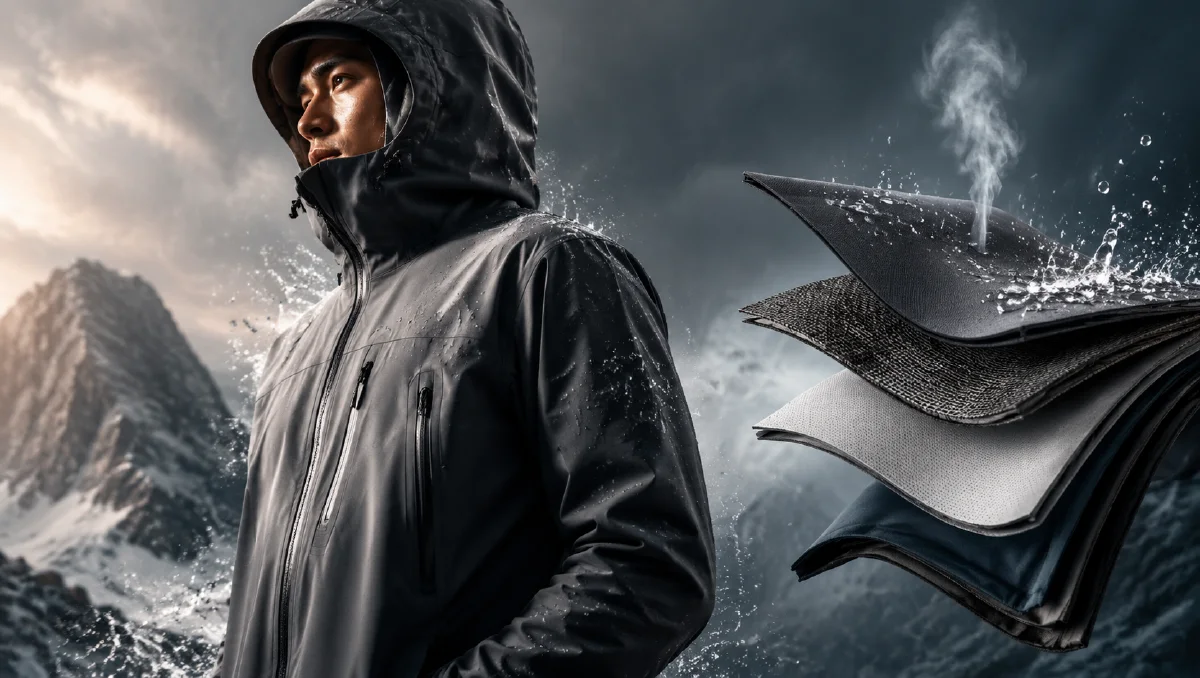
Technical outerwear needs proof. A jacket can look premium in a studio render, but the viewer still wants to understand why it performs: water resistance, breathability, layered construction, lightweight structure, and durable fabric. AI video is a strong format for this because it can make invisible product claims visible. Droplets rolling off fabric, airflow moving through layers, and macro fibers catching light can all become short persuasive scenes.
Use Naviya AI Video Generator for the full concept, Naviya Image to Video for fabric or product stills, and Naviya AI Video Ads for campaign variants. For shot language, combine this workflow with product image to video guide and AI video camera movement prompts.
Define the performance story
A tech jacket ad should not only say "waterproof" or "breathable." It should show those ideas. Start by choosing the main performance story. If the product is built for rain, focus on droplets and shell surface. If it is built for hiking, focus on movement, lightness, and weather. If it is a city shell, focus on sleek structure, clean layering, and subtle functional details.
Write the story as a prompt anchor:
This tech jacket video presents a premium waterproof shell through macro fabric detail, water-beading performance, breathable airflow, and a clean futuristic product reveal.
That sentence gives you four shot types and a clear edit.
Use three core visual directions
A practical AI workflow for outerwear can be organized around three directions:
| Direction | What it proves | Visual idea |
|---|---|---|
| Macro fabric | Material quality | Twill texture, matte nylon, fine weave |
| Functional demo | Performance | Droplets roll off, air particles pass through |
| Whole garment | Brand value | Jacket floats or rotates in a minimal space |
Do not rely only on the whole garment shot. It shows the product but not the reason to believe. The macro and functional shots create persuasion.
Generate fabric keyframes
Macro fabric frames need controlled detail. Ask for a specific material surface, lighting, and camera distance. Avoid clutter and avoid people. The fabric should fill the frame, and the lighting should reveal texture.
Prompt example:
Create a macro product keyframe for a premium waterproof tech jacket.
Subject: matte high-density dark gray-blue nylon fabric with fine twill texture.
Action: a transparent water droplet is about to touch the surface.
Lighting: cold white side light reveals the woven texture.
Background: minimal cool-toned technology environment.
Style: realistic product render, extremely clear, premium outerwear.
Constraints: no people, no fake text, no glossy plastic look, no messy background.
The droplet should be simple and readable. If the frame contains too many droplets, splashes, or particles, the video stage may become chaotic.
Show function without overexplaining
Functional shots should translate performance into motion. A water-resistance clip can show droplets landing, flattening slightly, and rolling away. A breathability clip can show subtle airflow particles passing through layered fabric. A structure clip can show the shell separating into clean layers or a zipper line catching light.
Motion prompt:
Animate this tech fabric keyframe into a 5 second product video.
Camera: locked macro shot with a very slow push-in.
Motion: one water droplet lands on the fabric, beads up, and rolls away naturally.
Lighting: cold highlight glides across the twill texture.
Mood: premium, technical, precise.
Constraints: preserve the fabric weave, droplet realism, color, and matte surface.
Breathability prompt:
Create a 5 second breathability detail clip for a tech jacket.
Scene: macro view of layered fabric cross-section in a clean dark studio.
Motion: tiny cool light particles pass gently through the layers, suggesting airflow.
Camera: slow lateral glide.
Constraints: keep the layers stable, realistic, and not biological or mechanical.
The goal is visual metaphor, not scientific simulation. Keep it elegant.
Reveal the full garment
After the functional proof, show the jacket as a complete product. A floating jacket in a minimal technology space can work well if it remains realistic. Protect the hood, zipper, cuffs, seams, and pocket placement. These details make the jacket believable.
Whole-product prompt:
Create a premium tech jacket product keyframe.
Scene: minimal cool-toned studio with soft floor reflection.
Product: dark gray-blue waterproof shell jacket, structured hood, sealed zipper, clean pockets, matte fabric.
Composition: jacket centered, slightly floating, three-quarter view, enough space for ad copy.
Mood: high-performance, futuristic, refined.
Constraints: realistic garment construction, stable zipper, no extra sleeves, no fake logo.
Animate it with a slow orbit or light sweep. Do not use aggressive transformation unless the ad is explicitly conceptual.
Edit a 12 second outerwear ad
Try this structure:
- Water droplet macro, 2 seconds.
- Fabric texture glide, 2 seconds.
- Breathability or layer detail, 2 seconds.
- Whole jacket reveal, 4 seconds.
- Closing frame with clean product space, 2 seconds.
This edit moves from proof to product. It is more persuasive than opening with a generic jacket render because the viewer first sees what makes the material special.
Make material benefits visible
Technical apparel ads work when the viewer can see a benefit without reading a long claim. Water resistance needs droplets that bead and roll. Breathability needs moving air, mesh detail, or a layered cutaway-style composition. Warmth can be shown with cold environment cues, vapor, snow, or a calm insulated interior. Packability can be shown through compact folds, but avoid impossible compression that misrepresents the garment.
Use one benefit per shot. If the prompt asks for waterproofing, warmth, breathability, lightweight movement, reflective trim, and pocket design in one clip, the result will likely become noisy. A cleaner sequence is proof detail, whole jacket, lifestyle use, and final product frame. This lets the edit carry the full message while each generation remains controllable.
The jacket should still look wearable. If effects make the surface look like plastic armor, reduce contrast, lower the water volume, and add fabric weave or seam detail.
For ecommerce, include at least one calm full-product frame after the feature shots. Macro proof can win attention, but shoppers still need to see length, hood shape, pocket placement, and overall silhouette. If the video only shows droplets and abstract layers, it may sell technology while failing to sell the jacket.
Use weather carefully. Rain, wind, snow, or fog should reveal performance, not bury the garment. If the jacket disappears into the environment, lower the weather intensity and add a clean rim light around the shoulders and sleeves.
Keep the closing frame quiet enough for product name, price, or launch copy.
Try it in Naviya
In Naviya, begin with three first frames: water droplet, airflow layer, and full jacket. Animate each with one restrained movement. Use the best macro clip as the campaign opener, then test a second version that opens with the whole jacket for audiences who need faster product recognition.
For paid social, create a 6 second variant: droplet impact, jacket reveal, final frame. For a product page, use a slower 10 to 15 second version that lets viewers inspect fabric and construction.
Final checklist
Before exporting, check whether the material still looks like fabric, not plastic or metal. Are droplets realistic? Does the jacket construction remain stable? Does the ad show both function and style? If the video answers those questions visually, it can make a tech jacket feel premium and believable without a physical shoot.