2026-06-12
AI Holiday Marketing Assets from One Product Photo
Generate holiday marketing assets from one product image with AI concept planning, prompt review, image generation, exports, and channel QA.
Try this workflow in Naviya
Turn a product, hook, or campaign idea into short social-ready ad concepts.
Create video ad variants
Holiday campaigns move fast. A team may need a hero poster, social square, gift guide tile, email banner, product-page image, and short video before the promotion window closes. AI can turn one clean product photo into a full set of seasonal marketing assets, but the output is only useful if the product remains accurate and the holiday styling supports the offer instead of burying it.
This guide explains a simple workflow for creating holiday marketing visuals from one product image. It works for Christmas, New Year, Valentine's Day, Mother's Day, back-to-school, Halloween, and seasonal sale moments. Use it with AI product promo page workflow, AI product scene generation, Naviya's AI Image Generator, and AI Video Ads.
Start with a clean product image
The product photo should be simple:
- Product is centered or easy to cut out.
- Background is clean.
- Shape and packaging are clear.
- Color is accurate.
- Any logo or label that belongs to the product is readable.
- Shadows are not too harsh.
If the source image is messy, clean it first. Holiday props will make the image busier, so start from clarity.
Choose the holiday asset style
Seasonal does not always mean red, green, glitter, and snow. Match the product and audience:
| Style | Best for |
|---|---|
| 3D rendered holiday set | Tech products, toys, gadgets, gaming accessories. |
| Hand-drawn festive | Stationery, children's products, cozy gifts. |
| Premium winter | Beauty, jewelry, luxury accessories, home fragrance. |
| Warm home gifting | Kitchen, audio, home decor, wellness. |
| Bold sale graphic | Discount campaigns, marketplaces, urgency ads. |
Choose one dominant style. A tech product may look strong in a clean 3D festive scene with ribbons and soft lights. A skincare product may need frosted glass, white fabric, and gentle gold accents.
AI planning prompt
Before generating, ask for campaign concepts:
Create holiday marketing visual concepts for the uploaded product.
Product: [product name and short description].
Campaign goal: [gift guide / sale / new launch / seasonal bundle].
Preferred style: [3D render / premium winter / warm home gifting / playful illustrated].
Output five image concepts with composition, background, props, color palette, headline direction, and channel fit.
Keep the product clear and accurate in every concept.
Review the concepts before generating. Remove anything that overcomplicates the scene or hides the product. If an idea includes text inside the generated image, decide whether to add typography later instead.
Image prompt template
Holiday marketing image for the uploaded product.
Style: [3D rendered festive / premium winter / warm home gifting / playful illustrated].
Composition: product is the hero, placed [center / right third / on gift table], with clean space for headline.
Props: [ribbon, gift box, soft lights, snow texture, pine branch, ornament], used sparingly.
Lighting: [warm cozy light / cool winter glow / premium studio light].
Preserve product shape, color, label area, packaging, and scale.
No third-party logos, no generated text, high-resolution commercial advertising image.
Example for a tech gift:
Holiday marketing image for a compact gaming device from the uploaded product photo.
3D rendered festive style, product centered on a clean snow-white platform, subtle red ribbon, soft golden holiday lights in the background.
Warm studio glow, crisp product edges, premium gift-guide mood, clean space above for headline.
Preserve the product's shape, screen area, buttons, color, and proportions.
No text, no extra logos, high-resolution commercial product image.
Example for a beauty product:
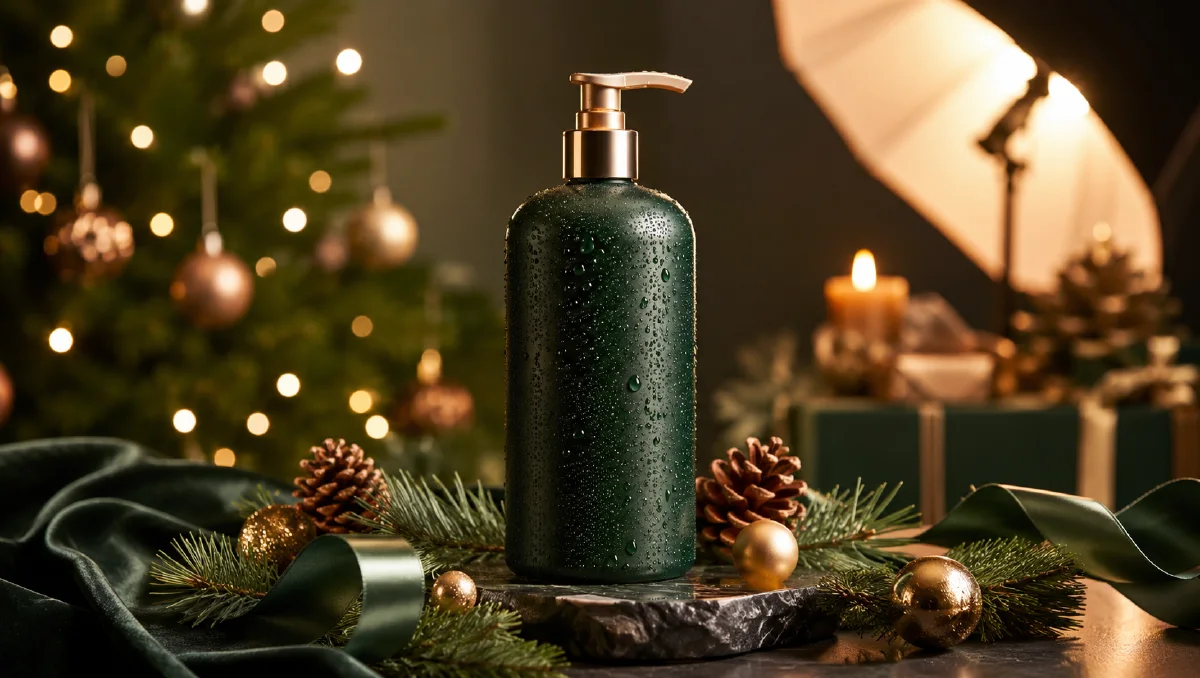
Premium winter holiday image for the uploaded skincare product.
Product stands on frosted glass with white silk fabric, soft gold ribbon, tiny warm lights, and minimal pine detail.
Cool white and champagne palette, elegant studio lighting, product centered with clean copy space.
Preserve bottle shape, cap, label area, color, and scale, no generated text.
Build a full asset set
One campaign can include:
| Asset | Ratio | Use |
|---|---|---|
| Hero poster | 4:5 or 9:16 | Social feed and story. |
| Square tile | 1:1 | Gift guide grid and marketplace promo. |
| Email banner | 16:9 or 3:1 | Newsletter hero. |
| Product page seasonal image | 3:4 | PDP gallery. |
| Short motion clip | 9:16 | Reels, TikTok, Shorts. |
| Clean packshot | 1:1 | Final CTA or retargeting ad. |
Keep the same props and palette across the set. Do not create one snowy blue asset, one red glitter asset, and one neon sale asset unless you are intentionally testing different directions.
Animate holiday assets
Motion should be gentle:
Short holiday product video from the uploaded image.
Soft golden lights twinkle in the background, ribbon moves slightly, snow particles drift gently.
The product stays sharp, stable, and accurate, clean festive advertising style, no text.
For a gift reveal:
Vertical holiday gift ad from the uploaded product image.
Camera slowly pushes in as a ribbon shifts and warm lights glow.
Product remains the hero, packaging accurate, final frame leaves space for offer text.
Use Image to Video for gentle seasonal movement and AI Video Ads when you need a complete ad with hook, product frame, and CTA.
QA checklist
- Product remains clear and accurate.
- Props do not cover important product details.
- Holiday style matches the product price point and audience.
- Text is added in a controlled design layer when accuracy matters.
- Ratios are exported for every channel.
- Final image has enough contrast for copy.
- Motion does not change product shape or packaging.
- Offer claims, prices, and dates are checked before launch.
Channel production plan
A holiday campaign usually needs more than one beautiful image. Plan the asset set by channel before generating so each visual has a purpose.
| Channel | Best asset | Prompt focus |
|---|---|---|
| Homepage hero | Wide product scene with clean copy area | Atmosphere, scale, negative space |
| Email header | Simple product plus seasonal cue | Readability, warm light, safe crop |
| Paid social | Strong hook image or short motion | Fast recognition, bold contrast |
| Product detail page | Accurate product with seasonal support | Material truth, clear shape |
| Retargeting | Familiar product in gift-ready context | Trust, comfort, offer space |
Create a small matrix: three moods by three placements. For example, premium gift, cozy home, and bold sale across homepage, email, and social. This keeps the campaign varied without generating disconnected visuals.
Use practical prompt notes for each placement. A homepage image can ask for extra room on the left for copy. An email header can use a centered product with low visual noise. A social ad can use stronger contrast and a more immediate product reveal. If the stills will become short seasonal clips, choose the frames with the simplest prop layout before moving into Image to Video.
Archive the winning prompt blocks by holiday. Next year, you can keep the proven lighting and composition while changing product, offer, and color accents.
Also save one evergreen version without date-specific props. A warm gift scene, winter table, or soft celebration background can often support later email, retargeting, or product-page creative after the main holiday window has passed.
That evergreen backup is especially useful when paid media keeps running after the peak date.
Try it in Naviya
Upload one clean product photo to Naviya's AI Image Generator and generate three holiday directions: premium, warm home gifting, and bold sale. Turn the strongest still into a short seasonal clip with Image to Video, then create channel-ready variations with AI Video Ads.