2026-06-12
AI Buyer-Show Images: Lifestyle Photos for Apparel Listings
Use AI buyer-show images to create natural apparel lifestyle photos that feel candid while preserving the real garment, fit, and listing trust.
Try this workflow in Naviya
Turn a product, hook, or campaign idea into short social-ready ad concepts.
Create video ad variants
AI buyer-show images are different from polished model photos. The goal is not a perfect studio campaign. The goal is a believable lifestyle image that feels like a real customer wearing the product in a cafe, on a sidewalk, at home, on campus, or during an everyday errand. For apparel ecommerce, this style can make a product feel more approachable and help shoppers imagine the garment outside the catalog grid.
The strongest buyer-show workflow starts with a product worn on a person, extracts the garment idea, and generates natural scenes around it. The output should feel candid, but the process still needs product control. If the sweatshirt changes shape, the logo moves, or the fabric becomes something else, the image may feel authentic while misleading shoppers.
Use Naviya AI Image Generator to create still buyer-show variants after you have a clear product reference.
Define buyer-show style
Buyer-show images should feel:
- Natural.
- Friendly.
- Slightly imperfect.
- Everyday.
- Product-visible.
- Less posed than a model shoot.
They should not feel careless. A blurry product, distorted body, or messy background does not create authenticity. It creates doubt.
For apparel, a buyer-show prompt might use words like "fresh natural student style," "casual Asian street photo," "warm cafe snapshot," or "simple home mirror-style outfit photo." The key is to make the style serve the garment.
Start by extracting product information
If the input is a person already wearing the product, document the product before creating new scenes:
Product: women's oversized crewneck knit sweatshirt.
Color: soft heather gray.
Fit: relaxed oversized, dropped shoulder, ribbed collar, ribbed cuffs, ribbed hem.
Length: covers upper hip.
Texture: medium-weight knit, soft casual sportswear feeling.
Visible details: clean front, no extra graphics, rounded neckline.
This product note becomes the stable instruction for every buyer-show image. It is often more reliable than asking the model to infer the garment from one photo.
Create inspiration before images
For a batch of lifestyle images, generate or write a small set of scene ideas first:
| Scene | Why it works |
|---|---|
| Cafe table | relaxed everyday social context |
| Campus walkway | youthful student mood |
| Bedroom mirror | casual outfit-check feeling |
| City street | practical outerwear and styling |
| Home sofa | comfort and softness |
| Convenience-store night | candid social feed energy |
Then turn each idea into a prompt. This staged workflow gives more control than pressing generate and hoping for variety.
Prompt for real-life friendliness
Example buyer-show prompt:
Create a natural buyer-show lifestyle photo for the provided sweatshirt product.
Subject: young adult woman with friendly casual styling, relaxed posture, natural expression.
Garment: preserve the oversized crewneck sweatshirt, heather gray color, ribbed collar, ribbed cuffs, ribbed hem, dropped shoulder, relaxed fit, and soft knit texture.
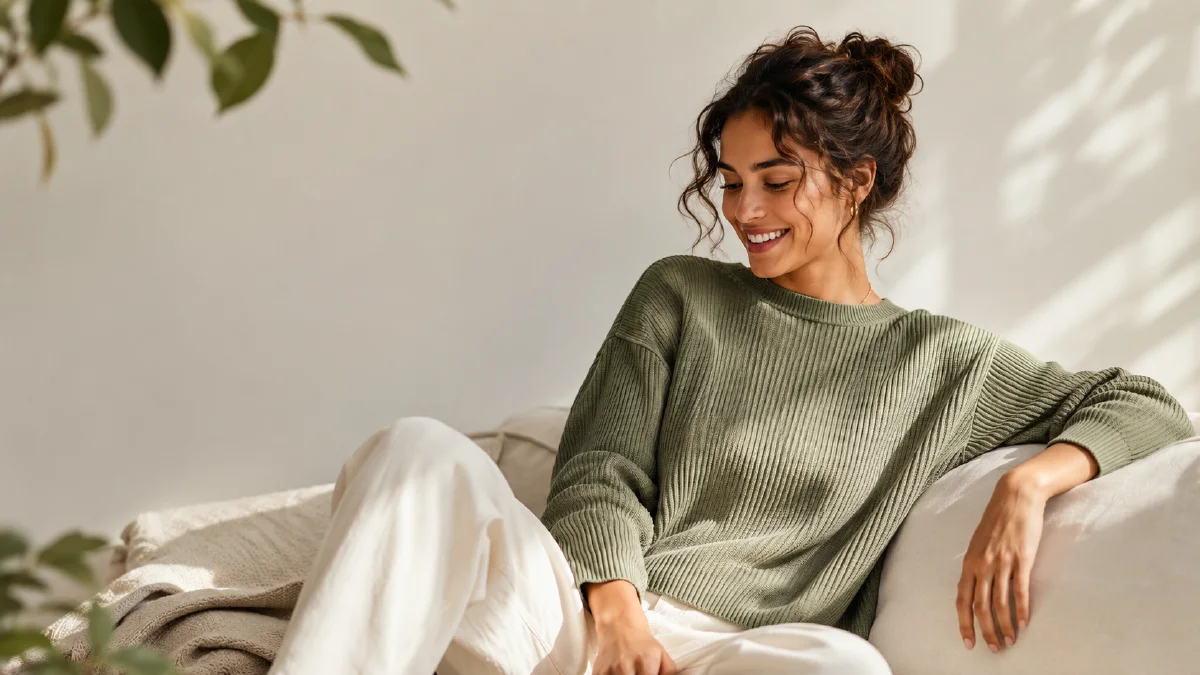
Scene: bright neighborhood cafe, sitting near a window with a coffee cup on the table, candid everyday atmosphere.
Camera: smartphone-like lifestyle photo, natural light, slightly casual composition, product clearly visible.
Constraints: no luxury model pose, no changed garment shape, no added graphics, no fake brand text, no distorted hands, no clutter covering the sweatshirt.
The phrase "smartphone-like" can help, but use it carefully. You still want enough sharpness for a product listing. Add "product clearly visible" to prevent the casual style from hiding the garment.
Keep the product visible in every scene
Buyer-show images often fail because the scene becomes more important than the clothing. A cafe table may block the hem. A bag strap may cover the logo. Hair may hide the neckline. A mirror crop may cut off sleeve length.
Protect the selling details:
- Neckline.
- Shoulder fit.
- Sleeve length.
- Hem length.
- Logo or graphic placement.
- Fabric texture.
- Overall silhouette.
If a scene hides the product, rewrite the pose instead of accepting the mood.
Build a batch without losing consistency
A useful buyer-show batch might include six images:
- Cafe seated image.
- Campus walking image.
- Home mirror outfit image.
- Street standing image.
- Sofa comfort image.
- Detail close-up of cuffs or texture.
Repeat the same product note in every prompt. Change the scene, mood, and pose only. This creates variety while keeping the garment stable.
For reference-heavy workflows, the reference image prompting guide can help assign the product reference, buyer mood reference, and scene reference separate jobs.
Turn buyer-show stills into short UGC clips
Some buyer-show images can become short UGC-style video clips. Use Image to Video for subtle motion: a small smile, a hand adjusting a sleeve, a seated turn toward the window, or a relaxed walking step. Avoid major body movement unless the garment and pose are very stable.
For paid social, AI Video Ads can turn approved buyer-show stills into short hooks. Keep claims simple and product-visible. The product image to video guide is useful when moving from still product truth to motion without introducing drift.
If the final placement is a product page, compare the clip against the ecommerce product video AI guide and keep motion calmer than ad creative.
Scene planning matrix
Buyer-show content works best when each scene answers a different shopper doubt. Do not create six versions of the same cafe image unless the cafe setting is the actual selling point. Build a matrix before generating:
| Shopper question | Better scene | Prompt priority |
|---|---|---|
| How does it fit in daily life? | campus walk, commute, cafe | natural posture, full silhouette |
| Is the fabric comfortable? | sofa, home desk, sleeve close-up | soft texture, relaxed hands |
| Can I style it? | mirror outfit, street corner | visible pairing items |
| Does it look premium? | clean apartment, neutral studio | controlled light, tidy background |
| Is it useful for social proof? | phone snapshot, friend-taken photo | candid framing, product clarity |
This matrix prevents random lifestyle generation. It also helps the creative team review output fairly. A "home sofa" frame should be judged on comfort and garment visibility, not on whether it feels like a fashion editorial. A "street outfit" frame should be judged on styling, crop, and fit.
If a batch starts to look fake, reduce the ambition of each scene. Use one person, one product, one readable environment, and one selling detail. Ask for approachable posture instead of a dramatic pose. Keep the camera at a believable height. For apparel, the most useful buyer-show image is often the least theatrical one: clear fit, relaxed expression, natural light, and enough context to help a shopper imagine owning the item.
When reviewing, place the generated image beside the plain product photo. If the buyer-show version changes the sleeve length, color temperature, logo scale, or fabric weight, it should not be used as product evidence. It can still be a mood reference, but the listing image needs stricter truth.
Try it in Naviya
In Naviya, upload the garment image or worn product reference, write the product note, then create buyer-show scene variants one at a time. Save the images that feel natural and still show the garment clearly. Animate only the strongest stills.
Buyer-show QA
Before publishing, ask:
- Does this look like a real customer moment?
- Is the garment still the same product?
- Is the fit honest?
- Can shoppers see the important details?
- Is the scene free of distracting or private information?
- Does the image feel approachable without looking low quality?
AI buyer-show images are valuable because they add social proof energy to apparel listings. Keep them candid, keep them product-led, and treat authenticity as a style built from clarity rather than randomness.